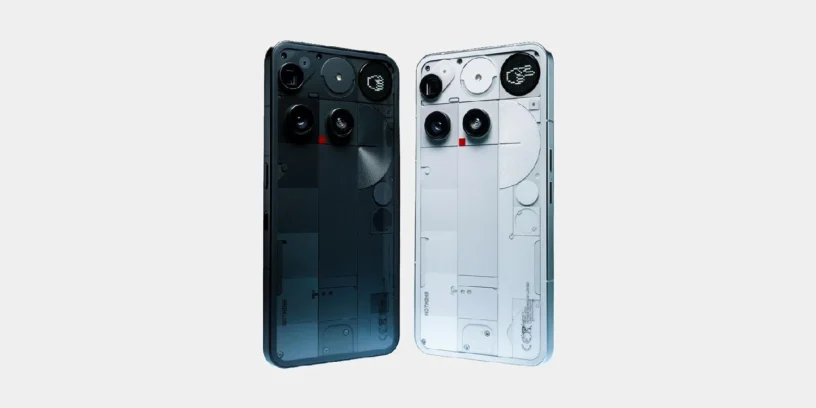

Nothing has released a new version of its customization layer for the Nothing Phone (3) with the update to Nothing OS B4.1-260414-1846 . This update represents a significant leap forward for the brand's flagship device, introducing artificial intelligence tools designed to optimize productivity and refine interaction with the device's most distinctive visual elements. It's a rollout that not only updates the system's foundation but also expands the capabilities of the existing hardware.

Most notable new features of version
The most significant addition is, without a doubt, Essential Voice. This AI feature integrated into the keyboard transforms the voice-to-text dictation experience, enabling much more natural and structured writing effortlessly for the user. Furthermore, the following features are finally integrated: Live Updates, which allow real-time monitoring of activities from multiple points on the interface.
However, the lack of customization options on the lock screen, which the Phone (4a) series did have, is noticeable, as is the absence of options to delete objects in the gallery or camera improvements. I hope Nothing gets its act together and brings its flagship phone up to par with the new releases in the coming months.
ADVERTISING
Essential Voice
- 🎙️ Cleans up transcripts by filtering out interjections, filler words, and repetitions, while intelligently managing autocorrections.
- 🔡 Translate on the fly by detecting the translation intent and insert the translated text directly.
- 🗃️ It allows you to store personal phrases, such as email addresses, and automatically insert them when activated by the corresponding speech.
- 📑 Automatically formats text by converting speech into structured lists, steps, or bullet points when it identifies such content.
New features
- ⏲️ Introducing the clock design for the Phone (3a) Community Edition lock screen, co-created with community member Jad Zock.
- 📡 Live Updates now work across multiple scenes, including the lock screen, notification panel, and Glyph interface, tracking real-time progress in apps like Google Maps.
- 💬 The Essential Notifications settings interface has been redesigned with a cleaner look and descriptions for easier use.
- 🫧 Notifications you frequently interact with can be suggested to be set as Essential Notifications.
ADVERTISING
General improvements and bug fixes
- 📖 Optimized instructions for activating an eSIM for greater clarity and ease of use.
- 🤳 Improved video call stability to avoid lag when using certain third-party applications.
- 📱 Fixed some display errors in the notification panel and Quick Settings.
- ⚙️ Improved overall system stability.
- 🛡️ Update to the April 2026 security patch.
You should be aware that, during the installation process, the terminal may consume more energy and feel hotter This is normal behavior after an update of this magnitude; once system optimization is complete, performance and temperature will return to normal levels.

Leave a Reply