


Nothing is once again making a strong push into the over-ear headphone market with the new Nothing Headphone (1) Pro. At first glance, they might seem like a revision of the original model, but they conceal quite a few changes and improvements in aspects such as design, comfort, sound, and customization options. After using them for a while, I think we're looking at one of those products where the user experience is even more important than the list of specifications, because there are advancements that may seem small on paper but end up making a difference after several hours of use.
Furthermore, I get the feeling that Nothing has found a very interesting way to reinvent itself in terms of design. After the design of the Nothing Phone (3), the brand seems to have taken a slightly different path, with cleaner lines and a more elegant look, while completely maintaining that transparent identity that has made its products so easily recognizable. The result seems particularly successful to me, and I think they fit perfectly with the aesthetic of the Nothing Phone (4a) Pro, as both share a more understated philosophy while still retaining their own personality. After testing them, I'm quite certain that they are the best over-ear headphones Nothing has created so far, although that doesn't mean they're perfect.
A more minimalist design without losing Nothing's identity
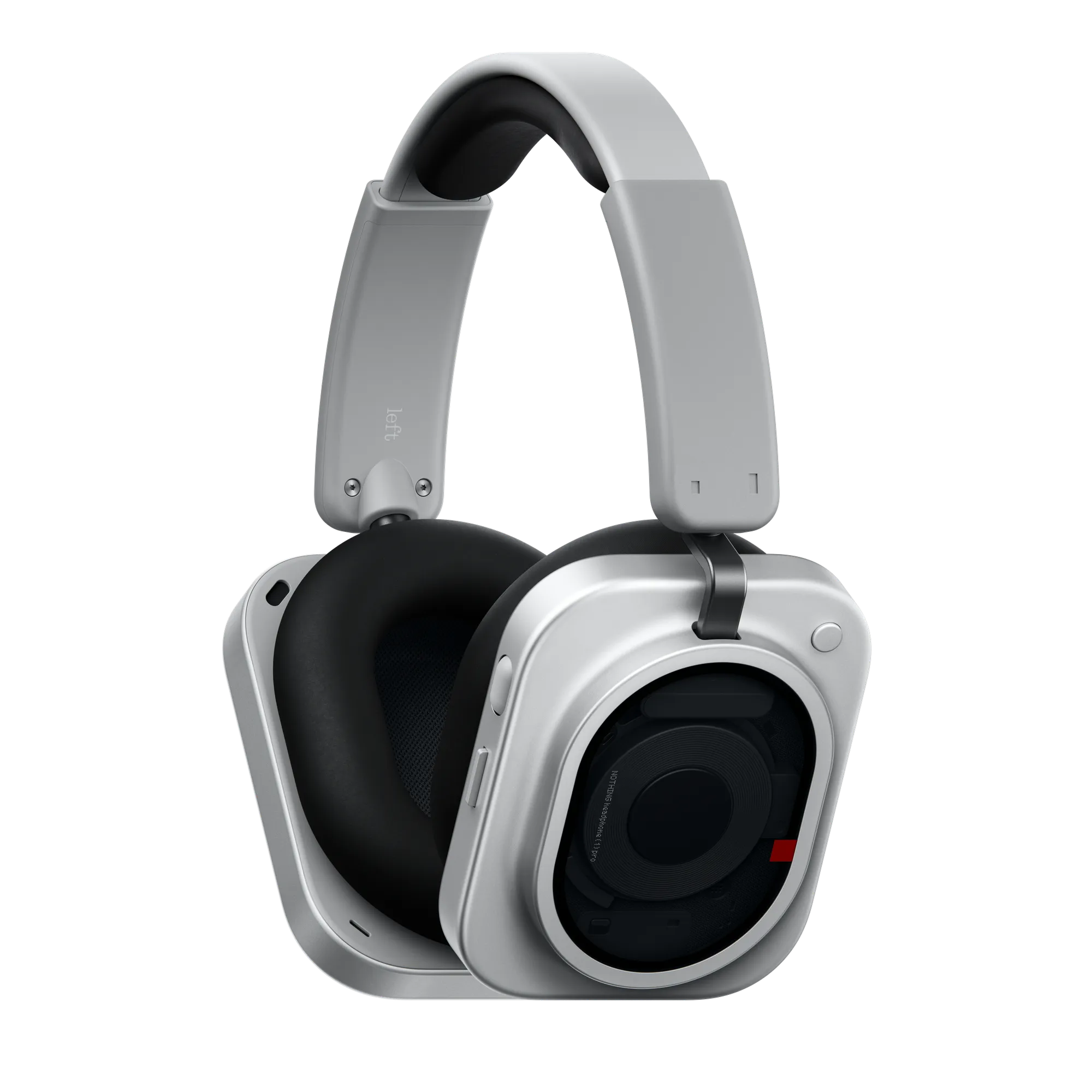
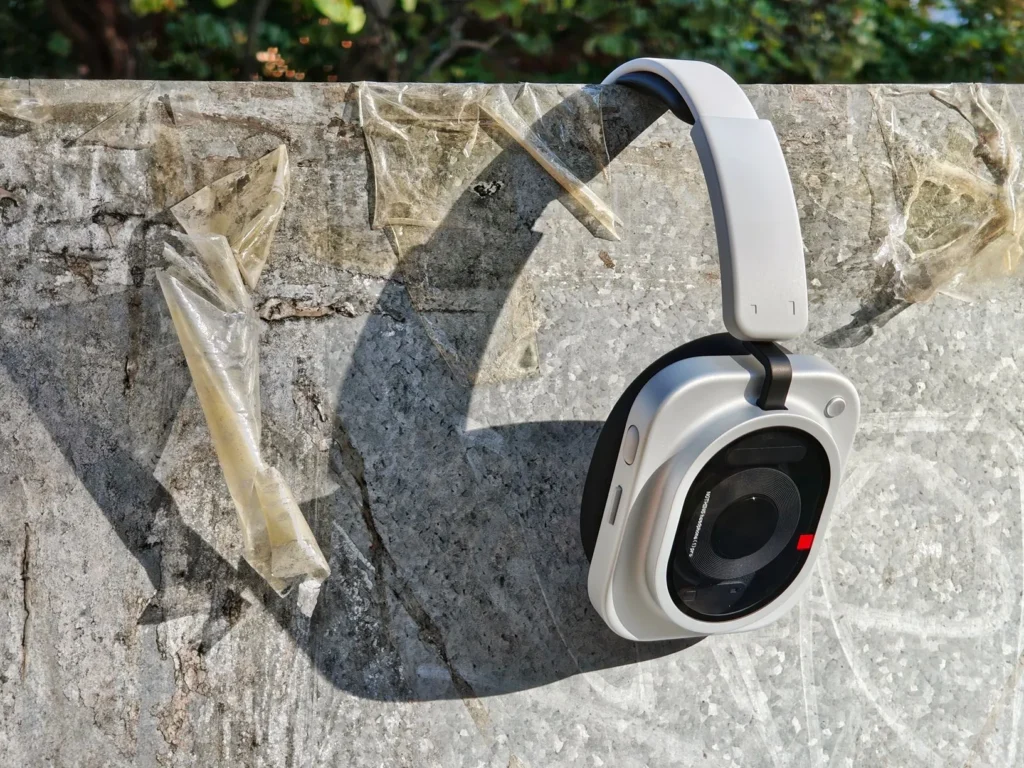
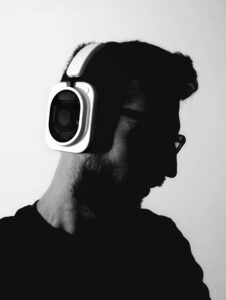
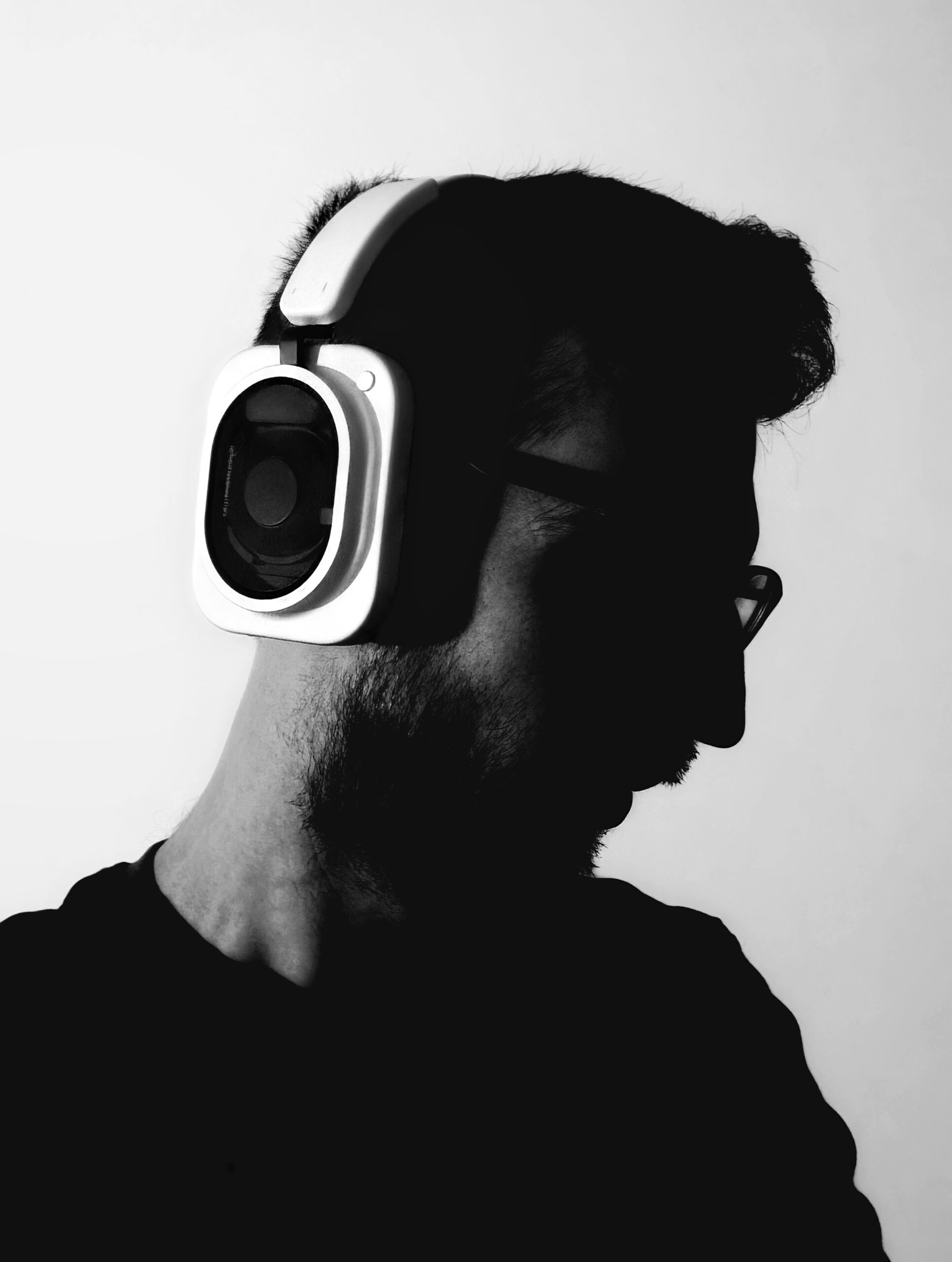
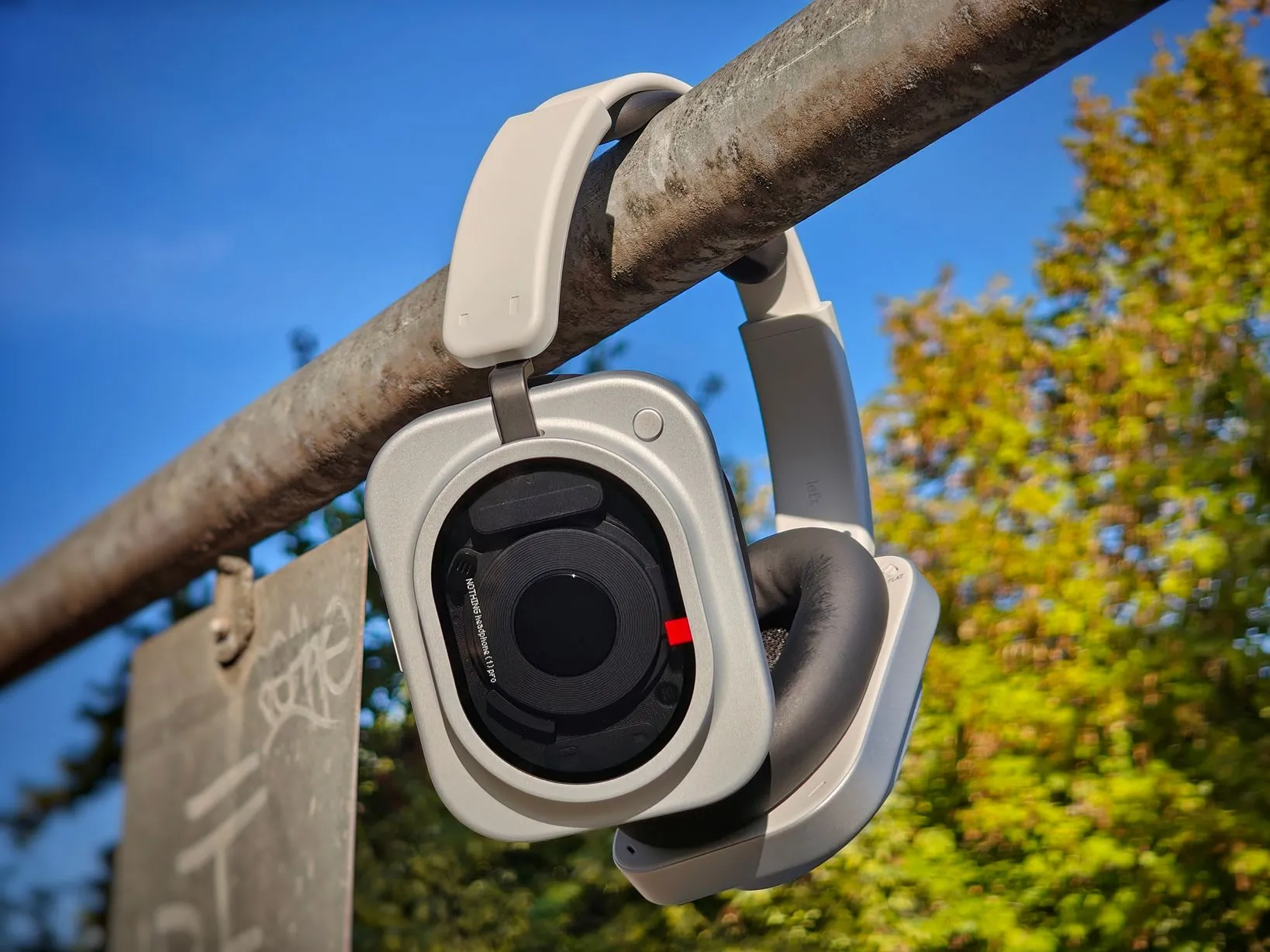
I think one of the best decisions of this generation lies precisely in its design. The Headphone (1) Pro maintains the aesthetic we already knew from the Headphone (a) and Headphone (1), but everything feels more refined and mature, with fewer elements trying to attract attention and more emphasis on the materials, shapes, and component layout. We have an aluminum chassis and frame with a smooth feel, while the arms use machined titanium, a material that is also lighter than the 45% used in the Headphone (1), which helps improve the overall feel when holding them and also when wearing them.
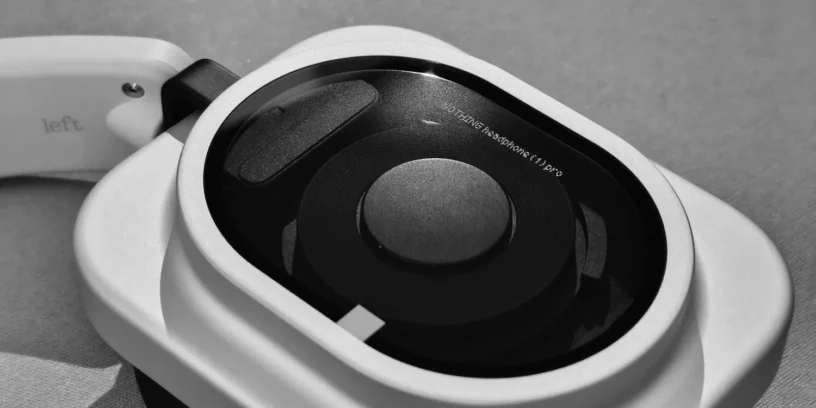
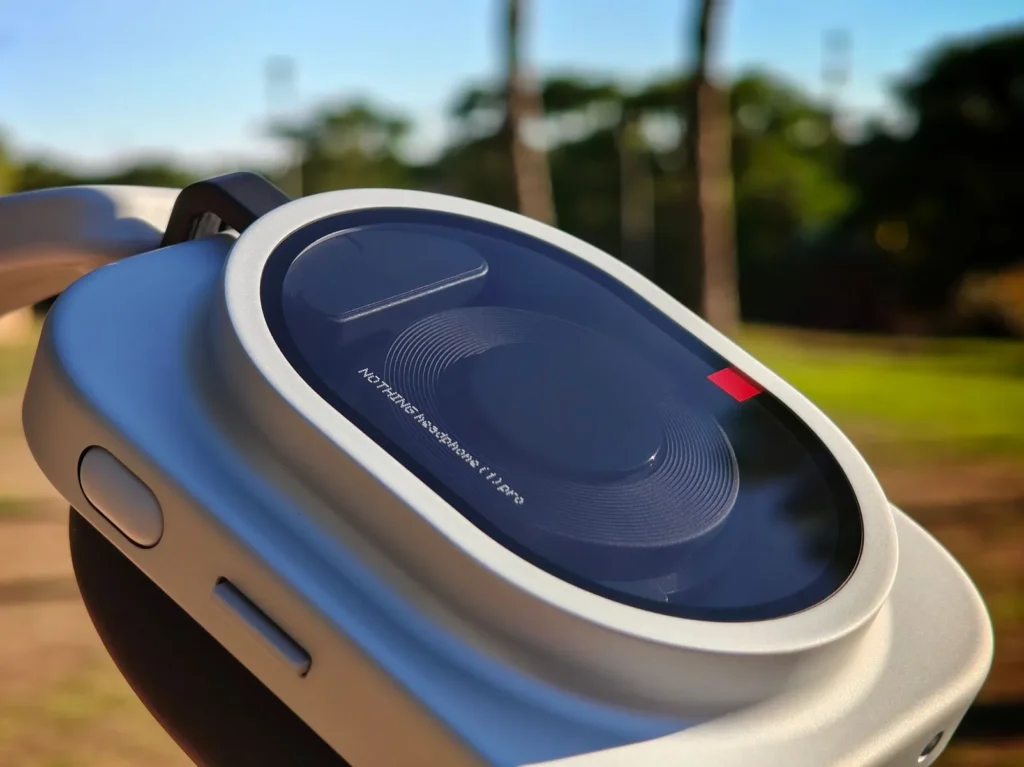
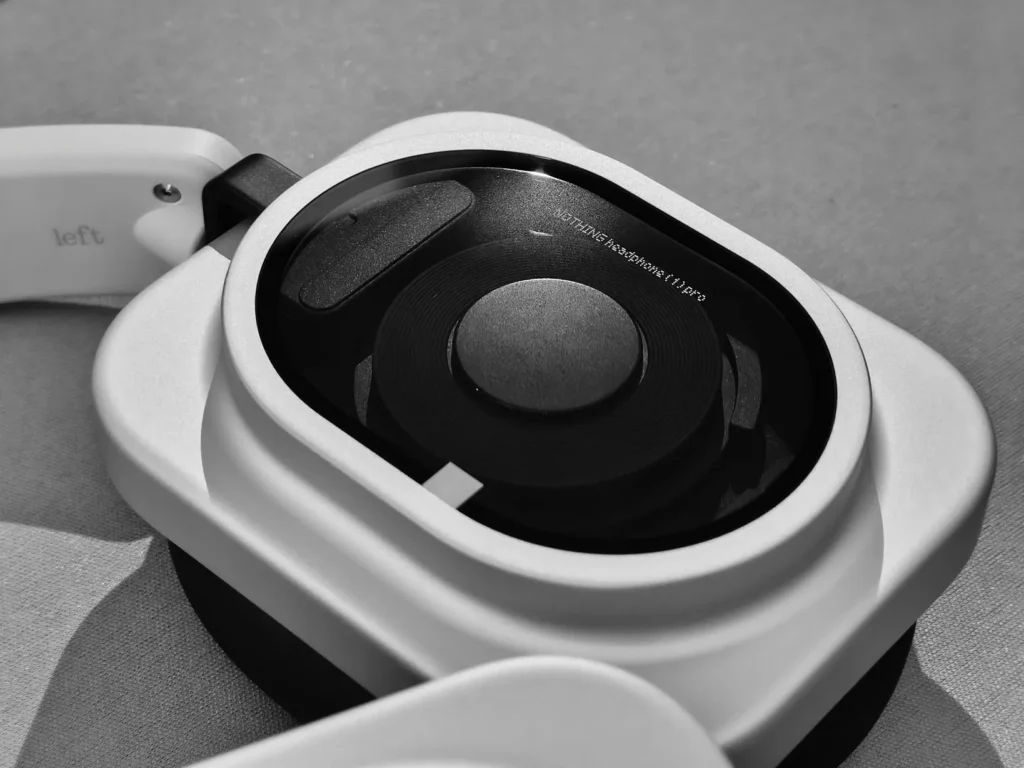
The novelty lies in the transparent window, protected by Panda Glass 9H, which allows you to see some of the internal components and, especially, the position of the three drivers. What I like most is that the transparency doesn't seem like a mere decorative element added to make them different, but rather a genuine window into the interior of the earpiece, with a carefully designed and visually appealing arrangement of elements.
Premium materials and product feel
This change is also noticeable when you first pick them up. The Headphone (1) Pro feel solid and well-built, but they don't convey that heavy or overly bulky feeling sometimes found in high-end over-ear headphones. Could they be even lighter to improve ergonomics? Absolutely. Even so, the aluminum provides a firm and pleasant-to-the-touch construction, while the titanium helps reduce weight in an area that can significantly impact comfort, and the whole package strikes me as a logical evolution of the Headphone (1), with a more premium feel and in line with what I expect from a Pro version.
Nothing's most comfortable headphones to date
The Headphone (1) already seemed comfortable to me, but the Headphone (1) Pro has improved in this area in a way that I really notice when using them for extended periods. They weigh 327 grams, slightly less than the Headphone (1), and while it's not a huge difference, any reduction is welcome when you're talking about headphones that can be worn for several hours. Even so, the real improvement for me is in the ear pads, where Nothing has used a softer 50% viscoelastic foam, resulting in a much plusher and more adaptable feel.
The headband is also wider and features thicker padding, while the earcups incorporate a pivoting mechanism that can rotate up to 20 degrees, allowing the entire assembly to better adapt to the head. The combination works really well and distributes pressure more naturally, which is especially appreciated after wearing them for several hours.
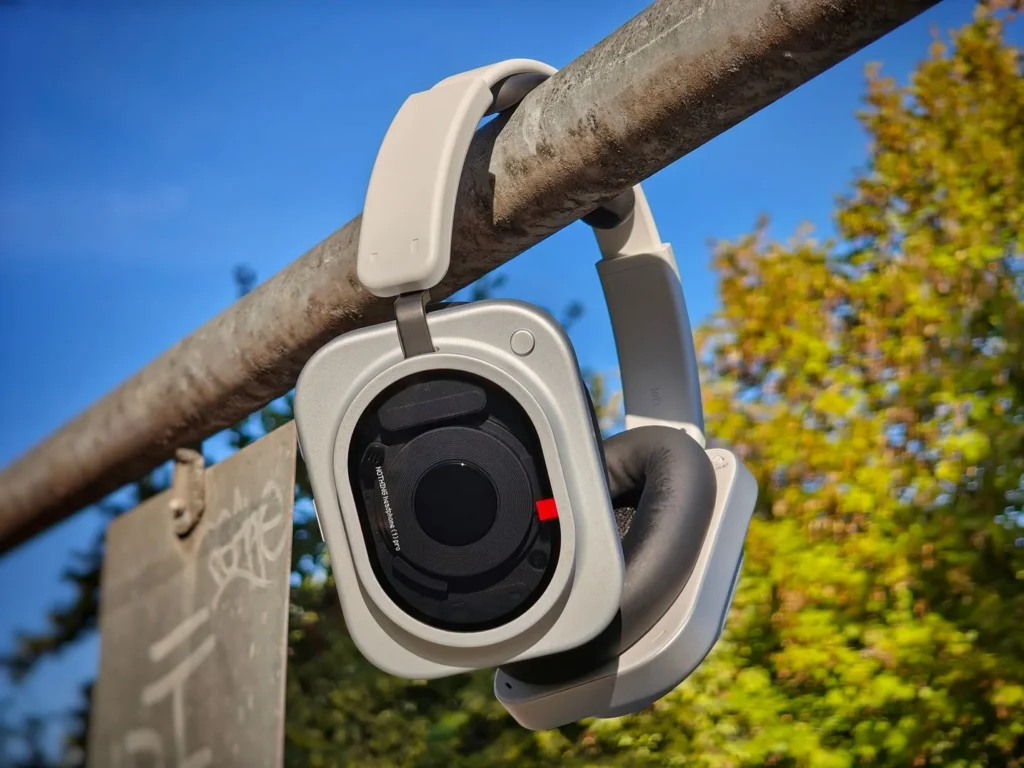
In my case, this improvement is even more significant because I have large ears and wear glasses, so you could say I get a double win when it comes to evaluating the comfort of over-ear headphones. With the Headphone (1) Pro, I haven't had any problems in that regard, as the earcups completely cover my ears and fit quite well even with glasses, without creating any particularly uncomfortable pressure on the sides. I wouldn't say the change compared to the Headphone (1) is radical, because those weren't uncomfortable either, but it's noticeable enough for me to say that, in my experience, these are the most comfortable over-ear headphones Nothing has ever made.
It's not all advantages: summer and sport
The over-ear design also has its limitations, and one is quite clear: heat. When temperatures hover around 30 degrees Celsius (86 degrees Fahrenheit), the ear pads and my own ears start to sweat within minutes, so the comfort they offer for many hours in a cool environment can become a drawback when it's very hot. This isn't unique to the Headphones (1) Pro, of course, but it's important to keep in mind if you intend to use them for long sessions in the summer.
I also don't consider them the best option for running. In my case, the bouncing sound with each stride creates a rather unpleasant sensation in my ears, something that has more to do with the design than a specific defect in these headphones. Therefore, I personally see them as much more suitable for use at home, in the office, while commuting on public transport, or simply walking around town. For high-impact workouts or activities where we’ll be moving our heads around a lot, I’d still go for in-ear earbuds or the Nothing Ear (Open). Yes, I keep going on about that last model, but I’m just in love with them.
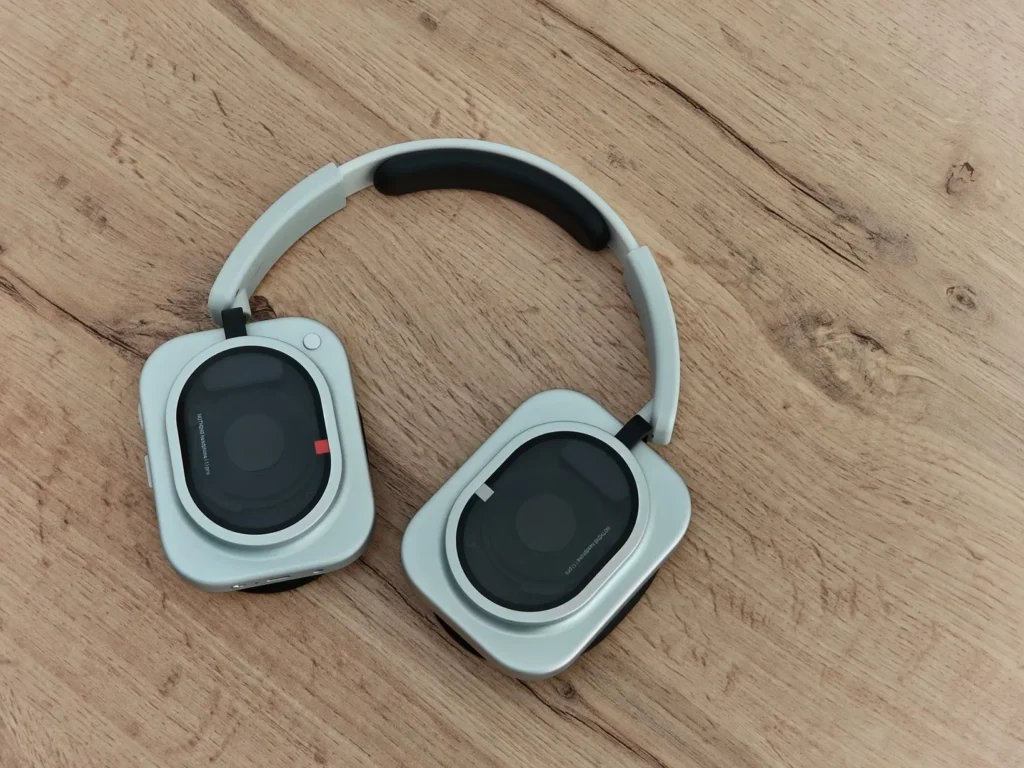
That doesn't mean we can't exercise with the Headphones (1) Pro, as their IP52 certification means they can easily withstand sweat and splashes. I simply think it's not the scenario where they're best enjoyed, and given the lighter and more stable alternatives available, I'd choose a different design for those situations.
Sound: we're talking about a different league here.
If there's one area where I think Nothing has made a significant leap forward, it's in sound. As I mentioned at the beginning of this review, the Headphone (1) Pro uses a triple-driver architecture, which means that instead of relying on a single unit to reproduce the entire spectrum, the work is divided among three different components: a 40mm dynamic bass driver, a 13 x 8mm precision dynamic driver dedicated to the midrange, and a small solid-state xMEMS driver for the treble. The idea is that each driver can focus on a specific area and reproduce it with greater accuracy, which makes perfect sense when you're looking for more separation and detail.
ADVERTISING
The bass driver operates between 20 Hz and 10 kHz and combines an electroplated metal-ceramic dome over PET with a PEEK and PU surround. Nothing claims a 15% driver with more punch and a 26% driver with greater sensitivity compared to the single-magnet system of the Headphone (1), and the resulting sensation is precisely that of bass with more presence, more impact, and a greater capacity to maintain its force when the volume is increased. In the midrange, we find a second driver with a PEN diaphragm and a range of 5 to 15 kHz, designed to maintain greater stability in a region especially important for vocals and many instruments, while the third element is the solid-state xMEMS driver, measuring just 3.2 x 6.0 x 1.15 mm, whose silicon diaphragm aims to offer a particularly fast response in the high frequencies.
What's truly interesting, however, is how all of this translates to listening to music. And here I do think we're talking about a whole different ballgame compared to the Headphones (1), because there's a clear improvement in clarity, tonal differentiation, power, and, above all, the number of nuances. The bass is very pronounced and plays a significant role in the preset equalization, while the mids maintain enough presence so that vocals aren't buried, and the treble adds considerable detail, resulting in a very colorful sound with a well-defined personality.
A sound with much more control
For mainstream music, I find this combination particularly successful. Vocals are easily distinguishable, instruments maintain excellent separation, and there are songs I've known for years where I've discovered subtle nuances that previously went unnoticed. Furthermore, I notice a greater sense of power compared to the Headphone (1), which I also consider important because one of the criticisms of that generation was precisely its ability to produce a powerful sound.
However, this profile also has a small consequence that more discerning users might notice. By opting for such a colorful sound signature, with pronounced bass and a fairly lively response in the mids and highs, there are some particularly dense songs where certain frequencies can feel slightly more overlapped than would be ideal for a truly analytical listening experience. This doesn't mean the instruments blend together alarmingly or that the separation is poor, but rather that at certain moments I find less space between some areas of the spectrum than someone seeking an absolutely neutral and precise reproduction would expect.
And this is where, for me, one of the great strengths of the Headphones (1) Pro comes in. They aren't designed to be limited to a single type of user or a single way of listening, because we can enjoy that powerful and characterful sound when we want to make music, play with different profiles, and take advantage of spatial audio for movies, but we can also shift them into a much more neutral and controlled environment when we need to work with audio, edit video, or do critical listening. This versatility is a fundamental part of the experience and also one of the reasons why I think it makes sense for Nothing to have added the Pro label.
Flat EQ: the big new thing
Flat EQ is largely responsible for these headphones' versatility. Nothing has placed a physical switch on the Headphone(1) Pro itself that allows you to activate a completely neutral profile, eliminating the coloration and additional processing found in the conventional listening experience. Doing so temporarily disables features like spatial audio, transparency mode, and custom equalizers, resulting in a much more direct and critically oriented playback experience.
This significantly changes the product's focus, because the same headphones you can use to listen to music with a powerful and fun sound can also serve as a more serious tool when you need a clean reference. For someone who edits video, works with audio, reviews a mix, or simply wants to listen to a recording while trying to alter its original character as little as possible, having this mode available is quite useful.
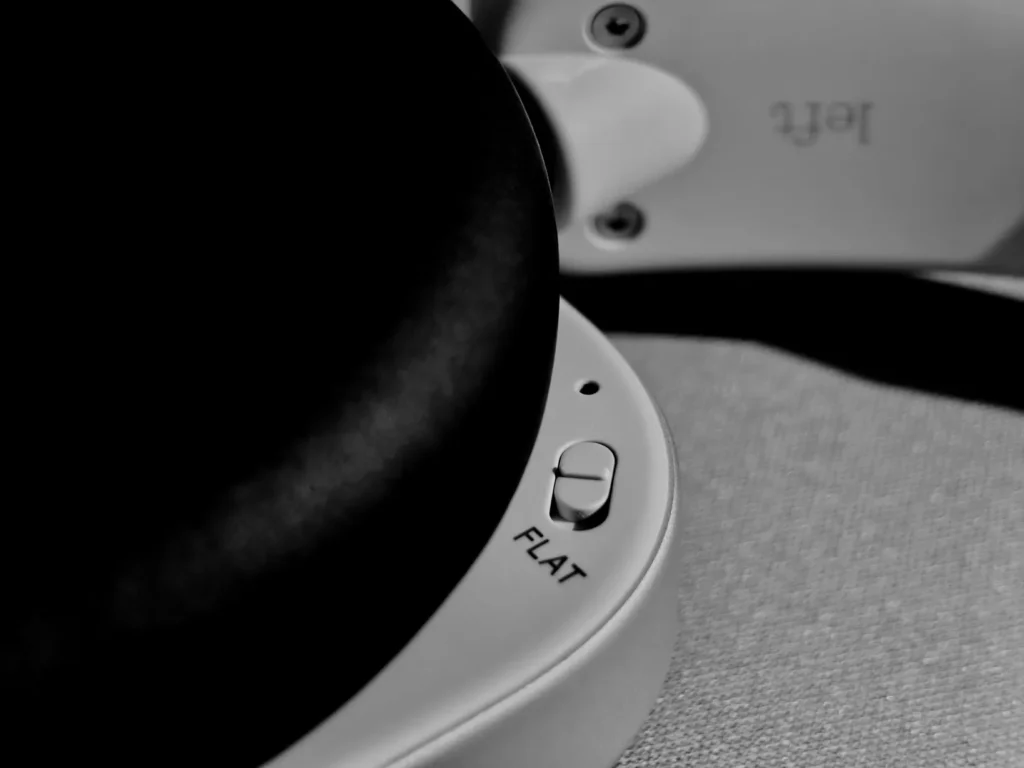
Personally, I still prefer the conventional sound because that's where I find much of the character I like about these headphones, but I prefer having both options rather than being forced to always use the same sound signature. Also, the fact that the Flat EQ is a physical switch and not a hidden option within the app is a very smart touch, because we can change the sound directly from the headphones themselves without having to take out our phones.
Nothing X allows you to customize virtually everything
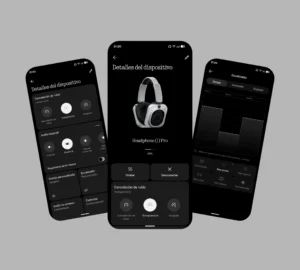
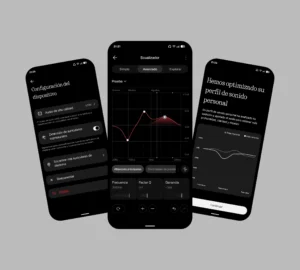
The Nothing X app further expands this adaptability. As is common with the latest audio devices, you can use simple profiles, but you can also access Advanced EQ and modify different points on the frequency curve between 20 Hz and 20 kHz. This allows for much more precise sound tuning than a conventional fixed-band equalizer. If you enjoy experimenting with bass, mids, and treble, you can spend a considerable amount of time searching for the exact settings you want and, once found, share them with other users or download profiles created by others.
Nothing also includes Personal Sound, a hearing test integrated into the app that allows you to adjust certain frequencies to your individual hearing. It's not a feature everyone will use, but it complements the other features nicely and reinforces the idea that headphones don't always have to sound the same. Between Advanced EQ, Personal Sound, and Flat EQ, you can switch between different profiles depending on what you're doing and how you want to enjoy the product at any given time.
Finally, spatial audio seems truly usable to me.
Another feature that surprised me during testing is the spatial audio, developed in collaboration with Metropolis Studios. There are five different modes: Standard, Studio B by Metropolis Studios, Live House, Club, and Concert Hall, each with a distinct recreation of space and reverberation. My favorite remains Standard because it feels the most balanced and natural, but the difference compared to previous Nothing spatial audio experiences is that here I've found alternatives I actually want to use on certain songs.
Studio B, for example, I love for how it positions vocals and alters the perception of the soundstage. The mids and highs take center stage, and a subtle reverberation creates the sensation of having the singers right in front of you—something that, in certain tracks, draws you much deeper into the song. Live House offers a rawer, more reverberant experience, Club aims for a deeper, more energetic sound, and Concert Hall favors a more open and refined soundstage, especially suited for orchestral and classical music.
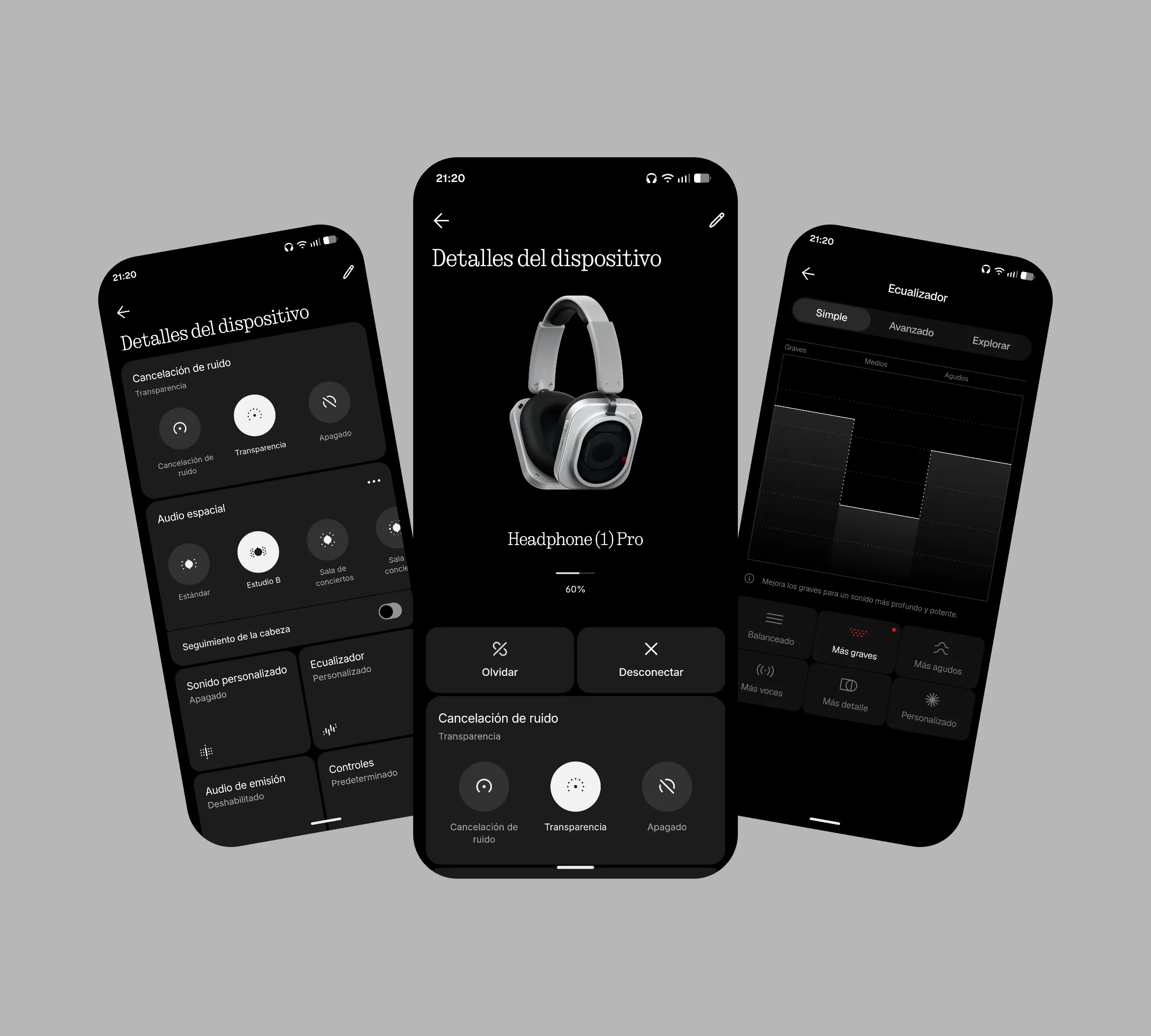
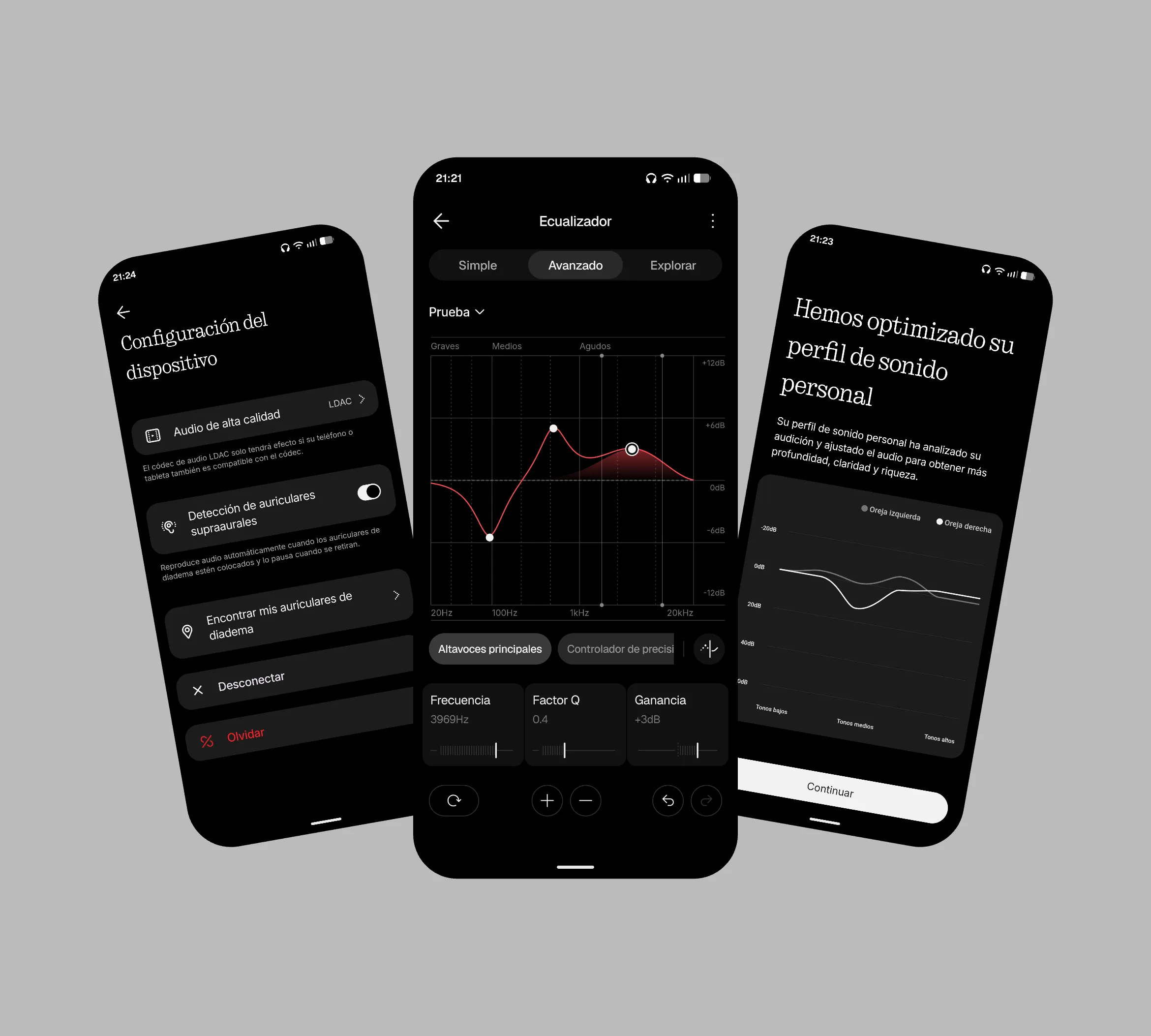
I wouldn't use all these profiles to listen to every genre, nor do I consider them always superior to Standard mode, but that's not what's important to me. What's important is that, for the first time, I feel like Nothing's spatial audio is a feature I can integrate into how I listen to music, instead of just a demo I turn on for a few minutes and then turn off again.
Noise cancellation: I expected a little more
Active noise cancellation is one of the areas where Nothing has made the most changes on paper. The Headphone (1) Pro integrates ten microphones, five in each earcup, with three feed-forward microphones and two feedback microphones per side, in addition to an adaptive ANC system capable of achieving up to 46 dB of noise reduction and covering frequencies up to 2,000 Hz. Nothing also claims that it cancels an average of 5 dB more noise than the Headphone (1) and offers greater coverage across the spectrum.
However, my actual experience is much more moderate. I find the ANC very similar to that of the Headphone (1), and while that might seem like a criticism, it's worth clarifying that the noise cancellation is still very good. If I activate it while listening to music, outside noise is greatly reduced, and in situations like public transport, an office, or a particularly noisy environment, it works wonderfully. For my part, I consider the noise cancellation excellent; I simply expected to perceive a greater difference between generations after seeing the figures advertised by Nothing.
I do think transparency mode is excellent.
Where I am particularly satisfied is with the transparency mode. For me, it's the best Nothing has achieved so far, as outside sound comes in quite clearly and, above all, I don't get that strong feeling of having my ears completely blocked when I talk. It's something I notice with other models, like the Nothing Ear (3), and it can be quite annoying after using them for a long time.
With the Headphones (1) Pro, I can hold a conversation with another person quite naturally while using transparency mode, provided, of course, that the music isn't too loud. In this respect, I feel that Nothing has achieved a particularly good result, and among all the improvements in this generation, it's one of the ones I value most in everyday use.
Physical controls: I still prefer them to touch controls
Nothing retains one of the features I loved most about the previous generation: the controls are entirely physical. Instead of relying on a touch surface, each action has a specific mechanism and a tactile feedback. All the main controls are located on the right earcup, including the power slider, volume roller, paddle, and front button, while on the inside we find the Flat EQ and the button for pairing the headphones via Bluetooth.
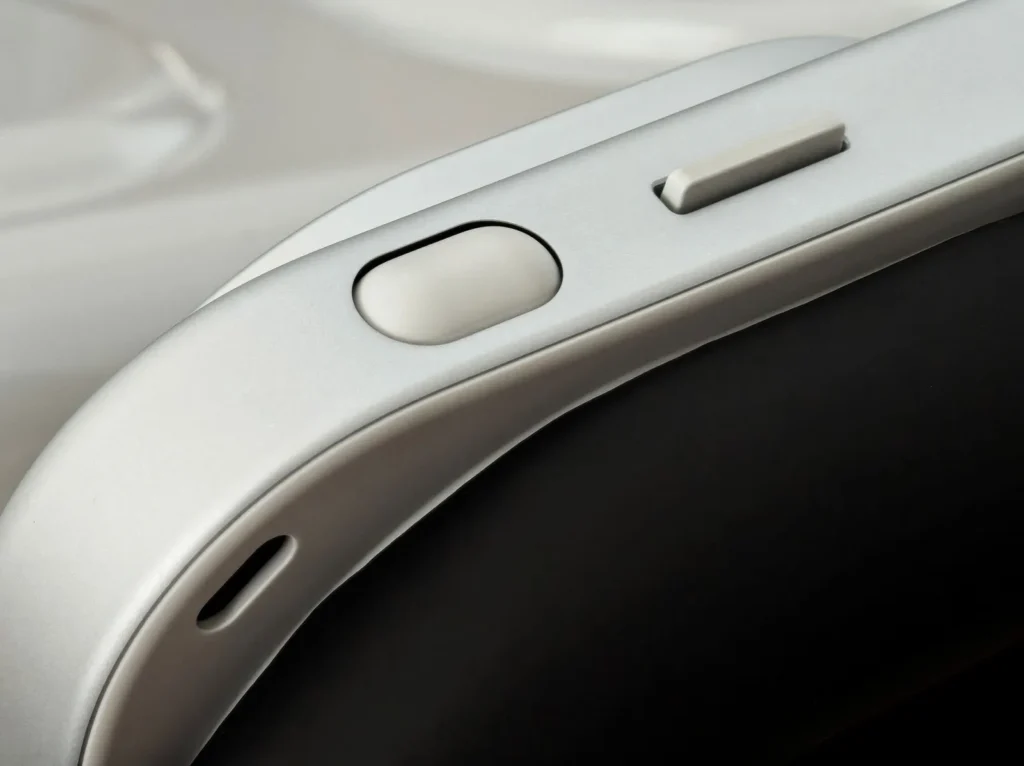
The Roller is still probably my favorite control. Rotating it allows you to quickly raise and lower the volume, and the slightly rubbery texture makes the movement very pleasant and precise, while pressing it plays or pauses content, and holding it down switches between ANC and transparency. Used to taking several seconds to adjust the volume with Nothing Ear or Ear (Open) headphones, with this wheel I've seen pure bliss.
Paddle, Button and Customization
The paddle is a long, narrow lever with some resistance that allows you to skip forward or backward a track with a tap and fast forward or rewind when you hold it down. It worked for me on Spotify, although on YouTube or in browsers like Brave, I haven't always been able to get these functions to work correctly, something that seems to depend on how each application handles media controls.
On the front, there's another small clickable button that comes pre-configured with the Channel Hop function, although I haven't personally found it particularly useful yet. Pressing and holding it activates your chosen AI assistant, and you can also remap all these controls from within Nothing X with considerable freedom, assigning functions like muting the microphone, activating spatial audio, or switching between different EQ profiles. I find this especially useful because it allows you to adapt the functionality to your preferred headphone usage, rather than forcing you to accept a fixed configuration.
Bluetooth, synchronization and 3.5mm jack
On the inside of the right earcup, you'll also find the button for putting them into Bluetooth pairing mode. It has a short travel and works quickly and easily. Connectivity uses Bluetooth 6.1, with a range of up to 10 meters and compatibility with AAC, SBC, LDAC, and LC3 for broadcast audio, as well as Google Fast Pair, Microsoft Swift Pair, and quick pairing with Apple devices.
I also appreciate that Nothing has kept the 3.5 mm jack. For some, it might seem like an outdated connection, but it's still useful when we want to connect the headphones to an older device that doesn't have Bluetooth or simply need a physical connection. However, it's important to keep in mind that the Headphone(1) Pro must remain powered on even when using the jack, so they still require battery power.
Dual connection: a feature that works wonders
Dual connectivity is probably one of the features I value most in my daily use. We can keep both my phone and PC connected simultaneously and automatically switch between them depending on the audio source. In my case, it works perfectly, and I can alternate between the two devices without constantly having to go into the Bluetooth settings.
It's one of those features that becomes almost unnoticeable precisely because it works so well. I can be using my computer, switch to my phone a few minutes later, and then switch back and forth without wasting any time—especially convenient when you're using headphones for many hours and constantly switching between devices. There's also Auracast, which allows you to wirelessly stream or receive audio to multiple compatible headphones, although it's not yet an essential feature for most users.
Spatial audio with head tracking
I find dynamic head tracking particularly interesting for movies and games. When watching a series on my PC, for example, if I turn my head to the right, the audio shifts so much that the left earcup ends up receiving almost all the sound, creating the sensation that the audio is still in the computer rather than staying in the headphones.
Clear and accurate calls
My experience with calls has been quite positive. Everyone has told me they can hear me clearly and without any problems, which is consistent with the four-microphone system dedicated to voice and the Clear Voice technology, based on a deep neural network trained on more than 30 million audio samples. During my tests, my voice came through clearly, and the system effectively isolated a good portion of the background noise.
A battery that seems to never run out.
The Headphones (1) Pro feature a 1,060 mAh battery, and Nothing advertises up to 68 hours of playback with ANC disabled using AAC or SBC audio. With noise cancellation enabled, battery life drops to 30 hours, while using LDAC, you can achieve up to 53 hours without ANC and up to 28 hours with it enabled. These are very high figures, and in my experience, battery life is practically nonexistent throughout the day.
ADVERTISING
Furthermore, fast charging allows you to get up to two hours of playback with just five minutes of charging when ANC is enabled, while with ANC disabled, those same five minutes can provide up to four hours of use. Beyond the official figures, what I value most is that you can spend practically two days listening to music, especially if you don't use noise cancellation continuously, and still have enough battery life to continue using them.
The case has been heavily criticized, but I like it.
The carrying case is one of the most criticized elements, and, interestingly, it's also one of the areas where I most diverge from the general opinion. I have the feeling that some of the initial criticism came after a few prominent designers pointed out the design, and that others later jumped on the bandwagon to gain attention. What I can share is my experience, and in my case, I like the case.
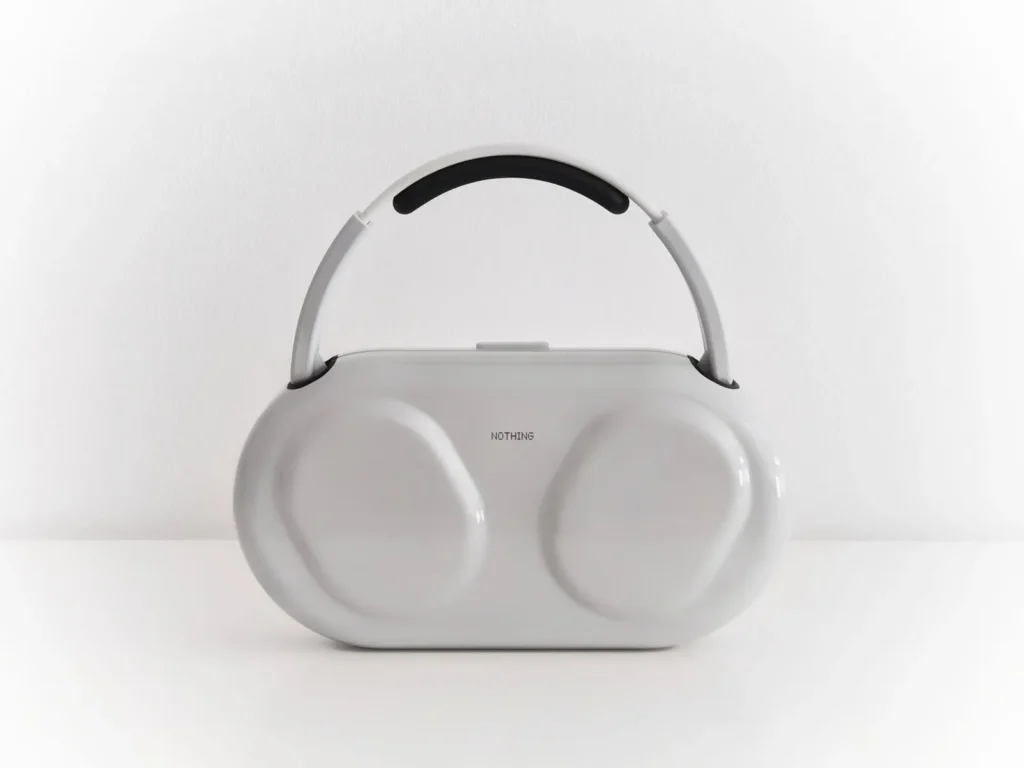
It's a minimalist design made of glossy hard plastic that adequately protects the most delicate parts of the headphones, especially the earcups. While the headband is exposed, it also allows you to carry the case like a small bag, which can be quite practical in certain situations. I'm quite careful with my electronic devices, and in my experience, I think it protects what it needs to protect very well.
Could they have used more premium materials? Probably, but I don't think the current finish detracts from the product, and besides, I find it visually appealing and more compact than the enormous Headphone case (1). The only thing I agree with is that the clasp feels cheap and wobbles slightly when you shake them vigorously. To each their own. In my case, I think it performs better than some reviews suggest.
The small detail that continues to bother me
There's one thing that still doesn't convince me, and it was the same before: to store the earbuds in the case, we have to turn them. The right earbud ends up on the left side and vice versa, so when we take them out, we have to make that small turn before putting them away, and repeat it when we take them out again.
It's not exactly the end of the world; these are first-world problems, as I like to say, but it is one of those small design choices that end up being quite annoying after seeing them hundreds of times. I'm not sure how Nothing could fix it in future generations, but it's one of those details I'd be grateful to see resolved.
ADVERTISING
Headphones that can adapt to your needs
And I think that's where the real appeal of the Headphone (1) Pro lies. I don't see them as headphones designed for a single type of user, but rather as a product capable of adapting quite well to different situations. You can use them to listen to music and enjoy powerful, colorful, and nuanced sound, take advantage of spatial audio for movies or games, connect them simultaneously to your phone and PC, or use them on the street and on public transport thanks to their noise cancellation and transparency mode.
At the same time, tools like Nothing X, Advanced EQ, and especially Flat EQ allow you to take them into much more serious territory when needed. You can edit video, work with audio, or do a more critical listening session, and then return to a more playful profile when you're finished. Obviously, they don't aim to magically become the best professional studio headphones, but they do offer much more flexibility than a model designed solely for music consumption, and for me, that's one of the main reasons why the "Pro" designation makes sense.
Nothing's best headphones yet
After using them for this period, I think the Headphone (1) Pro are a very well-executed evolution. Nothing has managed to refine the design without losing its identity and, above all, has improved two of the aspects I value most in headphones I use for many hours: comfort and sound. The triple driver provides more clarity, power, and nuance, while the new ear pads make the whole package even more comfortable to wear.
Ultimately, my takeaway is simple: Nothing has managed to make a more complete, more comfortable and more versatile pair of headphones without losing their personality. They still have that design that makes them recognizable from several meters away, they still do many things their way and, at the same time, they now have enough tools to accompany you in practically any scenario where it would make sense to use over-ear headphones.
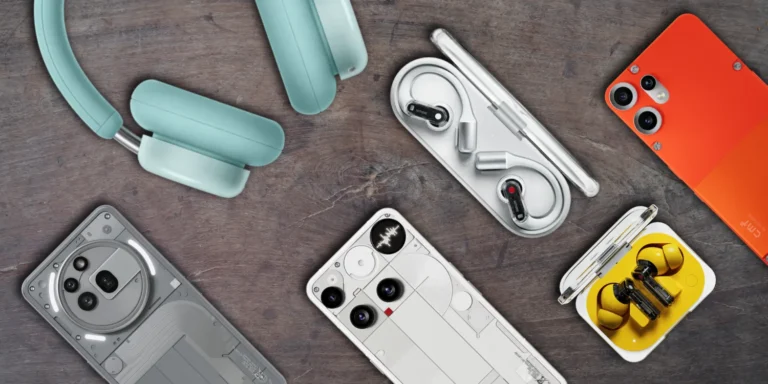
If you want to stay informed about the latest news and updates on Nothing and CMF products, you can follow me on X (@ruudhesp), Instagram (@ruudhesp) and TikTok (@nothingtec).
Nothing Headphone (1) Pro Review
- Design and build quality
- Comfort
- Sound quality
- Active Noise cancellation (ANC)
- Transparency mode
- Battery Life
- Controls and features
- Connectivity

Leave a Reply