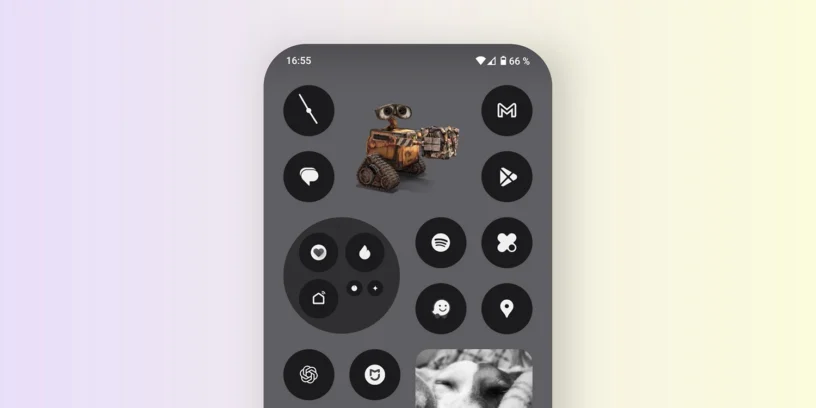



If you want to customize your home screen Nothing Phone With images or stickers that have no background or frame, there's a very simple trick that will allow you to do it quickly and without the need for external applications. In this article, we explain how to do it step by step.
Download an image in PNG format
The first step is to make sure that the image you are going to use has a transparent background. To do this, you must download an image in [format] PNG, This format allows images to have no background. You can find stickers or PNG images on sites like Google Images (filtering by PNG format) or on specialized platforms such as Freepik or PNGTree.
Add the image as a widget to your home screen
Once you have the image in PNG format, follow these steps:
- Press and hold on an empty space on your Nothing Phone's home screen.
- Click on Widgets.
- Look for the widget called Photos and add it to your home screen.
Once the widget is placed on the screen, we still need to configure it to look like a borderless sticker.
Photo widget settings
- Tap the settings wheel which appears in the lower left part of the widget.
- Add the photo that you downloaded with a transparent background.
- Deactivate the options «"Grayscale preview"» and «"Frame"».
- Save the changes and you're done.
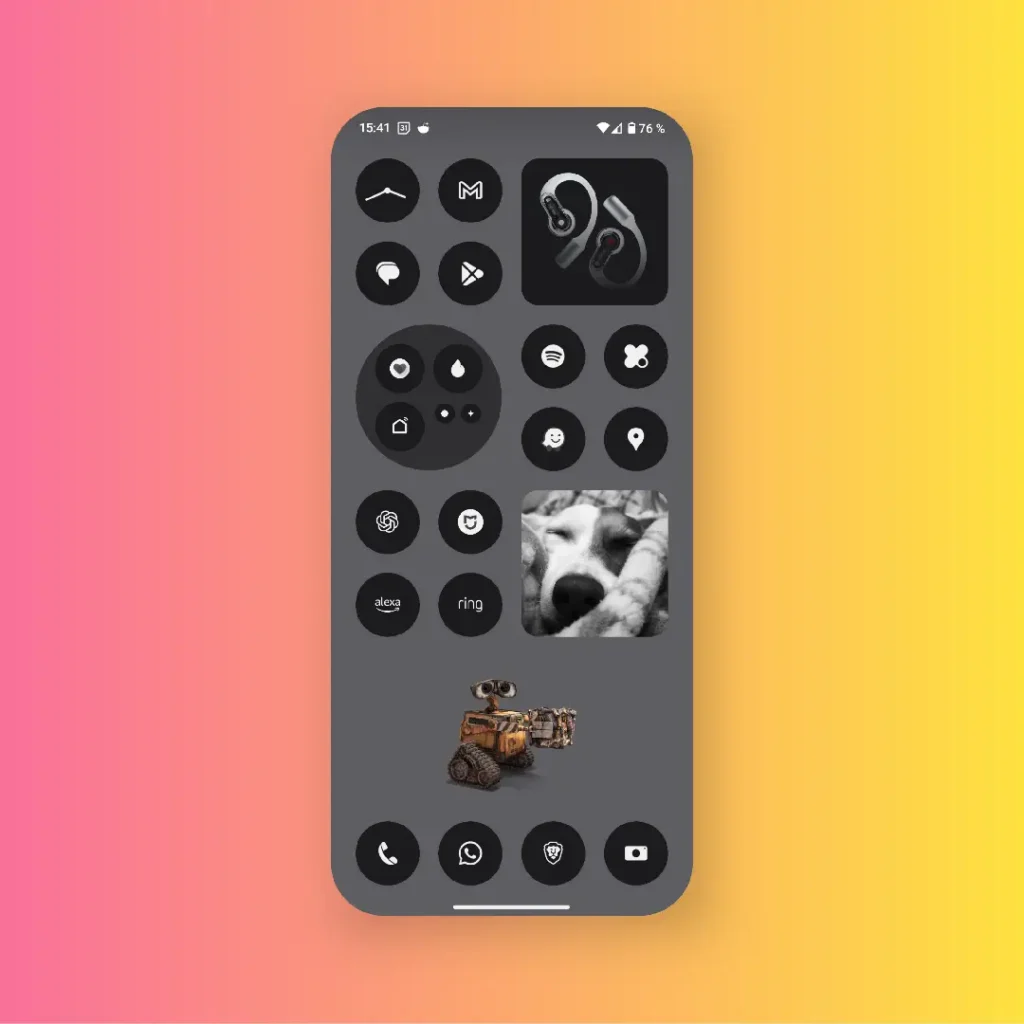
Now your image will be displayed on the home screen as a floating sticker, It has no background or borders. You can move it anywhere on the screen or enlarge it by tapping on the widget and adjusting its size.
Personalize your screen even more.
This trick is ideal for giving your [item/item] a more personal touch Nothing Phone, This allows you to easily add custom stickers, logos, or any image without a background. You can use multiple images at the same time, play with their size, or even create combinations that give your screen a unique style.

Want learn more tricksTell us which images you've added in the comments! You can also follow the latest news from Nothing on My Twitter profile.



Leave a Reply