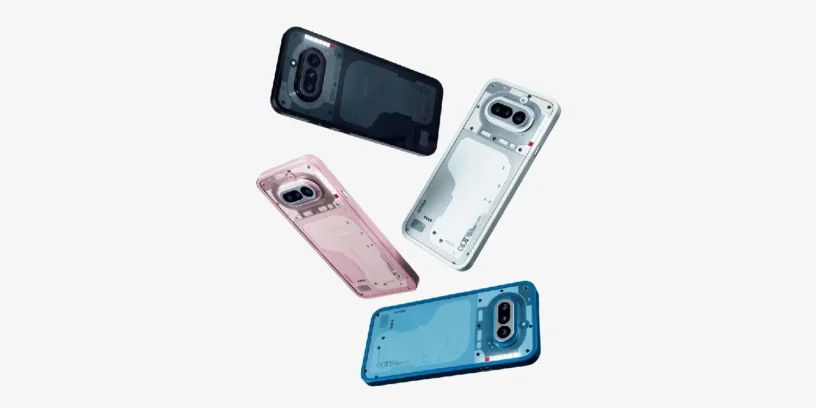


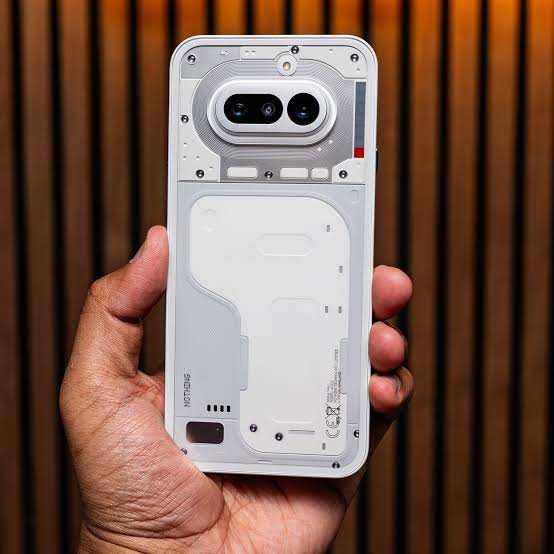
Nothing begins rolling out a new version of its operating system Nothing OS B4.1-260430-1731 for the Nothing Phone (4a). This release integrates artificial intelligence tools and aesthetic enhancements that allow for deeper customization of the device. Nothing aims to make the device more productive and significantly improve the visual quality of photos, while maintaining stable performance after implementing these new software solutions.
Most important news
The big new feature of this package is Essential Voice, Nothing, an AI-assisted feature that changes how you capture ideas using your voice. Additionally, in the photography department, Nothing adjusts skin tones and stability in video calls, helping the Phone (4a) achieve more natural results regardless of the situation or app you're using.
Essential Voice
- 🎙️ Clean up transcripts, remove filler words or repetitions, and manage the self-corrections you make while speaking.
- 🔡 Translates in real time if it detects that you want to change the language and inserts the text directly.
- 🗃️ It saves personal phrases, like your email address, and automatically writes them down when you use a voice command.
- 📑 Automatically organizes text using lists or key points if it detects that you are dictating that type of content.
ADVERTISING
Camera improvements
- 🤳 Achieve greater stability and image quality in video calls within third-party applications.
- 😃 Adjust skin tones and focus in portraits to make scenes look more natural.
- 🦚 Optimize tone and color balance for more vivid photos in any environment.
General improvements and bug fixes
- 🎴 Allows you to use the depth effect on the lock screen with Atmosphere backgrounds (you need to update the Nothing Wallpaper app in the Play Store).
- 📱 Improve the setup wizard to make the initial process smoother.
- ⚙️ Reinforces the overall stability of the entire system.
- 🛡️ Includes the May 2026 security patch.
ADVERTISING
System stability and performance
It's interesting to see how Nothing brings complex AI features to its more balanced models. These tools modernize phone usage and provide practical everyday utility without sacrificing the interface's defining agility.
As is often the case, the device may consume more battery and get warm This occurs while the update is being installed. This behavior is normal, as the system needs to optimize internal files in the background. Once the cycle is complete, performance and temperature will return to normal levels.

Leave a Reply