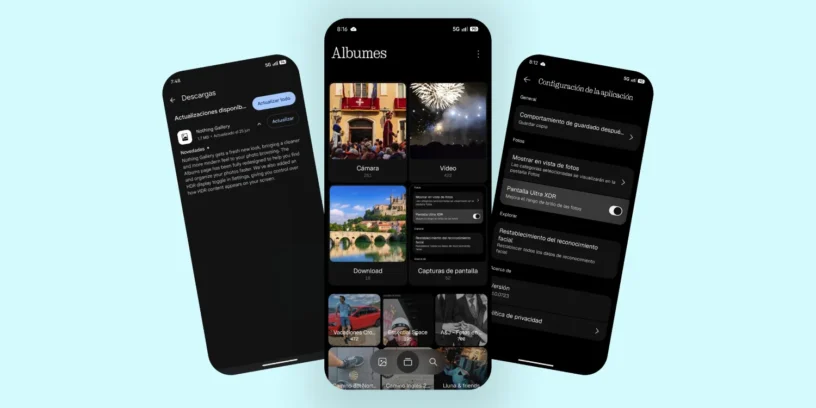
Nothing continues to refine the details of its software ecosystem to deliver a consistent and intuitive visual experience. This time around, the native Nothing Gallery app receives an update focused on refreshing its aesthetic look and giving users greater control over organizing their media content.
A visual facelift and smoother navigation
The new version of the app features a noticeably cleaner and more modern interface. Among the most striking new features is the addition of a bottom bar with a translucent or blur effect, which makes the screen feel lighter and improves the dynamism of navigation. Furthermore, the dynamic zoom reacts to the user's movement while scrolling through the photo library, resulting in a much more natural interaction.
When selecting any image, the experience is further enhanced by the inclusion of small icons next to the text options. This subtle detail makes it easy to quickly identify actions such as sharing, editing, or deleting photos without cluttering the screen.
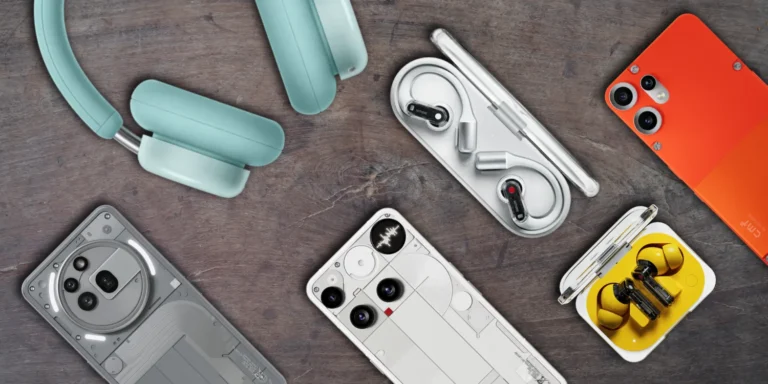
Custom album organization and Ultra HDR adjustment
The organization section was one of the areas with the most room for improvement in the app, and this update directly addresses that need. The album view has been completely redesigned, allowing users to organize folders to their liking and pin favorite albums to the top for quick access.
ADVERTISING
On the other hand, Nothing has added a dedicated Ultra HDR display switch within the settings. This feature allows you to freely enable or disable HDR processing on the screen, which is very useful if you prefer to review your photos with a standard color profile or save battery power during critical moments.
A sneak peek at what's to come in Nothing OS 5.0?
It's very common for Nothing to use updates to its individual apps on the Google Play Store to gradually roll out design principles that are later consolidated in major versions of its operating system. This aesthetic refresh, combined with a focus on clean interfaces and frosted glass elements, clearly sets the visual direction for future iterations of the system.
ADVERTISING
Undoubtedly, this is a logical and necessary step to maintain the visual consistency that characterizes the brand, demonstrating that the care of essential applications remains a priority within its software strategy.

Leave a Reply