


Updating your Nothing Phone's operating system is a simple task, but there are a few important things to keep in mind to do it safely and efficiently. In this article, I'll explain how to do it, what methods are available, and what you should avoid if you want to keep your device running smoothly.
How do I find and install an OTA update?
There is two main forms to look for OTA (Over The Air) updates, which are the ones I highly recommend:
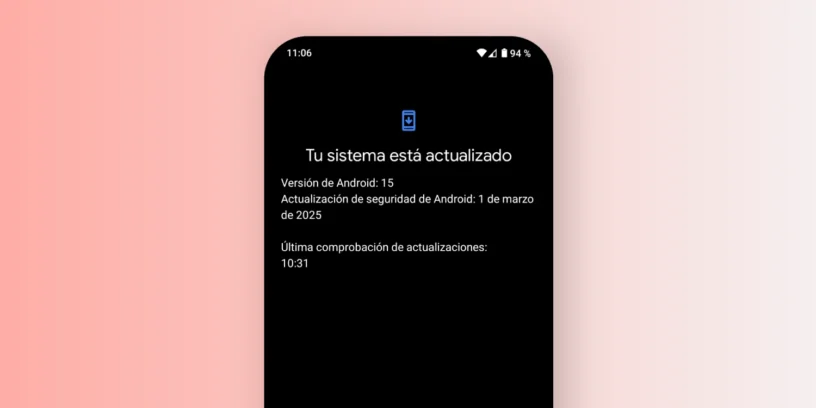
- Go to Configuration > System > System updates and it plays «"Check for updates"». If any are available, they will appear there after clicking.
- Another option is to go to Configuration > Phone information and tap on the box that says NOTHING OS (where a mobile phone image appears). By doing so, you will enter the section Software information. Tap again on NOTHING OS and you'll reach the update screen. Tap on «"Check for updates"».
Both methods are completely safe and official. Whenever an update is available for your device, it will appear there. This is the method I recommend using.
Why haven't I received the update?
Updates in Nothing OS They are launched gradually, which means that They don't reach all devices at the same time.. From the time it is officially announced, it can take up to a week It will arrive on your phone. In many cases, you'll be notified automatically, but if you have any doubts, you can manually check if it's available, as I explained earlier.

What if I'm very impatient? Manual method
If you don't want to wait, there is a method to manually install an update by downloading the official file. I don't recommend it. Unless you have technical experience, as it involves certain risks. Even so, here's how it's done:
How to manually install an update on Nothing Phone?
- Download the correct OTA file
Visit reliable sources such as the Nothing Archive GitHub repository or dedicated Telegram channels. Make sure the file is compatible with your model and region. - Create the 'ota' folder in internal storage
Use a file explorer to create a folder calledotain the root of your mobile's internal storage. - Move the OTA file to the 'ota' folder‘
Copy the downloaded ZIP file into that folder. - Start the manual installer
Open the phone app and dial the following code:*#*#682#*#*. This will open the manual update tool. - Select the file and start the installation
The tool will detect the file and you can begin the update process by following the on-screen instructions. - Wait until it finishes
Do not turn off or restart your phone during installation. It may take 10 to 20 minutes.
Risks: You might install the wrong file, one from another region, a corrupted file, or one that causes errors. It can also affect future automatic updates. Therefore, I do not recommend this method. if you have no prior experience.
What about beta versions? ⚠️
Another method you'll see online is to install betas from Nothing OS. As the name suggests, These are versions under development., And although you can access new features earlier, You can also have major failures, from excessive battery consumption to an unstable system.
I only recommend them for advanced users. If you're an average user or don't know how to recover the system if something goes wrong, It's not worth the risk. Betas are usually released 2-3 months before the final versions.

Is it possible to force an update?
The short answer: not really. I've tried many of the supposed solutions circulating on the internet: changing the region, turning it off and on, clearing the cache, etc. Nothing has ever worked.
The only thing you can achieve with these "tricks" is:
- Install a version that does not correspond to your device or region
- Lose functions specific to your region
- To cause errors or inconsistencies with future updates
My advice: Wait a few days and it will arrive normally. Don't try anything fancy.
Conclusion
Always update your Nothing Phone officially and securely, Using the OTA options from the settings. It's the most reliable, fastest, and error-free way. I only recommend the other methods if you really know what you're doing.



Leave a Reply