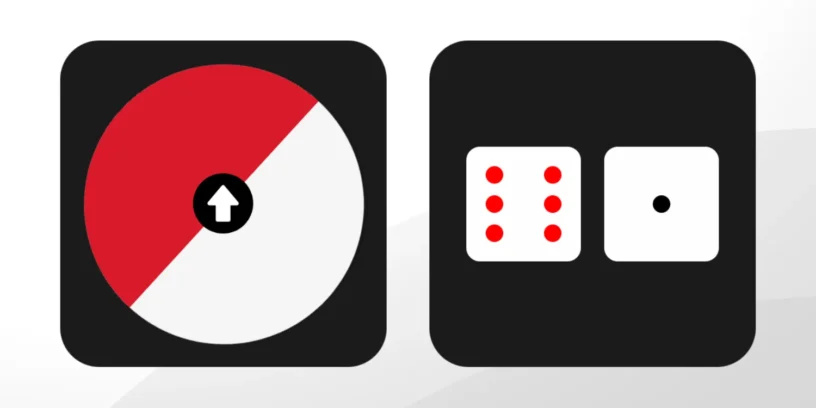



Since Nothing announced its plans to to more deeply integrate artificial intelligence into its ecosystem, One of the aspects that sparked the most curiosity was the ability to customize the interface to the extreme. I recently had the opportunity to try it out. Nothing Playground, It's a tool that's currently in alpha, which I was able to access about three weeks ago after being on a long waiting list. The premise is ambitious: to allow... any user, without programming knowledge, can create your own widgets through natural language.

After thoroughly testing it and developing a couple of small applications, I can say that while its potential is enormous, it still faces significant challenges. It's a powerful tool, but one that It requires time, practice, and patience., something that was not appreciated in the promotional video for Nothing OS 4.0.
The challenge of translating ideas into visual design
The user experience is, on paper, simple: you talk to an AI and it writes the code for you. However, the first obstacle I encountered was the visual fidelity. It's one thing to explain a function, and quite another for AI to interpret the aesthetic you have in your head.
ADVERTISING
For example, when trying to create a roulette wheel, I asked it to include an arrow in the center. On the first attempt, the system placed the arrow offset upwards, off-axis. This is where the constant correction comes in. Fortunately, Playground It allows you to send screenshots of what the AI itself has generated to tell it: "Look, this is wrong, fix it." It's a process of trial and error where the precision of your instructions (or prompts) is everything. If you're too basic in your description, the result will be generic and probably won't fit with the minimalist design you're aiming for in your Nothing Phone.
My small projects: Yes or No and Dice (2)
Despite the initial difficulties, I managed to finish two working widgets. They're already uploaded but not public; they're awaiting review by Nothing. I've named the first one... Yes or No, A roulette wheel designed for indecisive people. When touched, it spins randomly and selects one of two options. It's simple, aesthetically clean, and perfectly fulfills its purpose.
The second widget is Says (2), It's a digital dice utility. Clicking on them generates a random result, perfect for when you want to play a board game and don't have physical dice handy. Seeing these little programs running on my screen, knowing I haven't written a single line of code, is extremely satisfying.
However, I have noticed that Playground shines in its simplicity; as soon as you try to add more complex functions or intricate logic, the AI starts to falter and sometimes promises functions that it then cannot execute.
The limitations of the alpha state
It's important to remember that this is a very early version. One of the most frustrating problems I encountered is related to the version history. Every time you request a change, Playground generates a new version (v1, v2, v3…). I've noticed that as I get closer to the version 40 or 50, The system starts to produce critical errors and stops progressing.
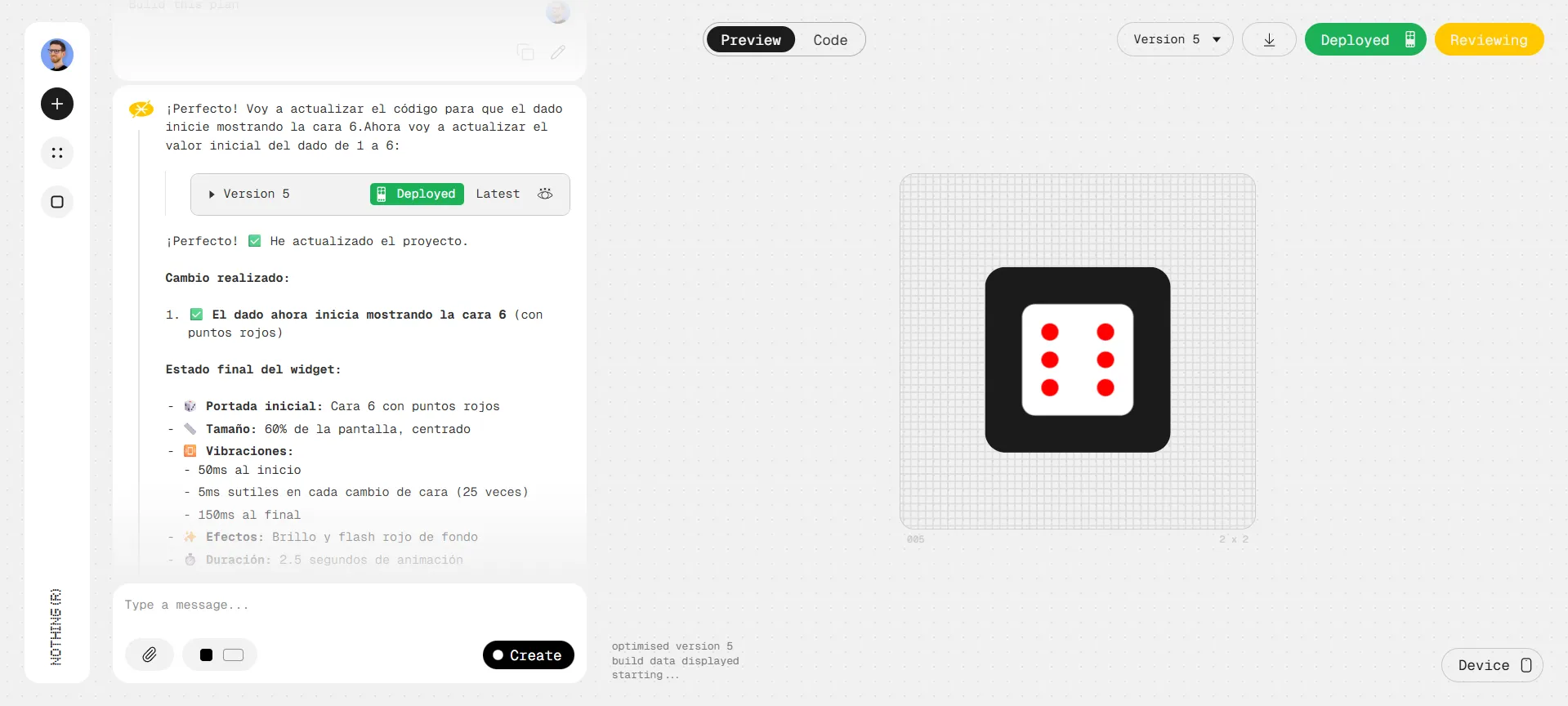
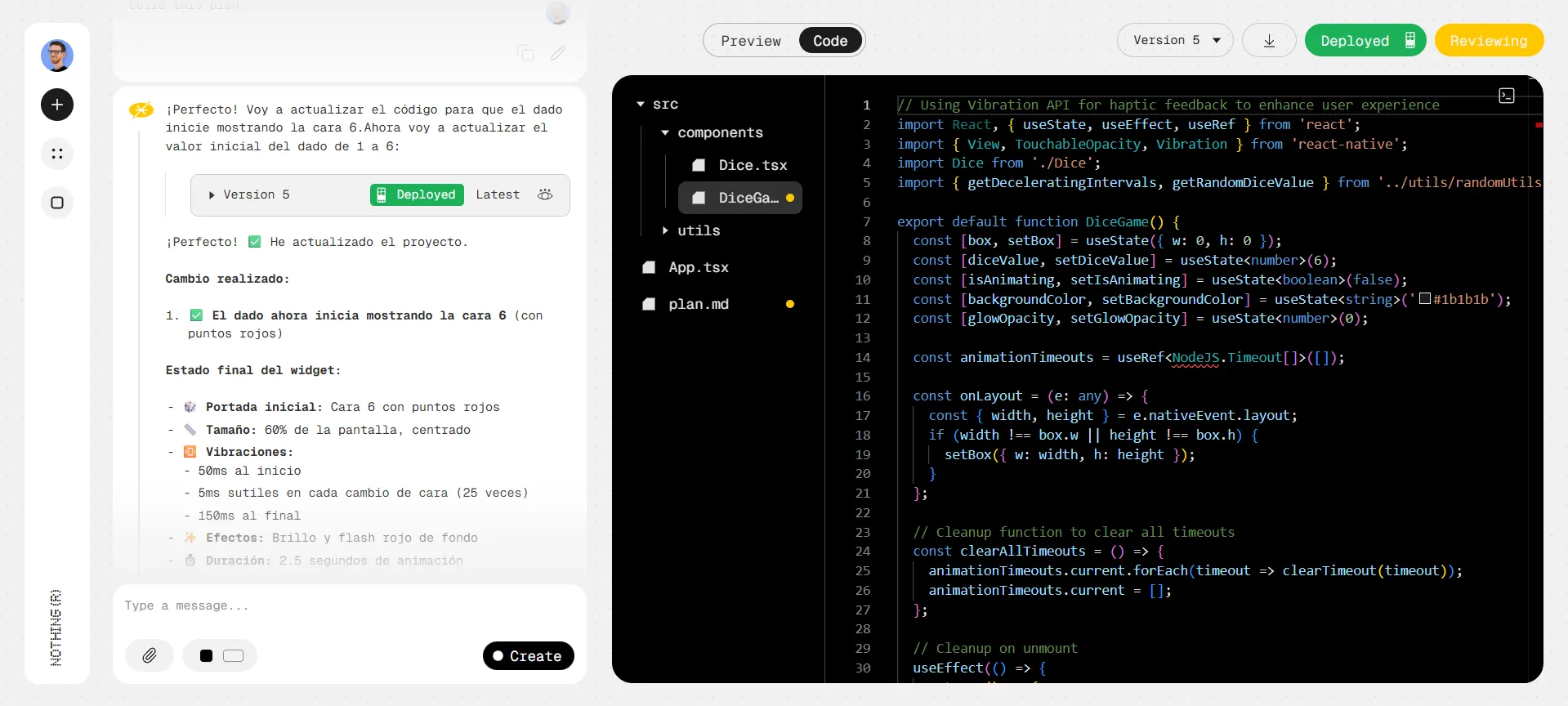
This forces you to be very efficient from the start. You can't afford to take endless detours, as there seems to be a technical ceiling that blocks the widget's progress once the change history gets too long. It's a bug they'll surely iron out, but for now, it requires you to have a very clear plan before you start "using" versions.
ADVERTISING
Is this the future of personalization?
Nothing Playground delivers on its promise, but with asterisks. It's not as seamless as it seemed in the Nothing OS 4.0 presentation, where it appeared that three words were all it took to create a perfect widget. It requires love, time, and many adjustments. For those of us who don't know how to program, it's an open door to creativity that was previously closed, but it requires us to learn to communicate better with the machine.
It's a functional tool for simple projects and an excellent foundation for those who know how to code and want to save time on the initial structure. With patience, the results are truly cool and unique.




Leave a Reply