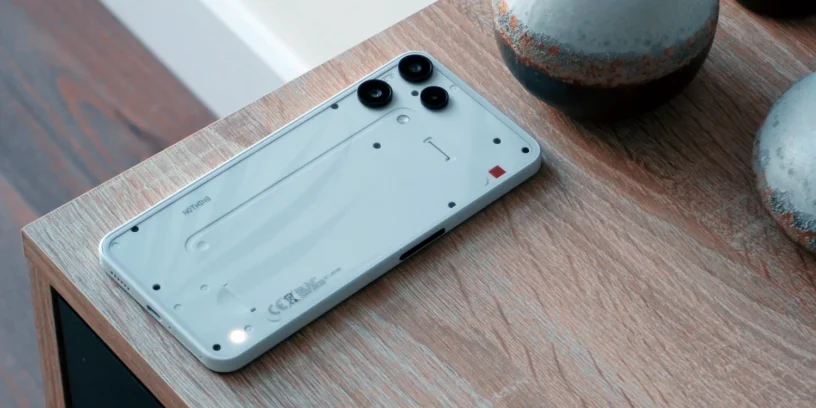


Nothing displays the version Nothing OS B4.1-260508-1508 for the Nothing Phone (3a) Lite. This release focuses on improving the visual interface and system fluidity, incorporating real-time tracking features that we have already seen in other models in the family.

Nothing aims to make the most affordable device in its current catalog more versatile, optimizing internal processes to maintain a smooth and consistent user experience.
Most notable new features of version
This update highlights the Live Updates, A new feature lets you check the progress of compatible apps directly from the always-on display or status bar. The clock design from the Community Edition also arrives, adding a unique aesthetic touch to the device. Furthermore, Nothing refines the interface of essential notifications to make it more intuitive and fixes display errors, resulting in a much smoother and more seamless experience for the Phone (3a) Lite.
ADVERTISING
New features
- ⏲️ Incorporates the clock design for the lock screen of the Phone (3a) Community Edition, created in collaboration with Jad Zock, featuring an exclusive font and a unique power-up effect.
- 📡 Live Updates now work in various scenes, such as the Always On Display (AOD), the notification panel, and the status bar, tracking the progress of apps like Google Maps in real time.
- 💬 The redesigned Essential Notifications interface offers a cleaner look and descriptions that make it easier to set up.
- 🫧 The system may suggest that you mark as "Essential" those notifications that you interact with often.
General improvements and bug fixes
- 📷 Enhances the overall stability of the camera for more reliable use.
- 🔔 Optimizes notification and lock screen performance in specific scenarios.
- ⚙️ Improves overall system stability and responsiveness.
- 📱 Corrects display errors in various sections to achieve greater visual consistency.
- 🛡️ Includes the May 2026 security patch.
ADVERTISING
System stability and performance
Please note that the phone may consume more battery and get warm During the installation of this new version, you may experience some activity. This is a normal process, as the system needs to reindex files and optimize performance in the background after the software upgrade. Once this cycle is complete, the temperature and power consumption will return to their normal levels.




Leave a Reply