
Following the big launch of Essential Voice, Now, Nothing is launching a new update focused on the cohesion of its ecosystem: Essential Space It moves to the cloud. Until recently, the rapid capture of information through the Essential Key It was a useful tool, but limited to its physical presence on the device.
With this move, the brand led by Carl Pei seeks to eliminate information silos, allowing our notes, captures, and tasks to cease being isolated elements and become a continuous memory that accompanies us wherever we go.
Cloud storage comes to Essential Space
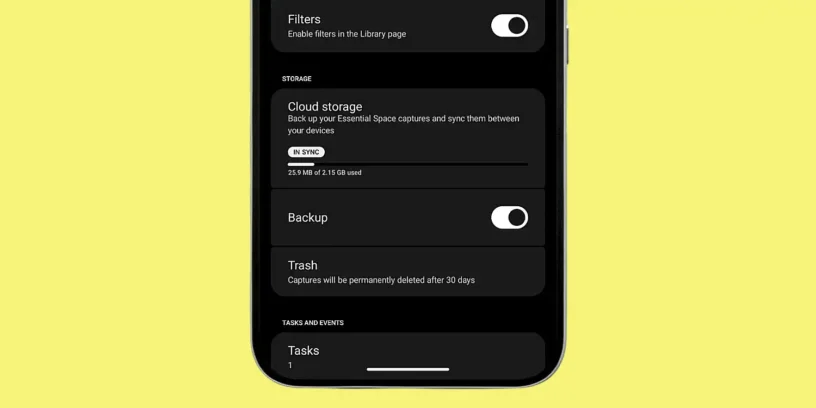
The premise of this update is the absolute mobility of your data. Essential Space Now it allows notes, screenshots, voice recordings, images, and AI-generated summaries to be backed up and synced across your Nothing account. This represents a critical improvement to the user experience, especially for those who upgrade their device or need to perform a factory reset. When you log in to a new device, your entire Quick Capture history will automatically reappear.
ADVERTISING
This functionality is available starting today (in stages) for all Nothing brand phones and the CMF line released between 2025 and 2026 that support the Essential Key. To access it, simply verify that the application is updated to its latest version from the Google Play Store or, even better, have automatic updates enabled so as not to miss any of the incremental improvements that the brand is rolling out.
Continuity as a pillar of the AI experience
As he has rightly pointed out Rohit Pakalapati, from Nothing's product marketing team, as technology becomes more native in artificial intelligence, Continuity becomes just as important as the data capture itself. It's pointless to have an assistant capable of summarizing a meeting if that summary is trapped on a device we don't have at hand when we need to write an email or complete a task on our computer.
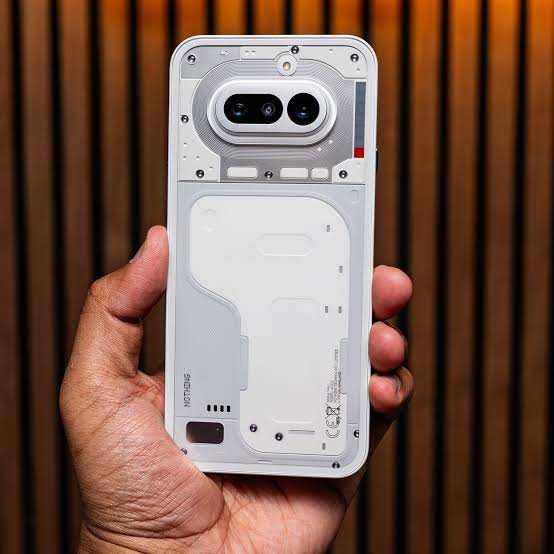
Nothing's vision seems clear: to turn hardware into a window into our personal information, not a rigid container. The confirmation that a web version This is the logical next step to complete the process. It will allow the information collected via the Essential Key on the phone to be professionally managed from a desktop, facilitating a much smoother workflow between mobile and PC.
How to activate backup and current limits
The process for setting up this synchronization is extremely simple and intuitive, maintaining the brand's clean design philosophy. To activate it, the user must go to the app of Essential Space, Click on your profile picture or user icon and select the option to activate the backup.
ADVERTISING
In this initial phase, Nothing offers 2.15 GB of free storage for this type of content. While it may seem like a modest amount at first glance compared to other mass storage services, it's important to remember that this space is optimized for lightweight items: text notes, tasks, and voice recordings. For everyday use focused on productivity and capturing ideas, it's more than enough space to keep months of activity synchronized without worry.

Leave a Reply