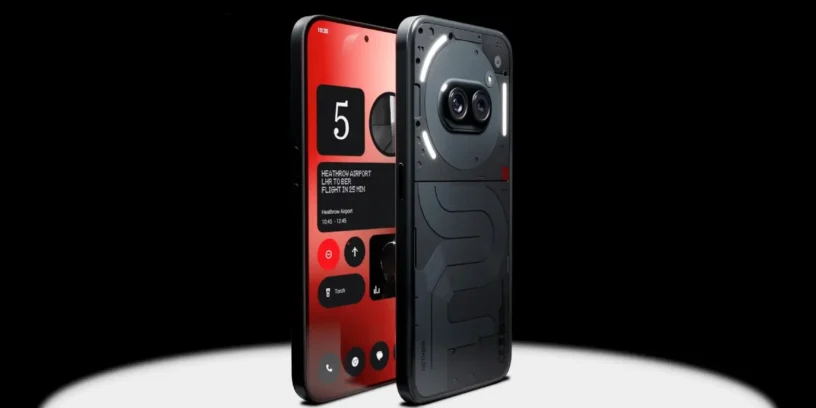


Nothing has released a new version of its customization layer for the Nothing Phone (2a), which represents the long-awaited leap to the update Nothing OS B4.1-260414-2141 based on Android 16. This version introduces real-time tracking features and aesthetic elements that were previously limited to special editions or higher-end models.

Most notable new features of version
The most relevant aspect of this compilation is the arrival of the Live Updates, a feature that allows you to monitor external activities, such as routes in Google Maps, directly from the lock screen or the Glyph interface without needing to enter the application.
In addition, the Community Edition's unique clock design is integrated, and the intelligence of essential notifications is improved. It's very positive to see how the brand prioritizes camera stability, correcting critical errors that affected the use of custom presets, ensuring a much more robust photography experience.
ADVERTISING
New features
- ⏲️ Introducing the clock design for the Phone (3a) Community Edition lock screen, co-created with community member Jad Zock, featuring an exclusive font style and a unique power-up effect.
- 📡 Live Updates now work across multiple scenes, including the lock screen, notification panel, and Glyph interface, tracking real-time progress in apps like Google Maps.
- 💬 The Essential Notifications settings interface has been redesigned with a cleaner look and descriptions for easier use.
- 🫧 Notifications you frequently interact with can be suggested to be set as Essential Notifications.
General improvements and bug fixes
- 📷 Improved stability of presets to ensure the correct zoom level is maintained when re-entering the Camera.
- 🖼️ Fixed an issue where the Camera app could close unexpectedly when applying certain imported presets.
- 📱 Fixed some display errors in the notification panel and Quick Settings.
- ⚙️ Improved overall system stability and performance.
- 🛡️ Update to the April 2026 security patch.
ADVERTISING
System stability and performance
It's important to remember that, since this is an Android version change, the device may use more energy and increase its temperature This process is normal during installation due to file reindexing and optimization; performance and thermal management will return to normal values once the update is complete.



Leave a Reply