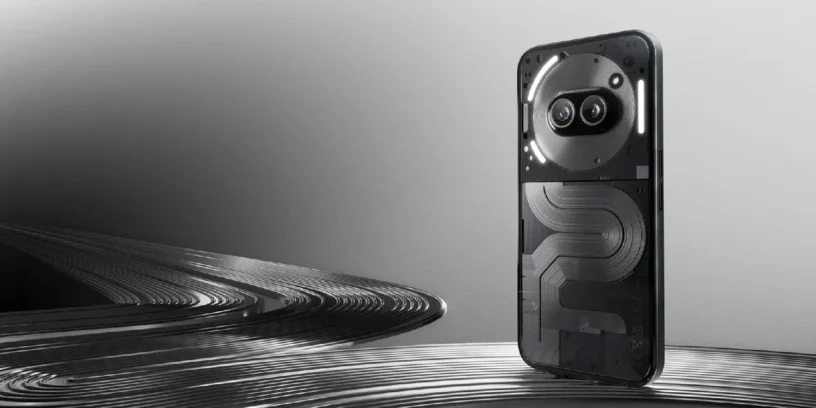


The latest update of the Nothing Phone (2a) Plus It is already underway under version Nothing OS V3.0-250410-1524, And it comes packed with new features and improvements. Although the rollout is gradual (as always), some users are already enjoying the new functions. Here's a rundown of all the important changes.
Key new features in this version
The star of the update is undoubtedly the arrival of the new app Nothing Gallery. A dedicated gallery that embraces a clean, minimalist design, perfectly integrated with Nothing's style. It was one of the most missed apps, and now it's here.
A very practical feature has also been added: now you can make a long press and swipe up on recent apps To shut everything down at once. Ideal for those who want to keep the system clean in seconds.
Regarding security, the following is incorporated: Password verification when turning off the phone, This is very useful in case of loss or theft. You can find this option by searching «"Verified Off"» in the settings.
Another interesting option: you can disable vibration when unlocking the screen from the section of tactile feedback. A small detail, but one that many will appreciate.
Stability improvements and security patches
As usual, it also includes the April security patch, has been improved system stability and a very rare bug that prevented emergency calls from being made in certain areas has been fixed.
Small adjustments such as the design of pop-up windows have also been refined to further polish the user experience.
How do I get this update?
The rollout is gradual, so it may take a few days to reach you. That's normal. If you want to make sure you get it as soon as possible, go to Settings > System > System Update and check manually.
And if you see something strange or want to give feedback, you can do so from Settings > System > Feedback.
This update isn't huge, but it's very well done. It brings useful features, improves security, and finally adds a dedicated gallery that many of us have been waiting for. All in all, a good step forward for the Phone (2a) Plus that improves the overall system experience without any complications.

Leave a Reply