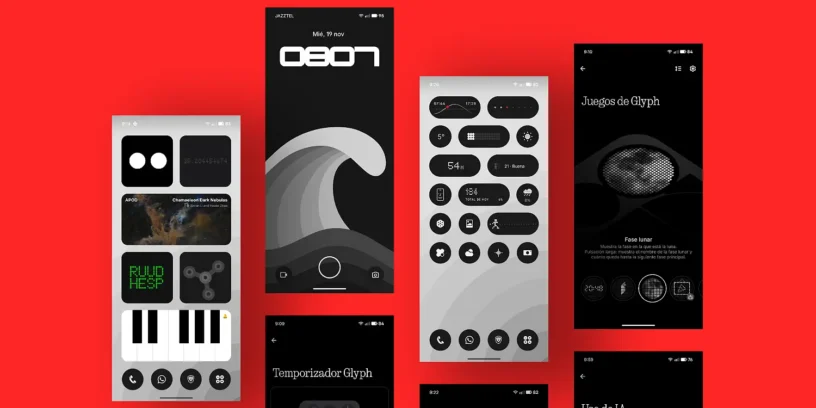



Nothing OS 4.0, based on Android 16, is not just a numerical leap, but a consolidation of the brand's philosophy. This update focuses on refining the already familiar visual experience and, more importantly, on integrate Artificial Intelligence (AI) with complete transparency. The company has listened to its community, not only improving internal performance and aesthetics, but also restoring and optimizing essential features of the Glyph interface. I had the opportunity to enjoy Nothing OS 4.0 a few days before its official release. Here are all the new features included in this major update:

AI functions and transparency
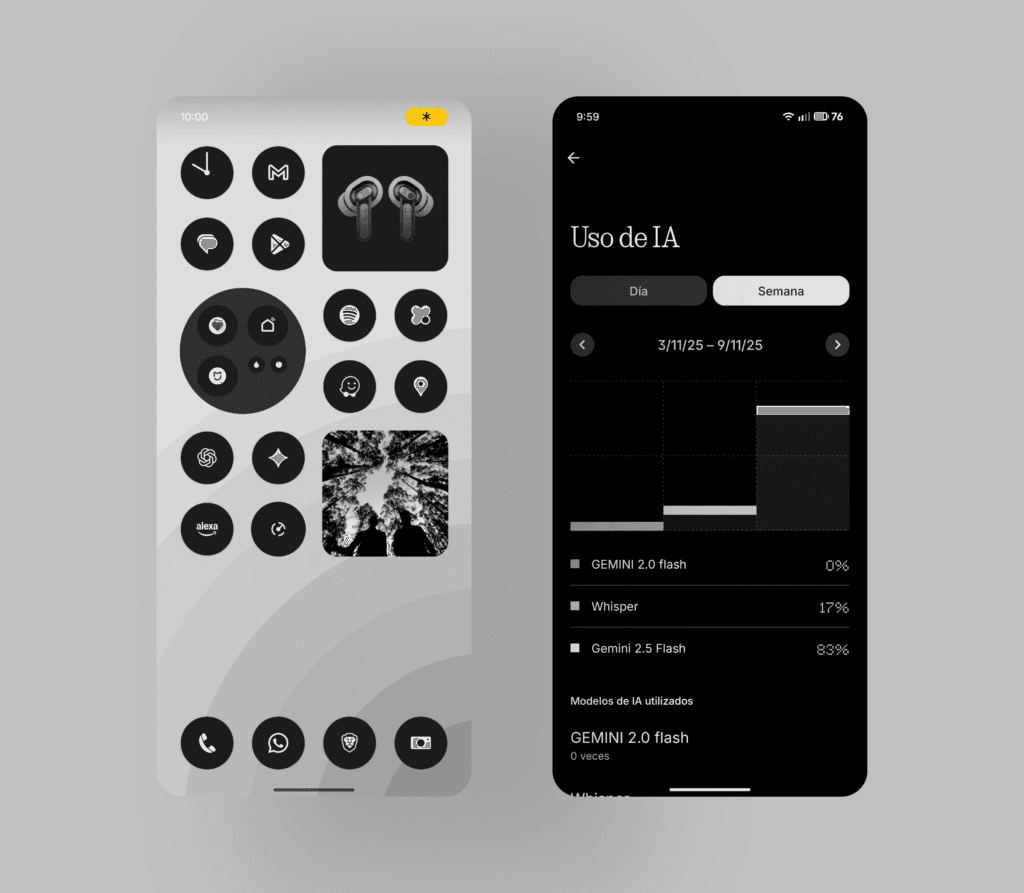
🤖 AI Usage Dashboard
A menu is added that, when used Essential Space, automatically tracks the use of large AI models (LLMs) for a greater transparency in privacy. Route: Settings > Smart Tools > AI Usage. It gives us a clear view and we can track daily or weekly activity.
💡 AI Status Indicator
A small icon in the status bar It shows us when AI is active, Whether it's helping to summarize notes or searching, it gives us a new level of awareness.
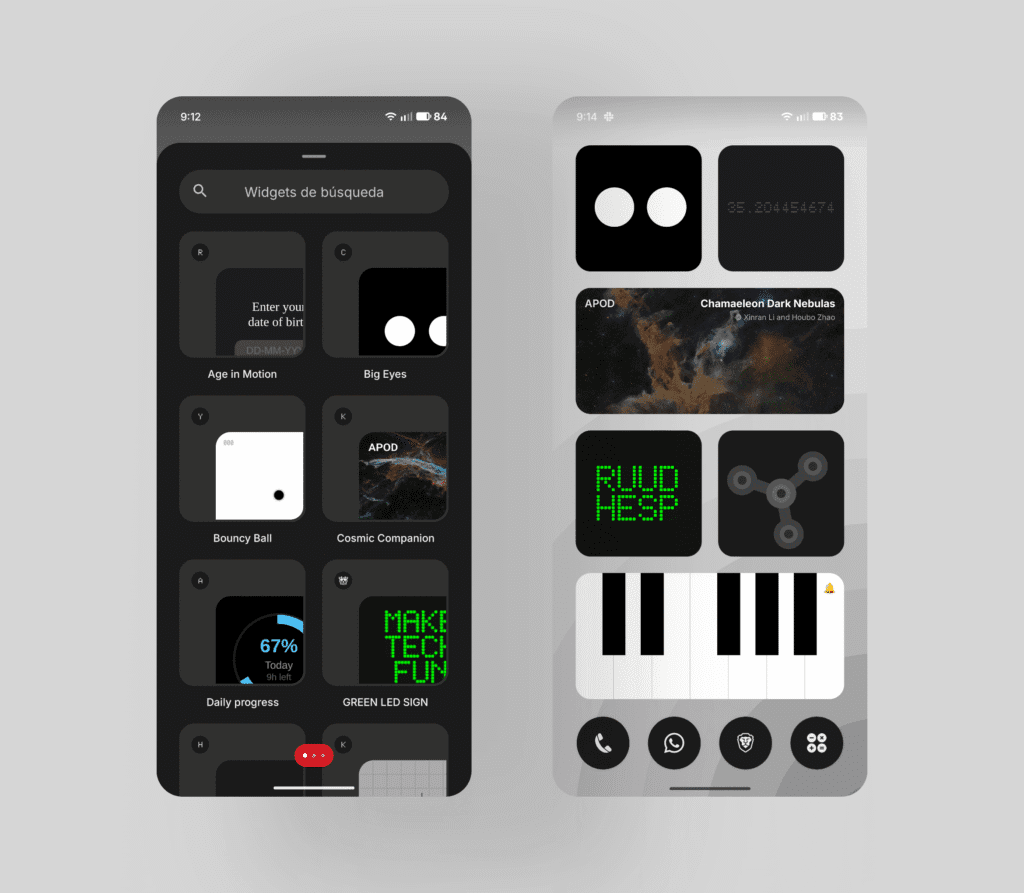
🎢 Playground (Alpha) and Essential Apps
It is introduced Playground, the community platform for experiment with their creations, including Essential Apps, Glyph Toys and Camera Presets. The Essential Apps They are created simply by describing what we want. We can add up to five in the Phone (3) and up to two in other models.
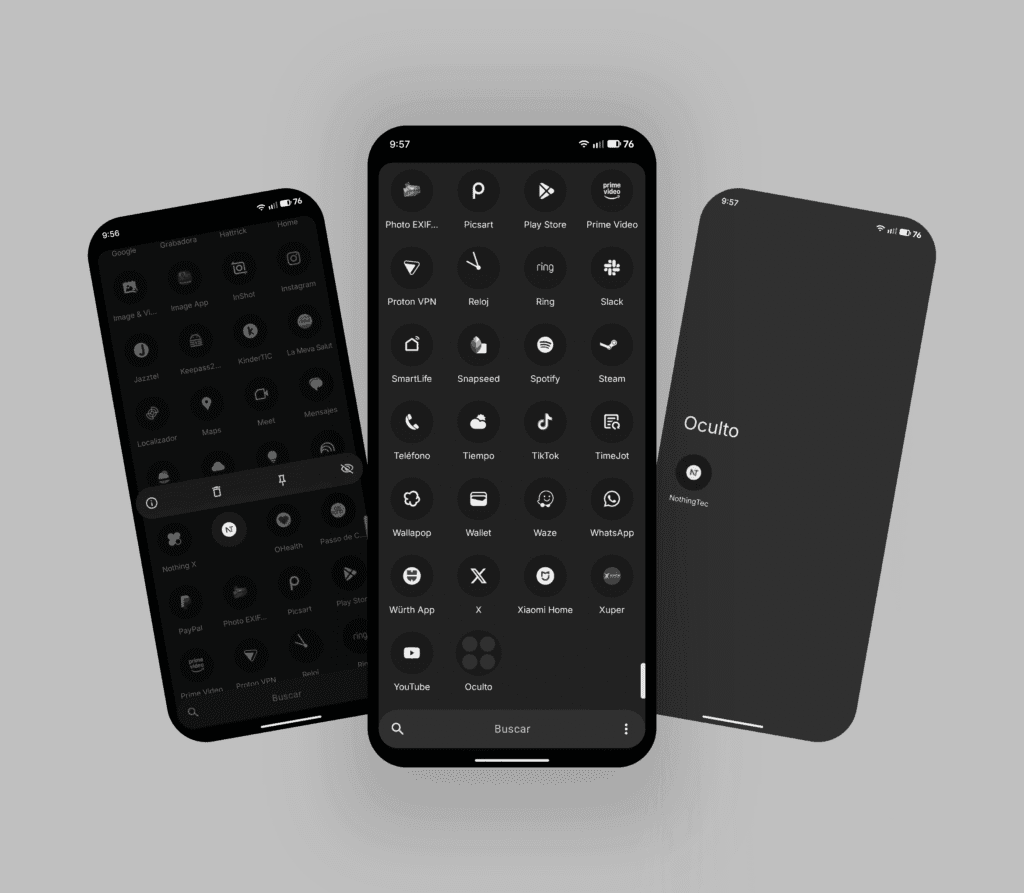
🕶️ Hide apps
Now we can hide any application directly from the home screen and app drawer, keeping our design clean. We can find the hidden apps in: Home screen > App drawer > Hidden icons
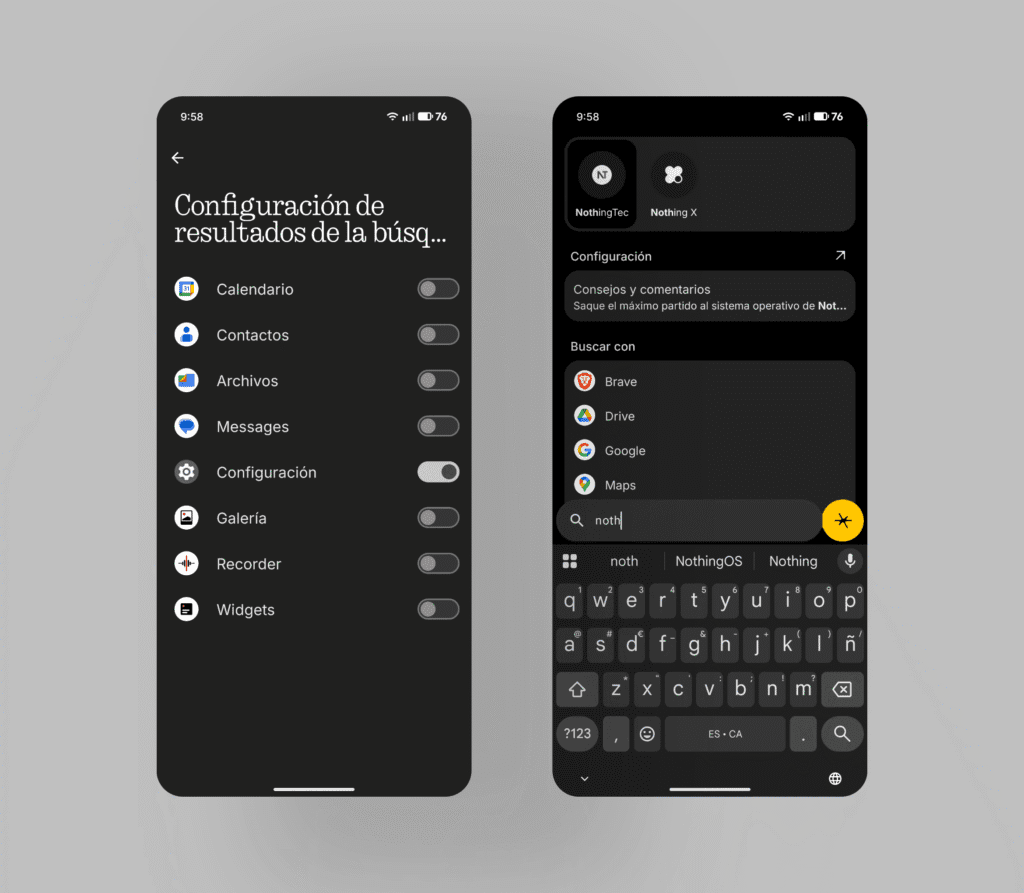
🔍 Universal Search Management
Universal Search is now smarter and It allows us to customize which categories appear. in the results, helping us find what we need quickly without additional steps.
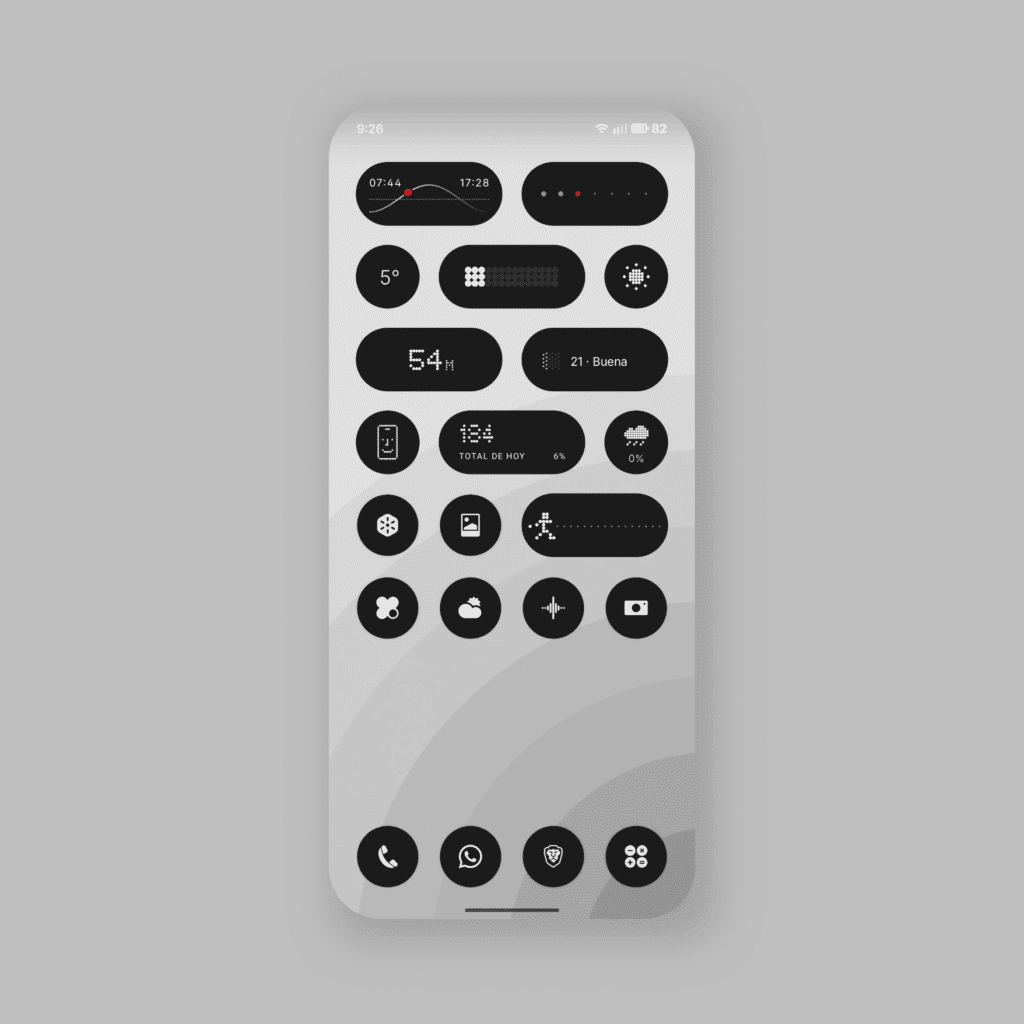
📐 More widget sizes
New size options are added, including formats 1x1 and 2x1, for the widgets of Time, Pedometer and Screen Time, allowing us more options to design the home screen our way.
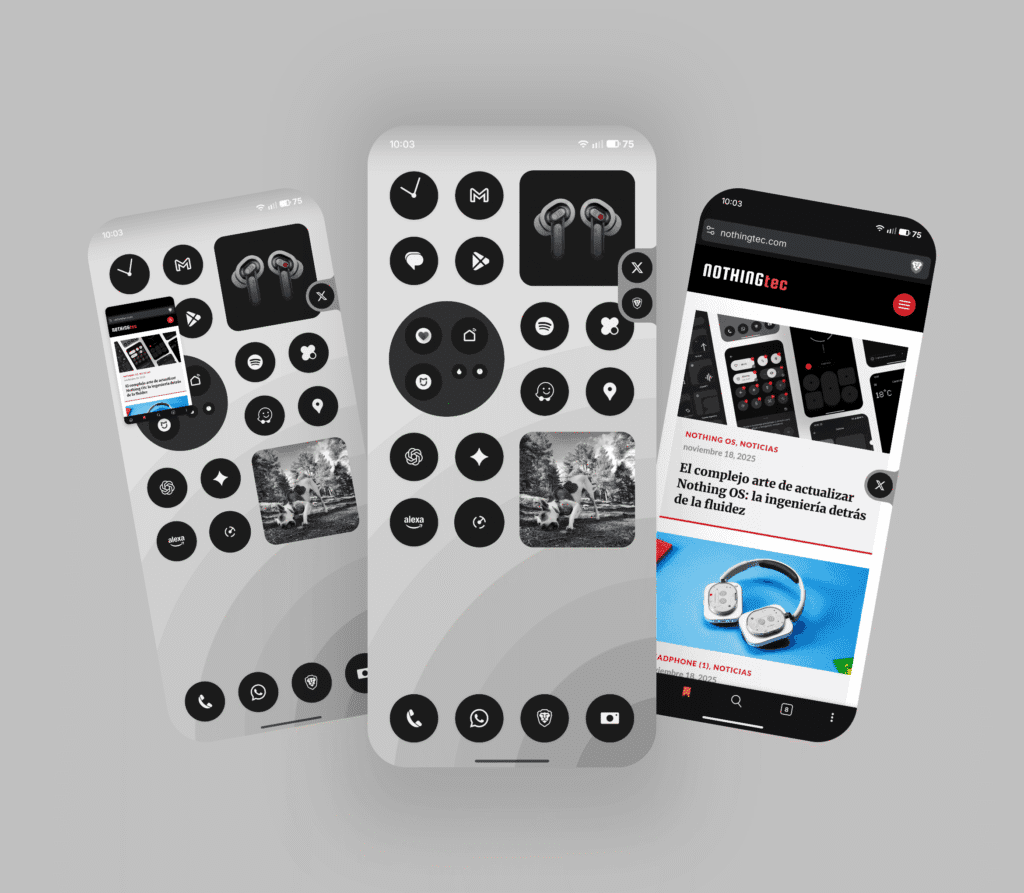
↔️ Pop-up double view
The view Pop-up now It supports two floating icons for easier switching between apps. We can even use YouTube in mode. PiP while using another app, without needing a subscription Premium.
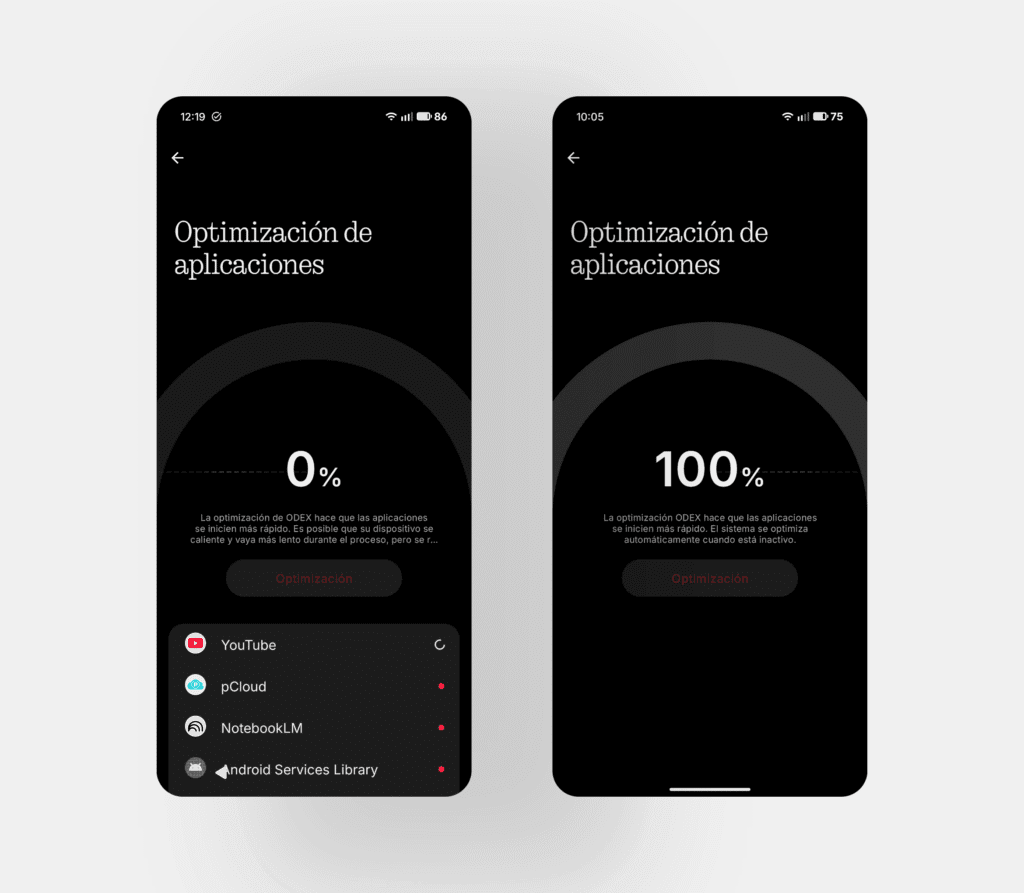
⚡ Application and system optimization
The update includes app optimization to improve startup speed. A new menu helps you optimize the performance of background apps with a single tap. Path: Settings > Apps > App optimization.
Visual refinements and system experience
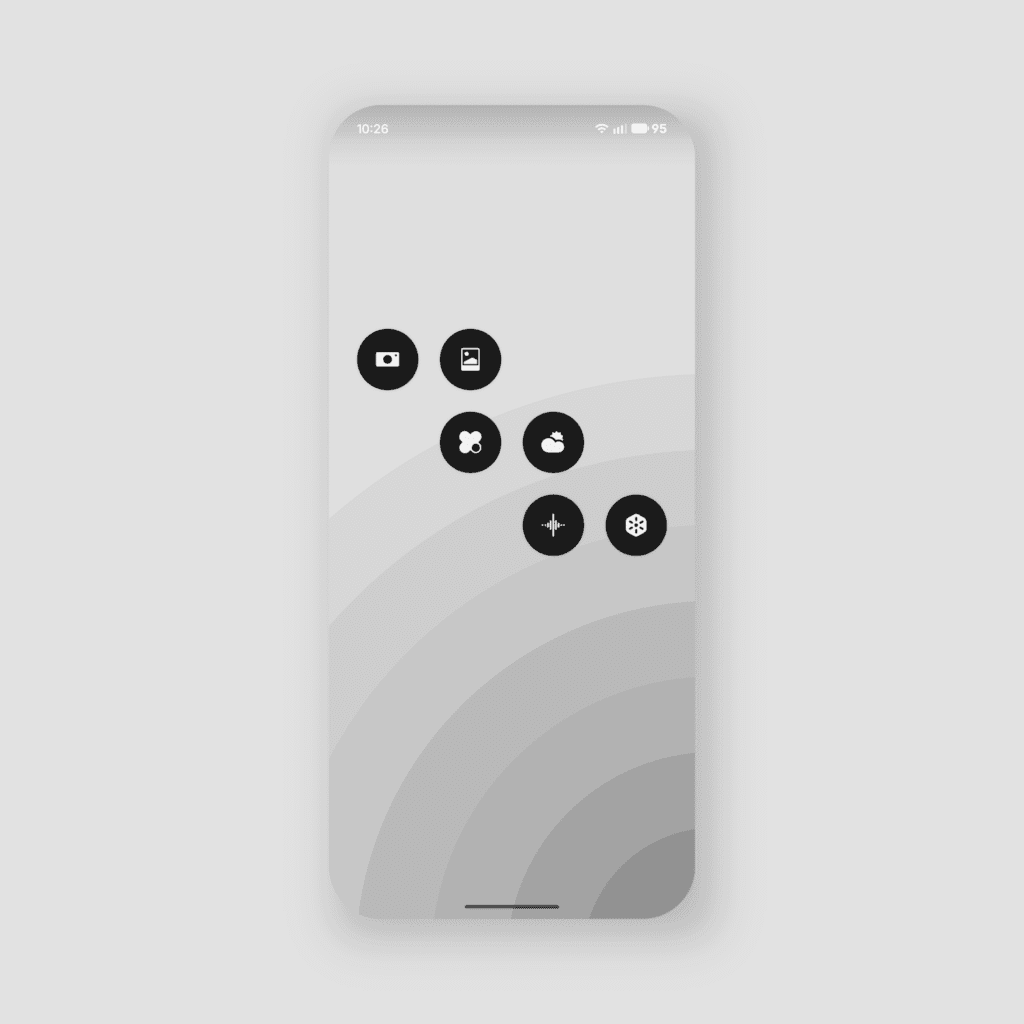
🌟 Nothing apps have been redesigned
The app icons Nothing have been redesigned with a new look, with balanced proportions and a consistent visual weight.
📶 Updated status bar icons
Refined icons for a more intuitive appearance and a cleaner structure that improves readability.
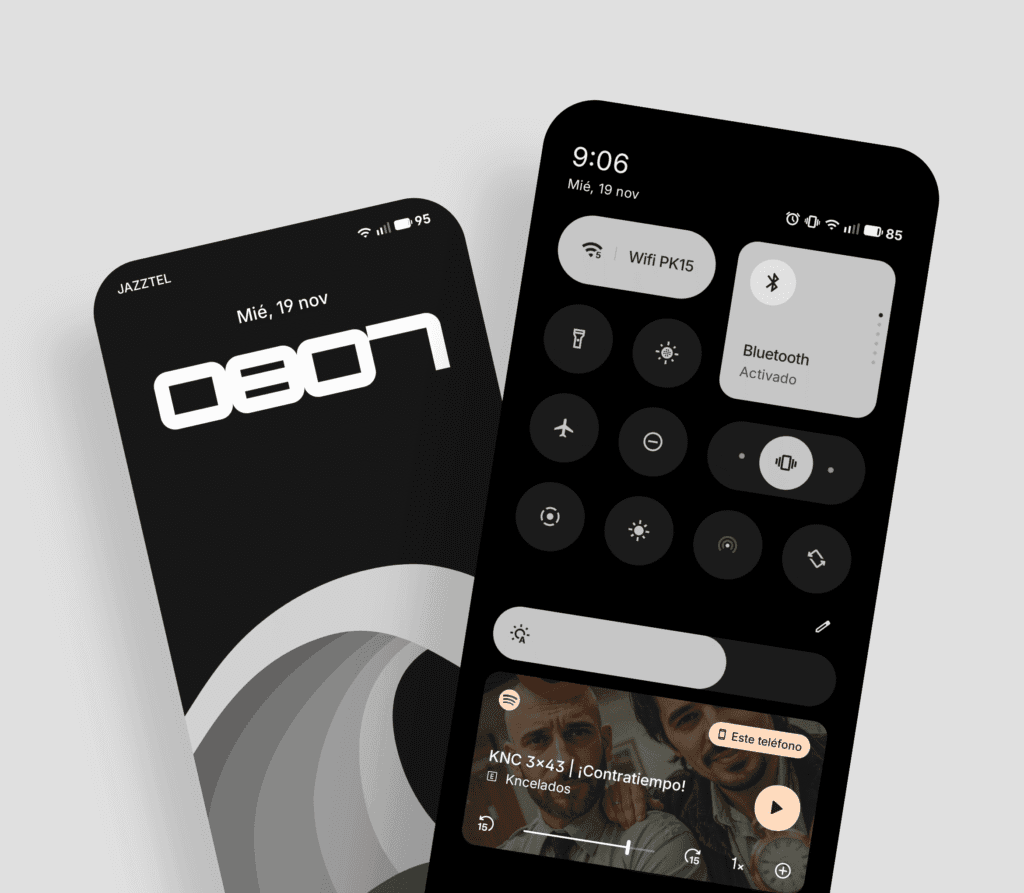
📱 Blurred background on the lock screen
The password page on the lock screen now displays the wallpaper with a blur effect (blur).
ADVERTISING
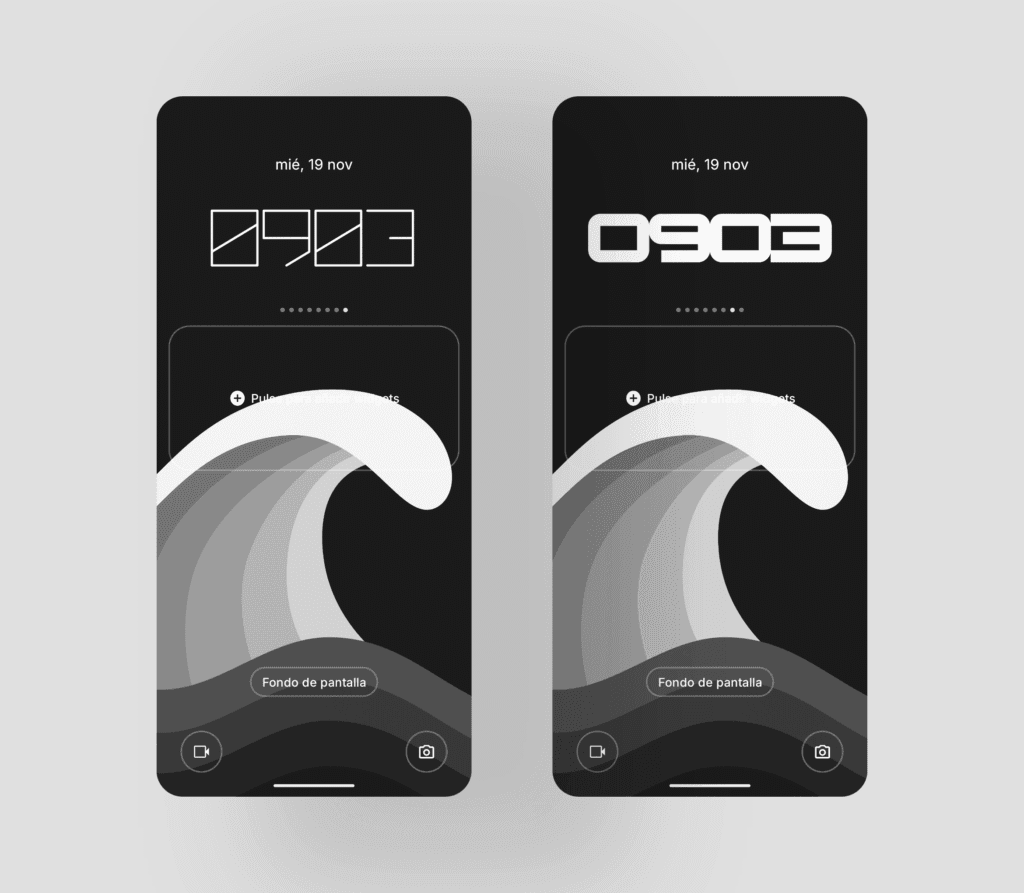
⏱️ New clocks for the lock screen
Two new watch styles are added with a geometric aesthetic that complements the Nothing design.
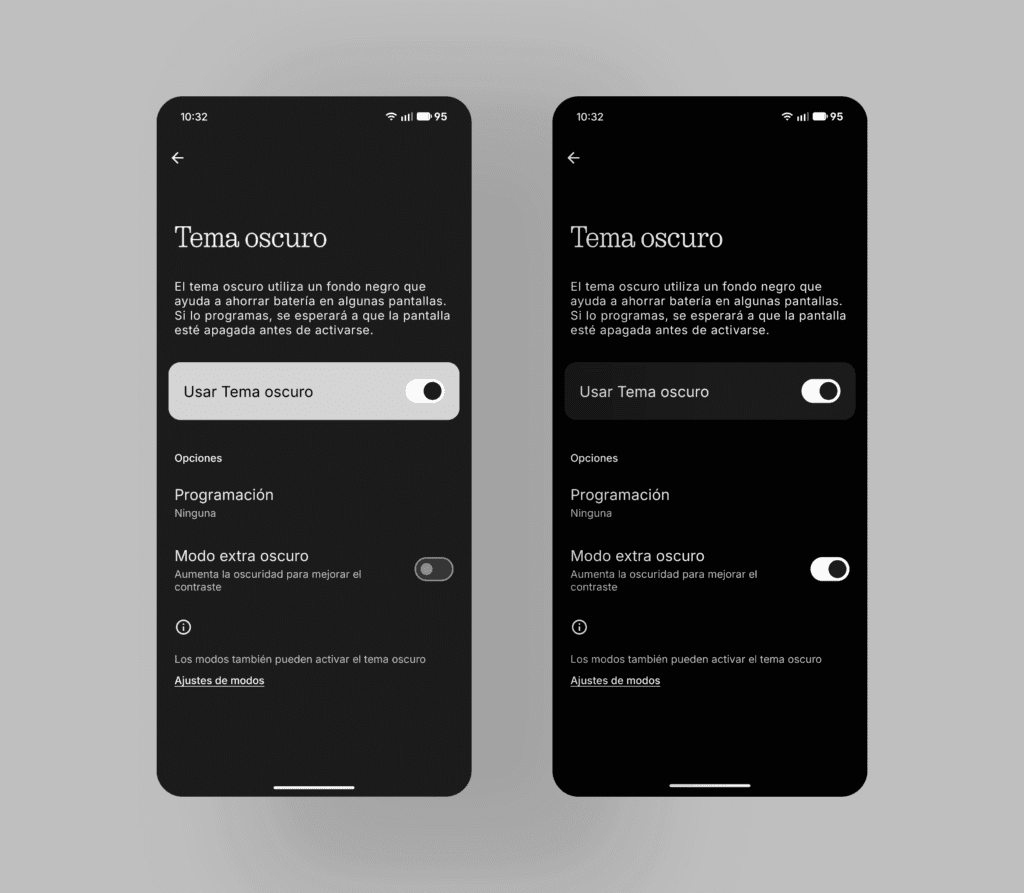
🌑 Extra Dark Mode
Available in Settings > Display > Dark theme, It deepens blacks, improves contrast, and extends to proprietary applications such as Essential Space. It reduces battery consumption.
🌌 Improved transition animations and haptic feedback
The transition animations Opening and closing apps is smoother, and a subtle haptic response It activates when the minimum or maximum volume is reached.
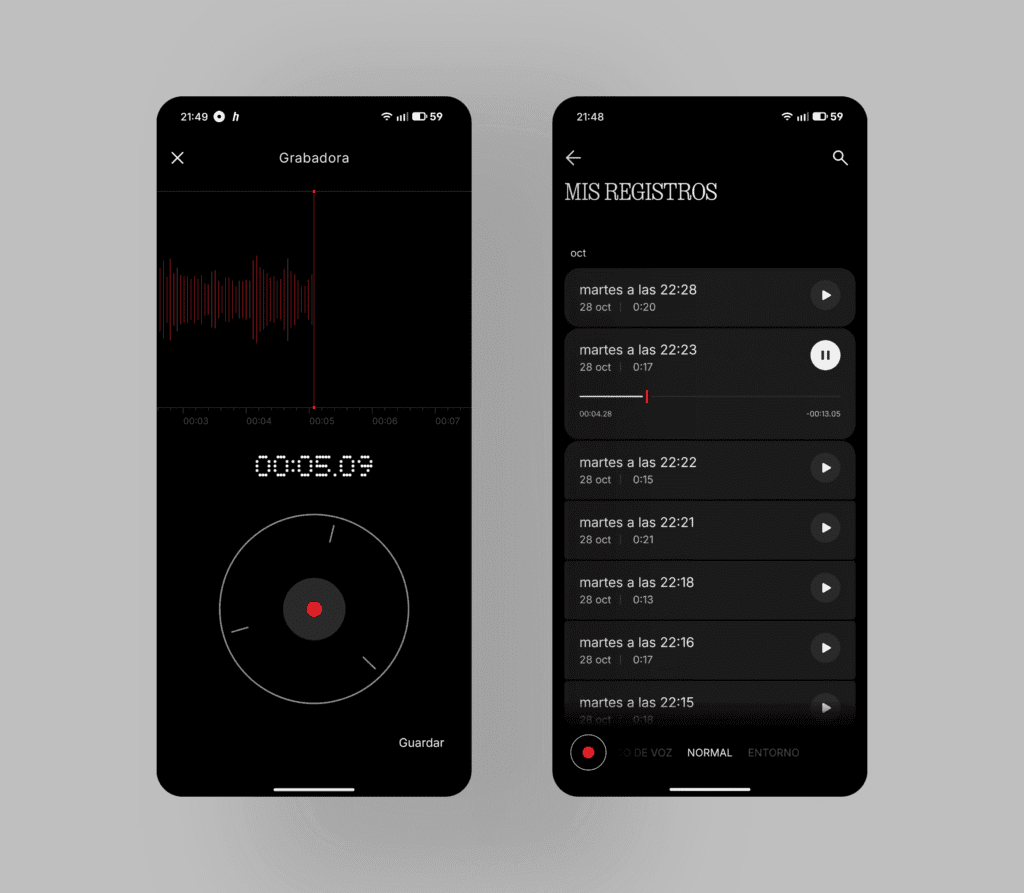
🎤 Recorder app redesign
The application's style has been redesigned. Recorder, giving it a cleaner look and smoother, more polished animations.
🌌 Improved and smoother interaction with notifications
Swiping notifications is now easier soft and natural, with a subtle sense of weight and bounce.
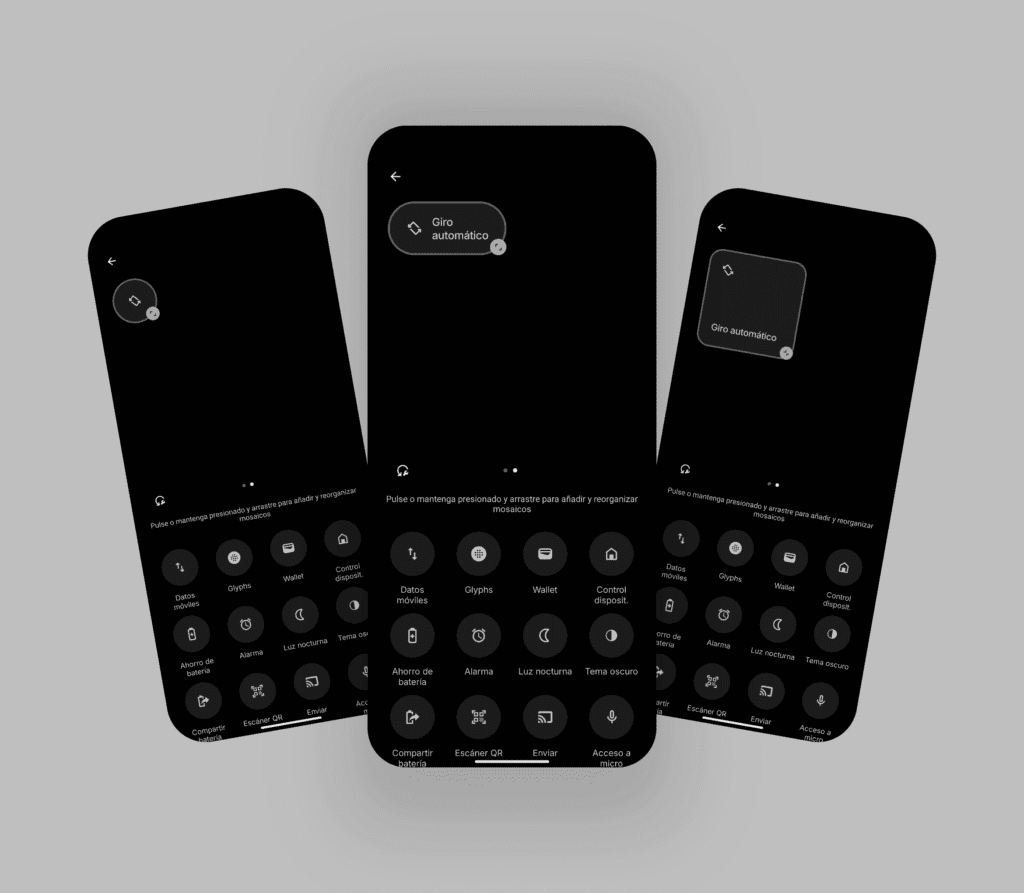
⚙️ Quick settings redefined
The quick settings (accessed by swiping down) have been revised. The 2x2 size is now supported by most icons., optimizing space.
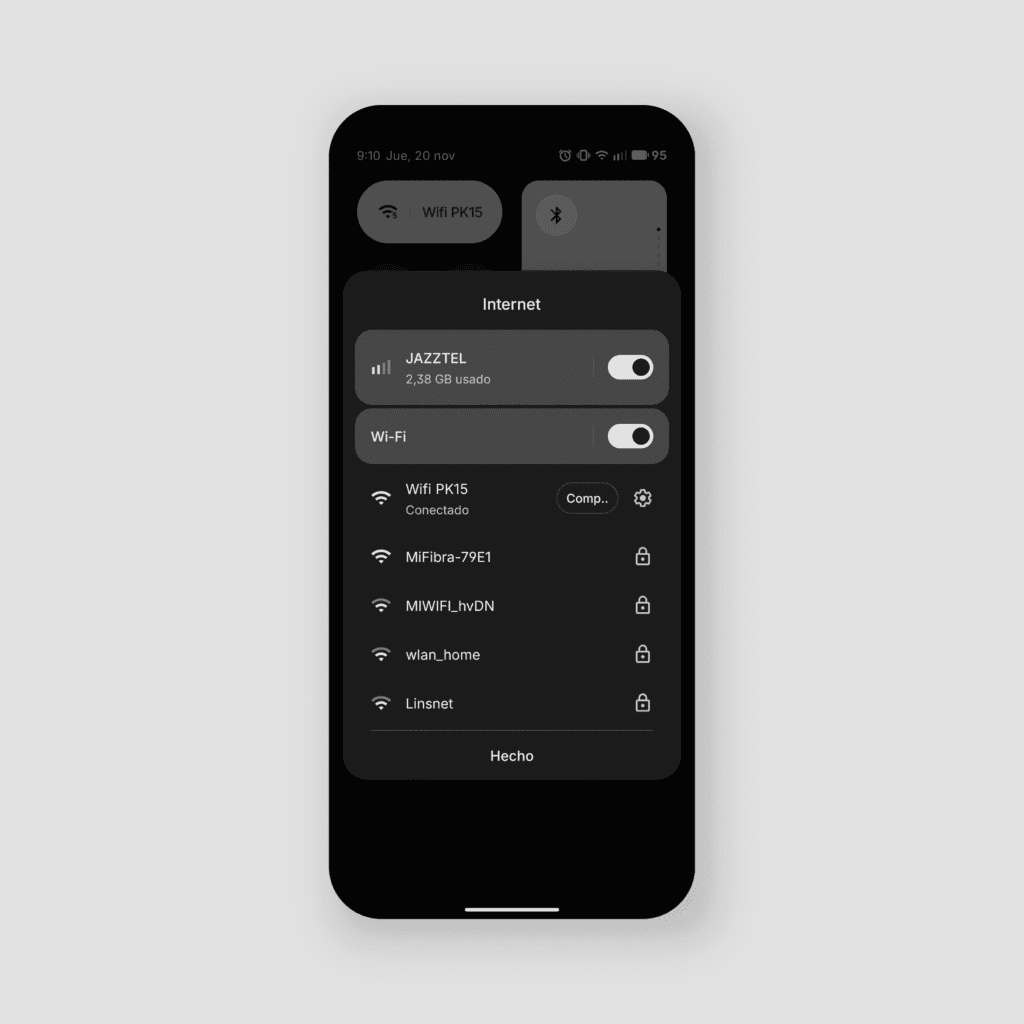
🔗 Quick access to Wi-Fi sharing
The function for share your Wi-Fi network data directly in the quick settings to easily connect to other devices without having to navigate through the settings menu.
Exclusive improvements for Glyph Matrix
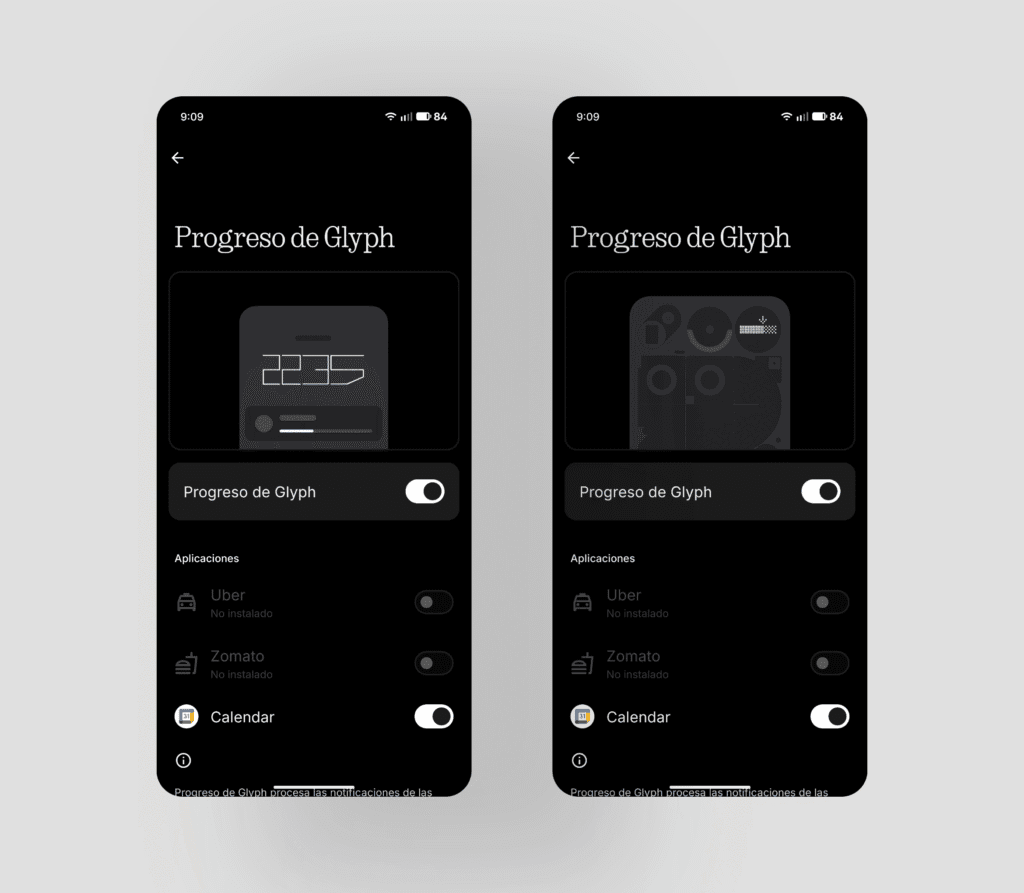
⏯️ Glyph Progress
The return real-time progress function It returns adapted to the notifications of Live Update of Android 16, This makes it compatible with services like Uber and Zomato. Greater compatibility is expected in the future; currently, it's the same as in the... Nothing Phone (2). We can activate it in Settings > Glyph Interface > Glyph Progress.
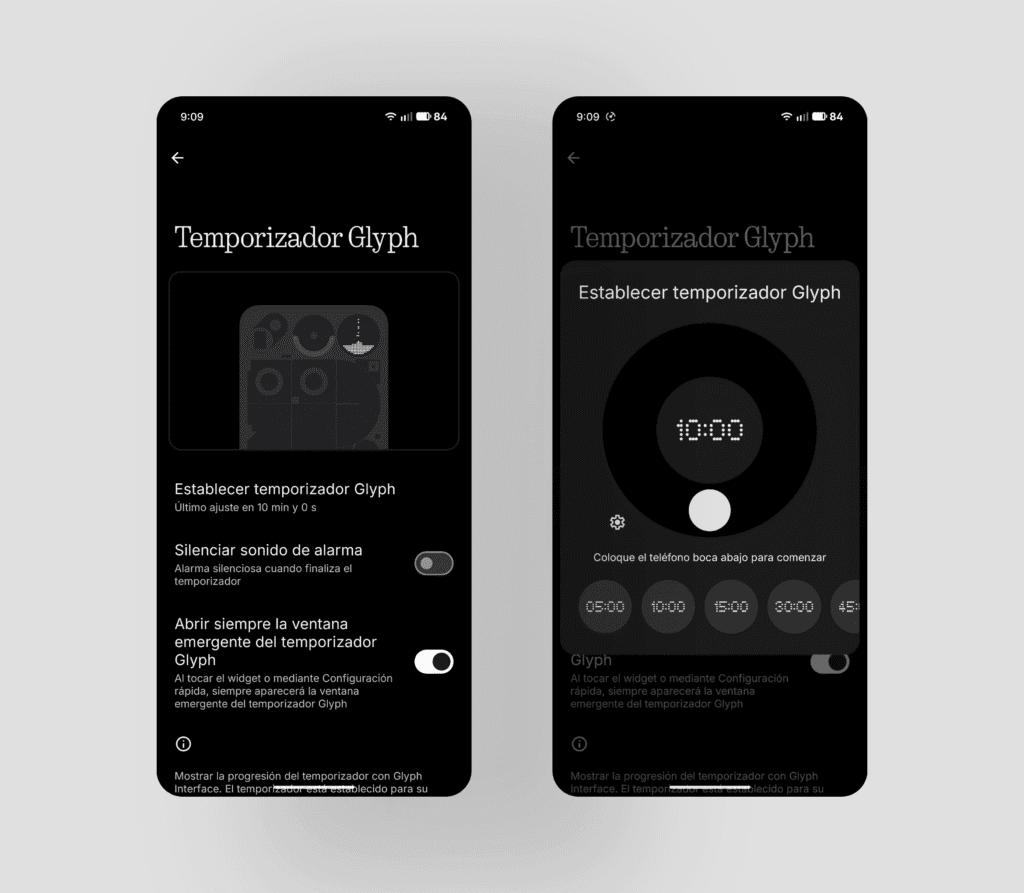
⏳ Glyph Timer
The timer returns after a major animation overhaul in which we see time pass as if it were a hourglass, And we can add it as a shortcut in the quick settings. It still works as a standalone app from the Google timer; it would be great if they implemented that.
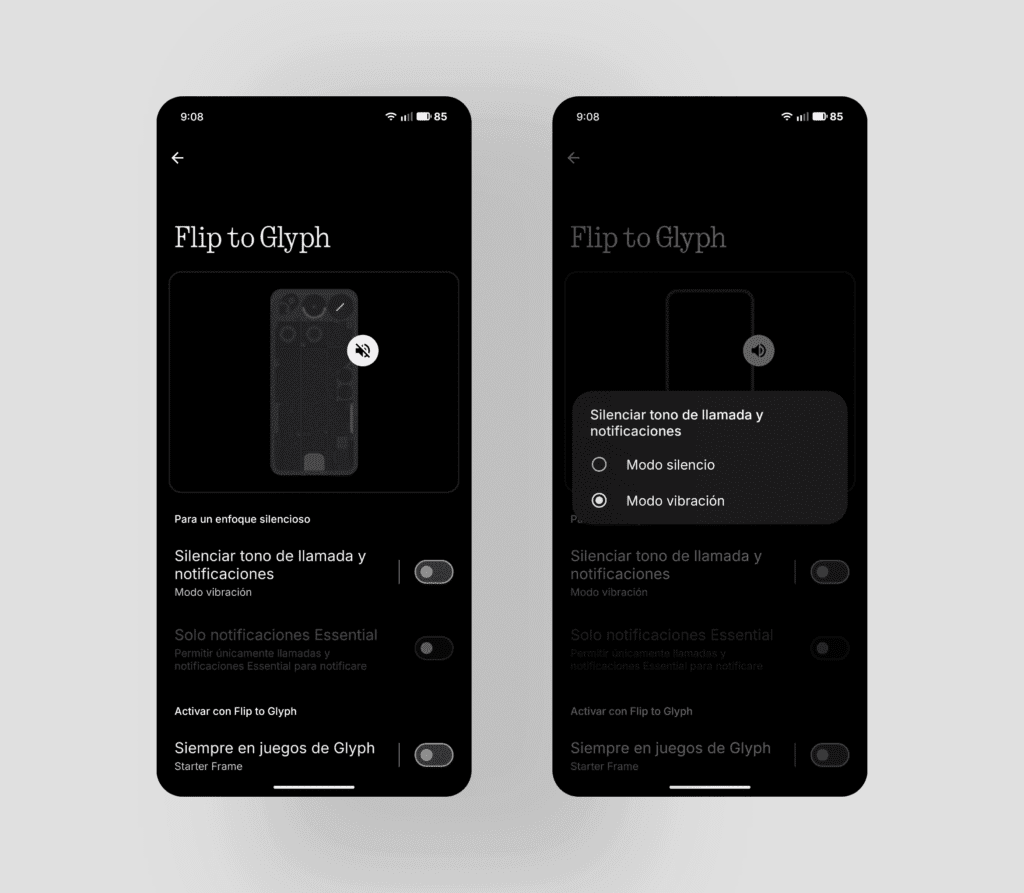
🔁 Flip to Glyph: integration with AOD
The screen Always-On Glyph Matrix now only lights up when needed, synchronizing with Flip to Glyph For more practical visibility and more efficient energy consumption. The animation Always-On The Glyph Matrix turns off when the device is unlocked or in use, and only appears when the phone is placed face down.
ADVERTISING
📳 Flip to Glyph: silent or vibration mode
Now can choose between configuring the mode silence or vibration upon entering Flip to Glyph.
🔌 Shake to check charging status
While he is in Flip to Glyph and plugged into the mains, making a small waving gesture The phone will instantly show us the charging status on the Glyph Matrix.
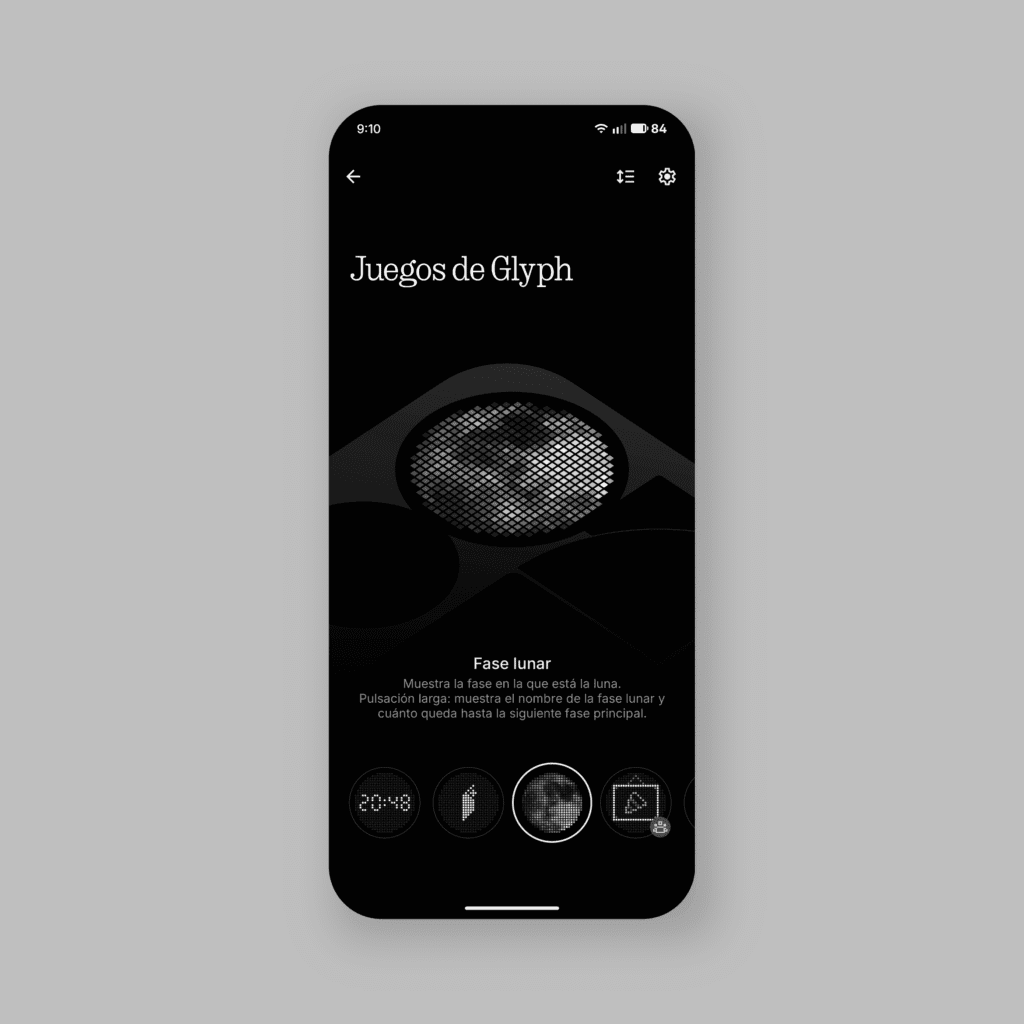
🌛 Glyph Toy: lunar phase
New toy that shows us exactly what the Moon will look like today through the Glyph Matrix. I love it!
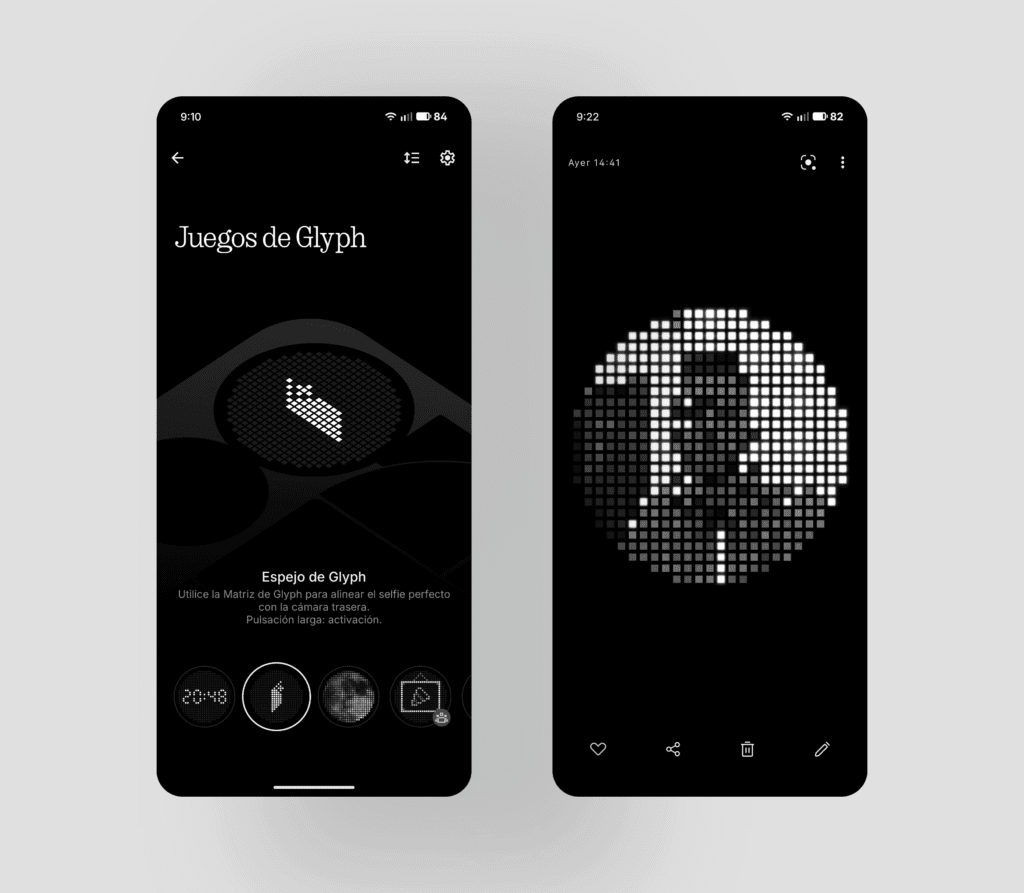
📸 Glyph Mirror with Glyph Matrix effect
When taking a selfie with the toy Glyph Mirror, the system now It will save an additional photo with the round style of the Glyph Matrix. Until now it did so but with a boxy style; with the update the result is more refined.
👖 Smart pocket mode
The Pocket mode has been implemented, which temporarily disables the Glyph Matrix when the phone is in our pocket to save battery.
Subtle polish, noticeable progress, and watch out for Glyph notifications!
Nothing OS 4.0 She maintains her style with a firm step. Despite the fact that Visually there is no substantial leap, are the minor improvements and corrections at the system's core, such as animation optimization and new management of widgets, those that I am grateful every day. This, along with the transparency offered by the AI usage panel and the revitalization of the Glyph interface, assures us that we remain in control, feeling that the experience is... molded by and for the user.
However, despite the exhaustive list of improvements, I have noticed some minor residual error in the system. In particular, the function of Essential notifications from Glyph Matrix on the Nothing Phone (3) seem to keep failing in certain situations which are key, something that particularly worries me in a device of this caliber. I hope this is a minor issue and that the Nothing team can resolve it quickly in the coming weeks through a hotfix, This confirms their commitment to stability and user experience. What do you think of this update? Let me know in the comments!



Carlos
How long does the battery last? I'm interested in specific and clear data, using real-world data and maximizing its performance on the road, as this is a key point.
Greetings
ruudhesp
It's difficult to answer. Some people will tell you 4 hours of screen-on time, others 9. Let me tell you about my experience. I usually unplug my phone around 7 AM. I use it with wireless GPS via Android Auto for about 30 minutes, send WhatsApp messages, check Instagram, Telegram, and other apps countless times, take a few photos almost every day, do some light photo editing, and play music in the background occasionally. I have quite a few apps running in the background (weather apps), and I usually get around 30-5 hours of battery life with about 3-4 hours of screen-on time.
I hope this helps guide you.