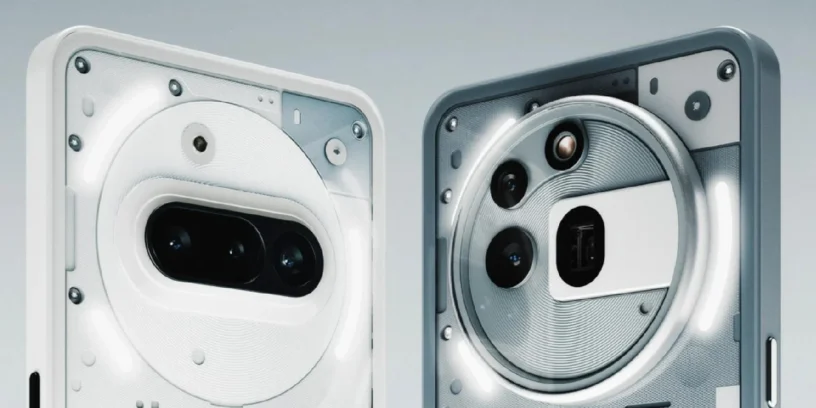

Nothing has released a new version of its customization layer for the Nothing Phone (3a) and Phone (3a) Pro, which means the arrival of the update Nothing OS B4.1-260414-1749. This release focuses on integrating real-time tracking features and aesthetic elements that refine the user experience, while maintaining the Android 16 foundation we already know from previous versions. The main objective is to polish the interface interaction and ensure more reliable photographic performance for the user.

Most notable new features of version
In this update, the most relevant thing is the expansion of the Live Updates, This allows you to monitor compatible app activities directly from the lock screen or the Glyph interface. The Community Edition's clock design is also integrated, and essential notification management is improved with a more descriptive interface.
In addition, technical corrections have been applied to the camera to optimize stability in specific shooting modes such as Time-lapse, ensuring greater fluidity in the capture of creative content.
ADVERTISING
New features
- ⏲️ Introducing the clock design for the Phone (3a) Community Edition lock screen, co-created with community member Jad Zock, featuring an exclusive font style and a unique power-up effect.
- 📡 Live Updates now work across multiple scenes, including the lock screen, notification panel, and Glyph interface, tracking real-time progress in apps like Google Maps.
- 💬 The Essential Notifications settings interface has been redesigned with a cleaner look and descriptions for easier use.
- 🫧 Notifications you frequently interact with can be suggested to be set as Essential Notifications.
General improvements and bug fixes
- 🍃 Optimized shooting stability in Time-lapse mode in the Camera app.
- 🔭 Fixed an issue where the SuperRes zoom frame could remain on screen when switching presets.
- 📱 Fixed some display errors in the notification panel and Quick Settings.
- ⚙️ Improved overall system stability and performance.
- 🛡️ Update to the April 2026 security patch.
ADVERTISING
System stability and performance
It is important to remember that, during the installation process of this new version, the device may use more energy and increase its temperature. This behavior is normal and is due to the internal optimization tasks that the system performs after the update; performance and thermal management will return to their normal values once the cycle has been fully completed.


Leave a Reply