
Testing a new phone is always an interesting process, but to give a well-founded opinion, I don't think it's enough to use it for a couple of days on a desk or just use it as a secondary phone to take a few photos. As you know, my philosophy when reviewing a smartphone is very clear: I insert my primary SIM card and make it my only personal device for absolutely EVERYTHING for about two weeks.
Calls, daily errands, work, social media, family photos, and car navigation; everything goes through him. After more than two weeks of actually living with him Nothing Phone (4b), the time has come to tell you how the brand's entry-level model performs in the real world.
For this review, I used the 8GB RAM and 128GB storage version in white. Upon opening the box, we found the phone itself (which already came with a pre-applied screen protector), a protective case, the Nothing USB-C cable, the unusual tool for ejecting the dual SIM tray, and the usual warranty and safety documentation. With everything ready, I set out to thoroughly test how this budget phone performs.
A robust design that draws inspiration from several devices
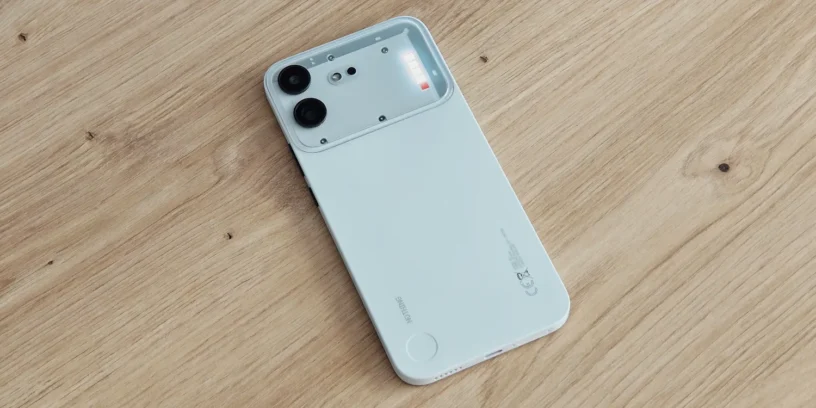
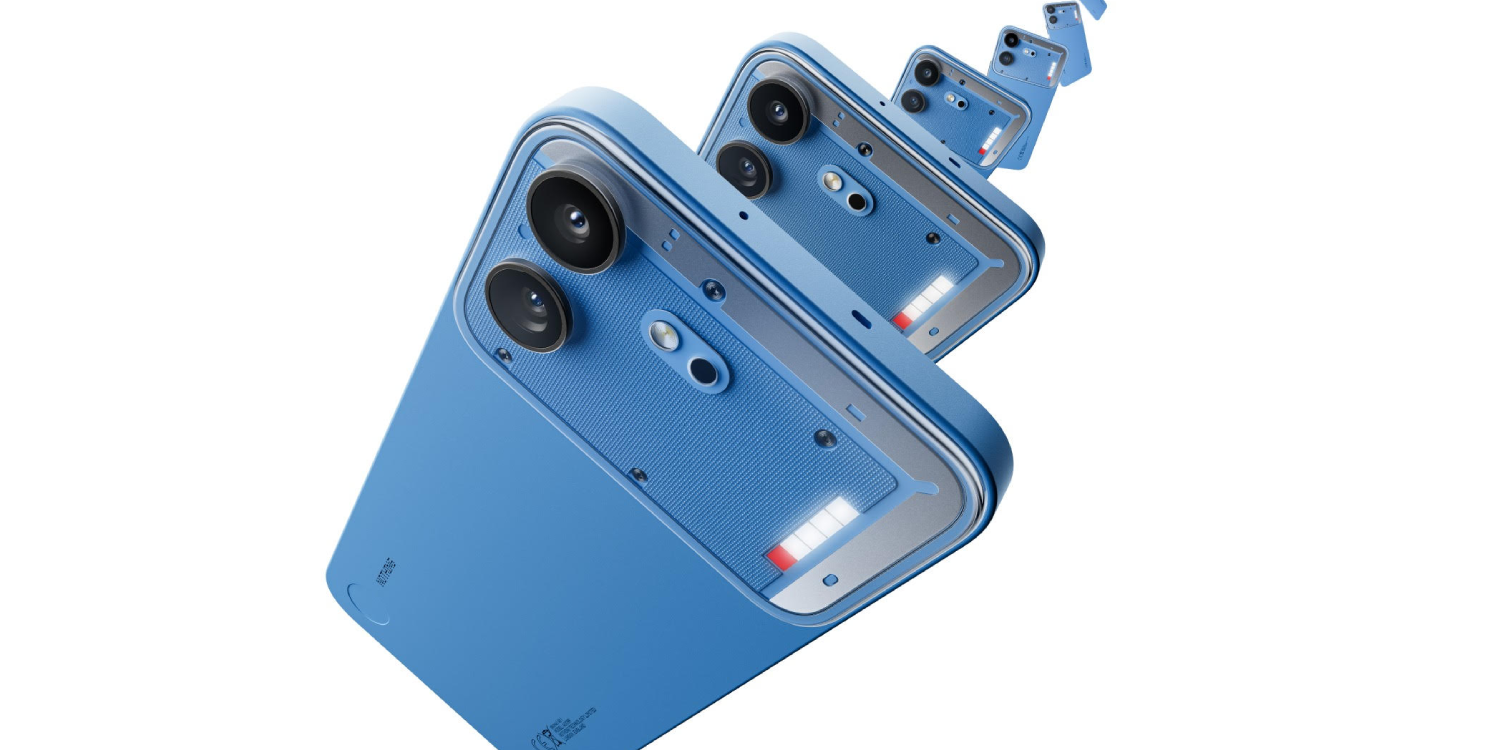
Aesthetically, the Nothing Phone (4b) borrows from several of the company's designs. The position of its two cameras reminds me of the Nothing Phone (2), the Glyph bar evokes that of the Phone (4a) and the unibody design with the camera module is inspired by the Phone (4a) Pro. However, I think it's the least "nothing" phone of them all. Yes, it has the transparent area in the camera module like the iPhone 4a Pro, but the problem is that it feels different; it doesn't give the impression of seeing transparencies with varying depths, but rather flat decorative elements, lacking the usual attention to detail.
For die-hard fans of the brand, it might lose some of its essence, while for new users it will be an excellent opportunity to get into Nothing thanks to its less edgy design. To each their own. In my case, the white option seems like the safe bet: it's clean, elegant, and feels premium.
It feels very premium in hand. The chosen plastic has a soft, almost velvety feel, very pleasant to grip. At 210 grams, if it weighed a few grams less, the sensation would be spectacular. When pressed firmly, it feels solid and doesn't creak at all. Furthermore, they've fixed something I didn't like about the iPhone (4a): the buttons no longer wobble or feel cheap, and it feels better built. The Essential Key feels a bit too high up, just like on the Nothing Phone (4a); I prefer its placement on the Phone (4a). Personally, I find it more comfortable to have two separate volume buttons instead of a single unified button. I also don't want to forget to mention that it features IP64 water and dust resistance certification.
ADVERTISING
Competent screen
The 6.77-inch 120Hz Super AMOLED display, with Dragontrail Pro protection and peak brightness up to 2000 nits, will be more than enough for almost anyone. It looks great outdoors, although if you look closely you'll notice it has a slightly lower pixel density.
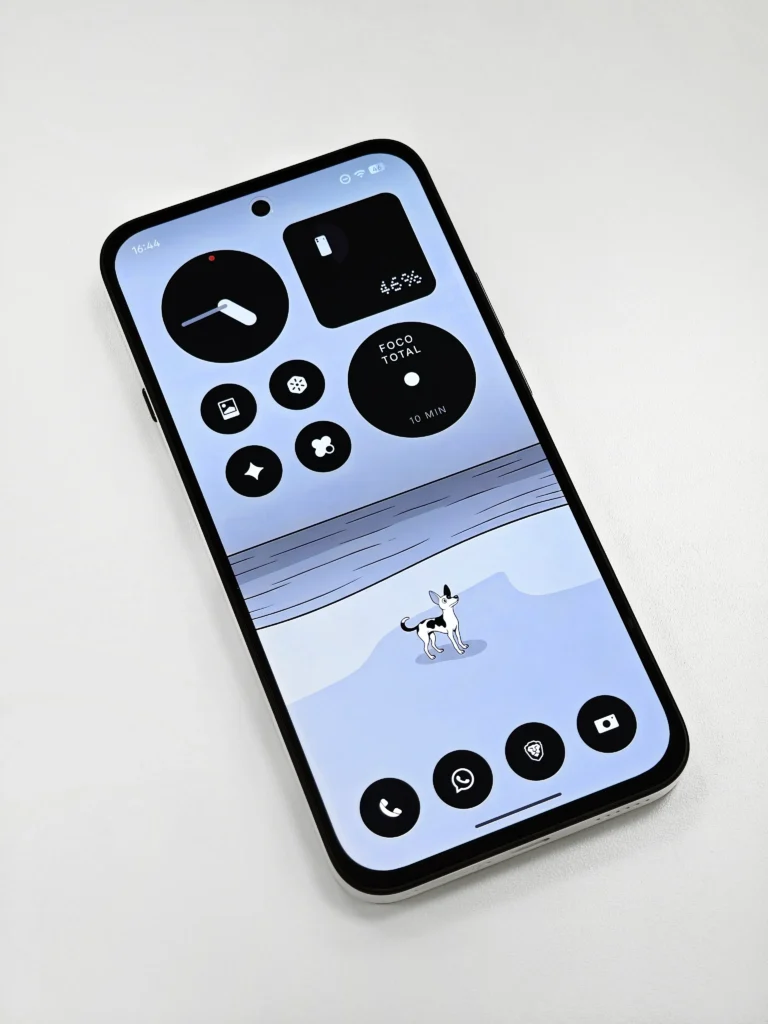
In daily use, it hasn't bothered me at all, except for the slight change in tone that appears on the screen when you place your finger on it to unlock with the fingerprint sensor. Nothing still hasn't quite nailed it in this regard. The loss of symmetry in the bezels around the screen is also noticeable, with a slightly wider bottom "chin." But as I said: nothing that will prevent you from using it normally, unless you're extremely picky about design or have bionic eyes.
Powerful sound and a disconcerting vibration motor
In terms of sound, it's clear there's no compromise: it sounds really good. Sometimes I play music for my daughter on its stereo speakers, or I listen to podcasts, and the speakers feel powerful and well-balanced. Calls are also excellent: I can be heard perfectly, and the other person can hear me clearly and without any problems. Furthermore, the experience using it for both calls and multimedia tasks paired with my Nothing Ear (open) has been flawless, delivering smooth and refined performance.
The downside is the vibration motor. It's funny because initially I loved it when I first entered my PIN; it felt soft, delicate, and pleasant, like the tremor of a drum. But when I went to the keypad… surprise! The vibration was disabled by default. When I turned it on, I understood why: it feels odd, erratic, and cheap. Not to mention when it vibrates in full force for a call, at which point it's incredibly loud—I don't like it.
Nothing OS performance and optimization
The Qualcomm Snapdragon 6 Gen 4 processor, along with Nothing OS 4.1, demonstrates that the brand is becoming the queen of optimization. In day-to-day use, the device performs superbly for light to medium-load tasks: chatting, social media, multimedia content, and light gaming. Something I really liked is that Nothing hasn't limited the software experience for a budget phone: we have access to all the system's artificial intelligence tools, such as Essential Voice o Essential Space, functioning smoothly.
Naturally, under stress or when multitasking heavily, you'll start to experience screen stuttering or a slight lag with certain keystrokes. This is understandable; you can't expect miracles from an entry-level device.
ADVERTISING
Wireless Android Auto has worked flawlessly, quickly, and efficiently. One day it disconnected twice in quick succession mid-trip, but it reconnected itself within seconds, a detail I attribute more to my car than the phone itself. Based on my usage, if it weren't for the time it takes to process video editing or post-process photos when opening the gallery immediately after shooting, I'd hardly notice I'm using a budget phone. Furthermore, the software support includes three years of Android updates and six years of security patches.
Battery: the true jewel in the crown
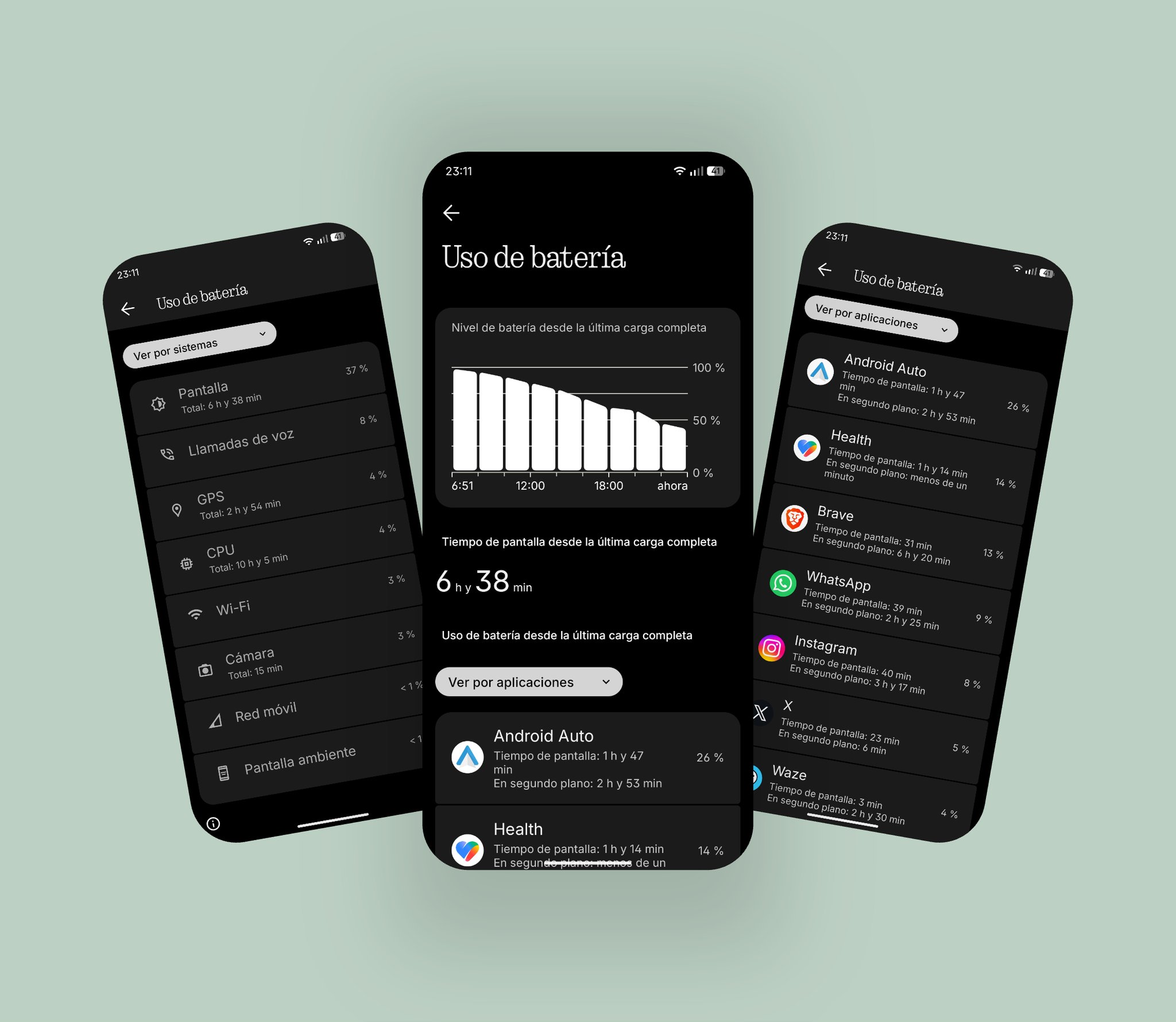
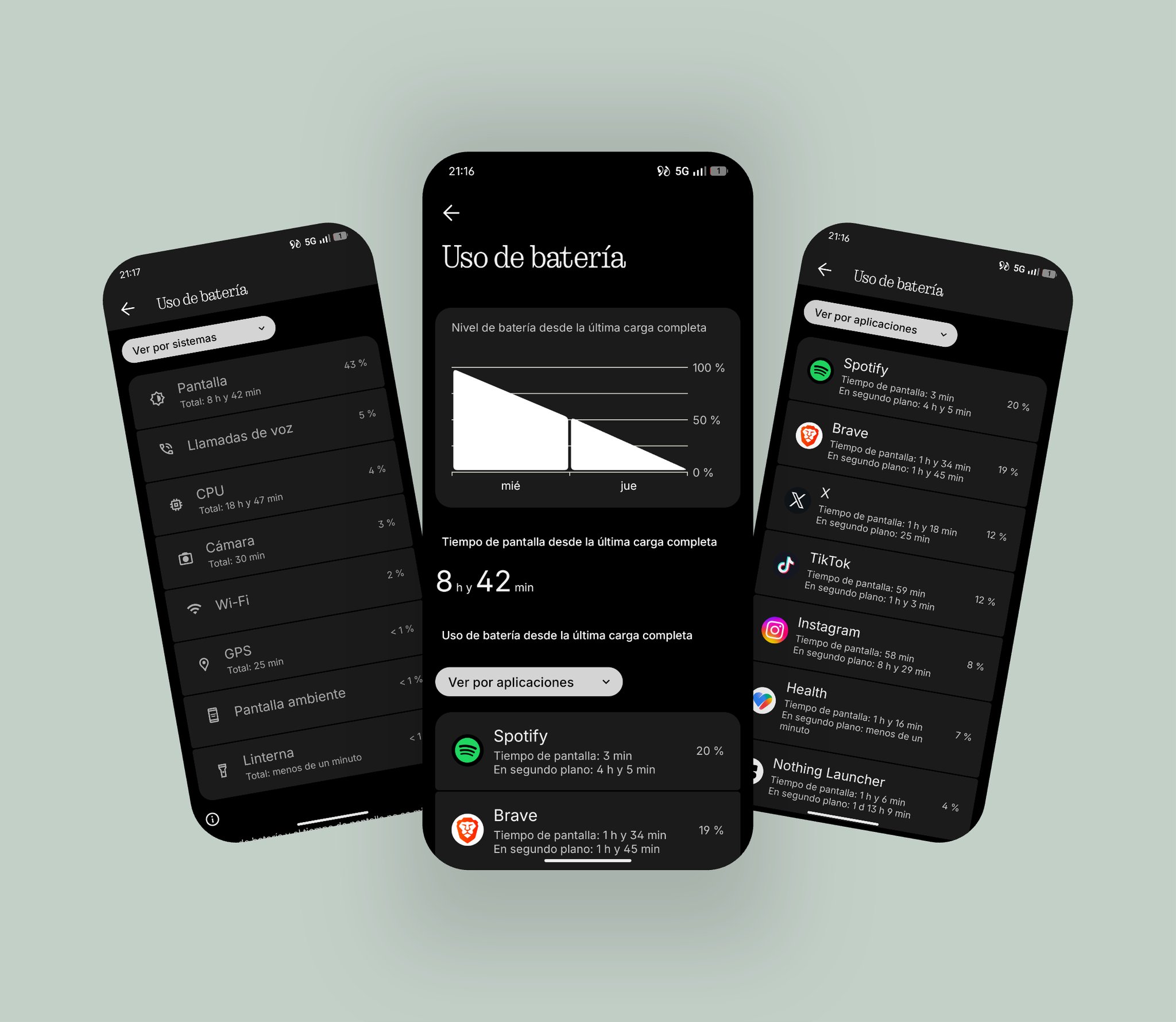
Speaking of optimization, we have to focus on the best thing about this smartphone: its battery life. It's the Nothing phone that has lasted me the longest, practically reaching two days of moderate to heavy use. I usually charge it every night with its 33W charger, and I rarely went to bed with less than 501 TP3T. The combination of a modest processor, system optimization, and its 5,200 mAh battery (in India they have a 6,000 mAh variant—I'm so jealous!) makes this phone a true beast with battery life that my Nothing Phone (3) would envy. I've attached some screenshot examples so you can get an idea.
Photography: Daily reliability with great surprises in software
In terms of photography, the compromises are noticeable, especially with the omission of my favorite lens: the telephoto. It has a 50MP main sensor that performs quite well overall and allows you to take decent photos even at 3x zoom, though you shouldn't expect miracles. However, the 8MP wide-angle lens struggles to avoid pixelation as soon as you try to zoom in. Honestly, I'd rather lose the wide-angle lens than gain a 3x telephoto. If you're not a photography expert or only use it for basic shots, it will be more than enough.
Despite the hardware limitations, the camera section includes some very interesting additions. I really liked the default Action Mode, ideal for taking photos of your dog when it won't stop moving in low light or any moving object (whether it's someone running, a motorcycle, or an ant walking at top speed). Furthermore, the 16 MP front camera performs reliably, and the portrait mode is increasingly well-implemented for accurate subject isolation.




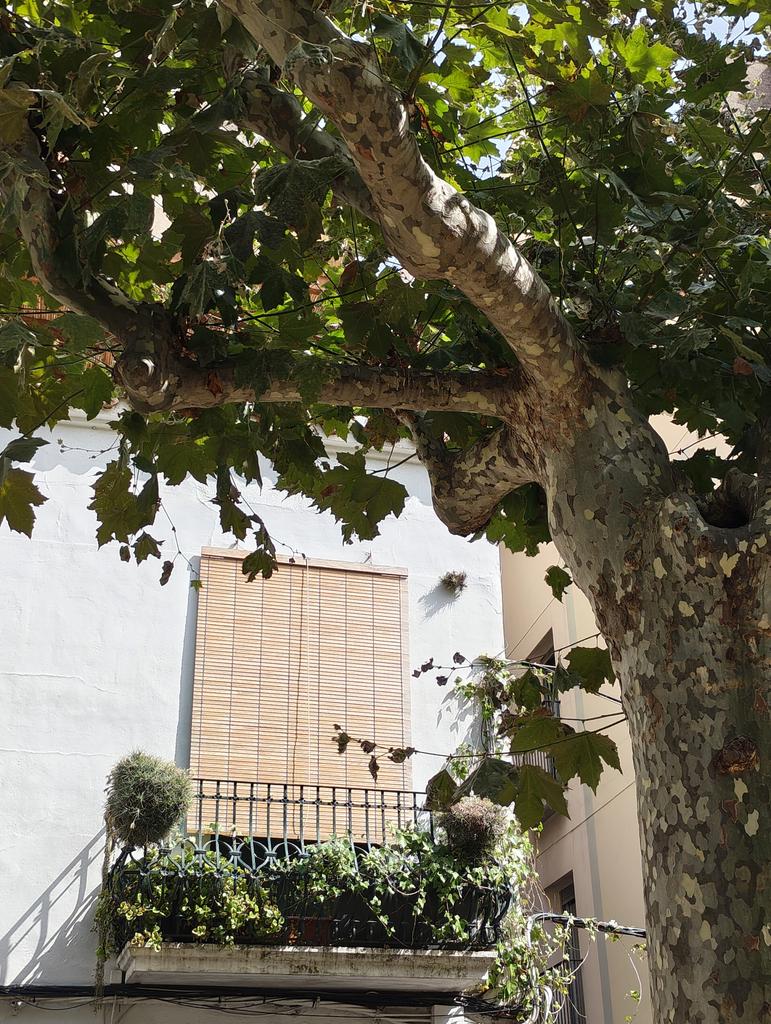



On the other hand, the Phone (4b) debuts the Dual Camera feature (which I hope will come to the rest of the devices with Nothing OS 5.0), which records simultaneously with the rear and front cameras, making it a fantastic tool for video blogs.
Glyph interface: bright and functional
The Glyph bar is slightly larger than on the iPhone 4a, although it has fewer LEDs (4 instead of the 6 on the previous model). The brightness remains excellent, and I love noticing essential notifications or calls out of the corner of my eye even when the phone is far from my direct line of sight. Furthermore, the Flip to Glyph animation continues to be a visual treat.
But I have to give Nothing a piece of my mind: how is it possible that we can't choose different patterns? If my partner calls me or I receive a work email, the lights all turn on exactly the same way. There's no pattern customization for Essential Notifications, which I think is a missed opportunity to give us useful information without us having to look at the screen. I trust they'll fix this in future updates.
Who is the Nothing Phone (4b) aimed at?
The Nothing Phone (4b) is launched on the market for €329, a price conditioned by the global problem of rising RAM costs. And here lies the biggest drawback I see today: for very little more you can acquire a Nothing Phone (4a), which includes a telephoto lens, a better screen, better vibration, and a design with a more Nothing essence.
However, as the months go by and its price drops below €300, it will become an even more tempting product. It's a perfect device for users who want to delve into the world of Nothing for the first time and enjoy its ecosystem and operating system without high expectations, experiencing a reliable, capable phone with impressive battery life.
It's a phone that, when compared to its bigger siblings, initially seemed a bit basic to me. But then, after a few days, I realized it has excellent build quality for the price, offering a remarkable feel and usability. If you're looking to stick to a tight budget, it's a great option. Do you have any questions about anything I haven't covered that's important to you? Leave a comment and I'll answer it!
Nothing Phone (4b) Review
- Design and build quality
- Display
- Sound
- Performance and OS
- Battery
- Glyph Bar
- Cameras



Leave a Reply