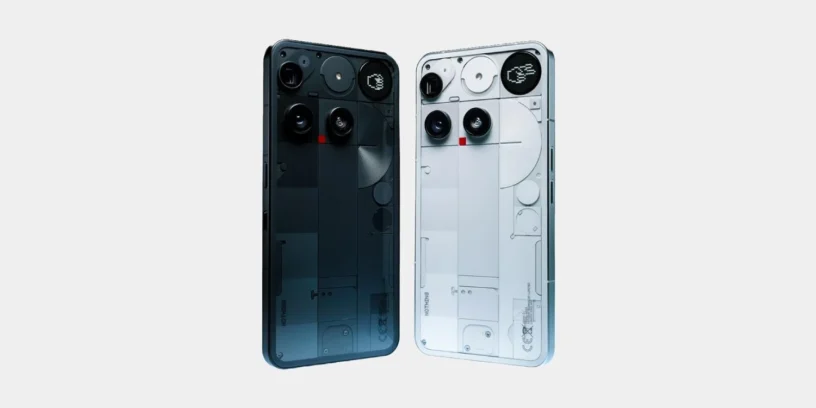



The latest update for the Nothing Phone (3), identified as Nothing OS V3.5-250719-1646, It has already begun to gradually reach users. Although it's not a major overhaul with new features, This OTA update fixes several important bugs. that were affecting the daily user experience.

Correction of generative tones and video calls
One of the most discussed problems was that The generative ringtones were not working correctly This could cause confusion when the system was configured in certain languages, as the user would select one style but another would be applied by default. Now, with this update, that bug has supposedly been fixed.
In my case, I can now set generative ringtones, but the change between the two ringtone types isn't saved. Hopefully, they'll fix this in a future update.
A performance issue during the video calls on WhatsApp, where some users noticed a slight delay or lag. This fix improves the smoothness of video communications, which is crucial for those who use this app regularly.
Improved camera and battery life with connected watches
Another notable adjustment affects the camera's Ultra XDR system. In the wide-angle photos Occasional ghosting or double image effects appeared. The update eliminates this behavior, allowing for better use of this lens in high dynamic range situations.
In addition, a abnormal battery consumption This issue arose when connecting some smartwatches. This fix should improve overall battery life for those using wearables with the Nothing Phone (3).

Considerations after installing the update
As is typical with this type of OTA, The device may temporarily heat up. or consume more battery power immediately after installation. This is a normal effect during the optimization process, and the system returns to its normal behavior shortly after installation.
This update is being rolled out gradually, so if you haven't received it yet, it will most likely arrive in the next few days. You can check it here. Settings > System > System Update.



Leave a Reply