
Nothing's mobiles have little tricks that can make a difference in everyday life. One of my favorite additions of Nothing OS is the possibility of configure a shortcut by quickly double-pressing the power button. It's a simple but very practical function for speeding things up and avoiding having to search for apps in the app drawer or on the home screen.
How to activate this feature
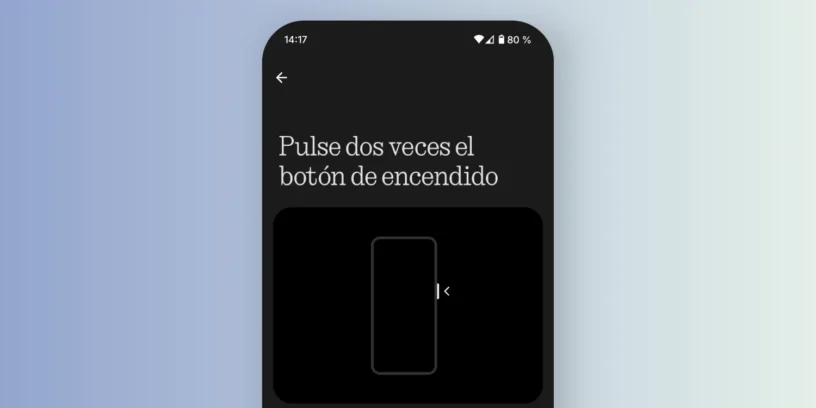
To activate this option, simply follow these steps in your Nothing Phone:
- Open Settings.
- Enter Special functions.
- Select Gestures.
- Tap on Press the power button twice..
Here you can choose which action you want to assign to the double-click gesture.
Available options
The system allows you to select from several quick functions:
- Camera
- Torch
- Glyph Torch
- Device control
- Wallet
- QR Scanner
- Video camera
- Do not disturb
- Mute
- Any installed application
Once configured, each time you quickly double-press the power button, the chosen option will open/run directly.
A practical example
In my case, I have been assigned the Wallet. This allows me to pay at the supermarket in seconds, without having to search for and open the app manually. The speed and convenience are enormous, And it's those little details that make all the difference.

I think it's one of the most useful gestures that Nothing has integrated into its mobile phones. It's simple, intuitive, and customizable. The best part is that it's not limited to just a few options; you can also assign any installed app. For those of us who constantly use our phones to pay, scan codes, or open the camera in seconds, it's a shortcut that greatly improves the experience.
If you haven't set it up on your Nothing Phone yet, I recommend you try it: you'll probably end up using it more than you think.



Leave a Reply