


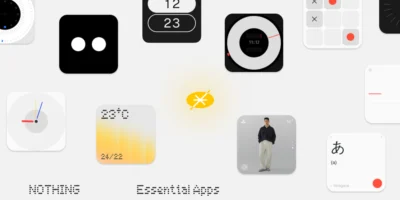
Nothing begins the rollout of a new version of its operating system for the Nothing Phone (4a), reaching the update Nothing OS B4.1-260630-1839. This update focuses on enhancing the capabilities of its artificial intelligence suite and introducing advanced camera controls, as well as stabilizing connectivity and system performance. The brand aims to maximize the hardware capabilities of this device to deliver a much more practical, fluid, and complete everyday experience.

Most notable new features of version
This update highlights the improvements integrated into Essential Voice, which now makes it easier to activate translation and transcription directly from the keyboard by double-clicking on the Essential Key or a long press on its icon. On the other hand, the camera app receives the feature Lock Lens, A tool designed to block automatic lens switching during video recording, preventing abrupt jumps in framing. This is complemented by image processing adjustments for more natural skin tones outdoors and optimized eSIM card performance.
ADVERTISING
Improvements to Essential Voice
- 🔡 Enables translation or transcription by double-clicking the Essential Key while using the keyboard. This can be configured in Settings > Intelligence Toolkit > Essential Voice > Customize Essential Key
- ⌨️ Add a quick way to switch between translation and transcription by pressing and holding the corresponding icon on the keyboard
- 🎙️ Optimizes the overall performance of Essential Voice for smoother playback
Camera improvements
- 📹 Introducing the Lock Lens feature, which keeps the video framing fixed by preventing automatic lens switching during recording. It can be activated in Camera Settings > Lock Lens
- 🏙️ Improves color accuracy and skin tone processing in outdoor photographs
- 🎬 Increases capture stability for smoother video recordings
General improvements and bug fixes
- 🎚️ Refine the volume slider to allow for continuous and much more precise adjustment by dragging it
- 🎫 Optimizes the stability and use of eSIM cards in a wider variety of scenarios
- ⚙️ Reinforces the overall stability of the entire system
ADVERTISING
System stability and performance
Remember that the phone may consume more battery and get warm is completely normal during the installation process due to file optimization tasks that the operating system performs in the background. Once the cycle is complete, the temperature and power consumption will return to normal levels.




Leave a Reply