


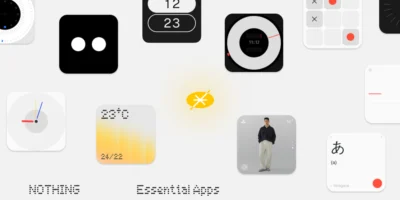
Nothing begins the rollout of a new version of its operating system for the Nothing Phone (4b), reaching the update Nothing OS B4.1-260811-1606. This release focuses on refining video capture options and night photography quality, as well as integrating new synergies with its audio accessories and correcting minor interface errors. The brand is closely monitoring its latest device to fine-tune the everyday user experience.

Most notable new features of version
In this update, the evolution of Dual-view Videomode stands out, now adding support for the recording light indicator. Additionally, the front camera gains automatic exposure stability during preview, and night image processing has been optimized for greater sharpness and a more realistic color balance. On the functional side, the Essential Voice tool adds integration with the Nothing Ear (3) Super Mic to trigger the voice feature directly while using the keyboard, while battery charging receives a tweak to improve overall reliability.
ADVERTISING
Camera improvements
- 🤳 Improves Dual-view Video mode by incorporating support for the recording indicator light.
- 📹 Optimizes the stability of automatic exposure in the preview when recording with the front camera.
- 🌃 Improves image sharpness and color balance in night shots.
General improvements and bug fixes
- 🎙️ Allows you to activate Essential Voice using the Nothing Ear's Super Mic (3) while using the keyboard.
- 🔍 Fixes an occasional problem where the search bar would disappear from the home screen after unlocking the phone.
- 🔔 Fixes a bug that caused incoming ringtones from third-party apps to be heard through the game's voice chat.
- ⚡ Increases the reliability of the charging process to offer more stable performance.
- ⚙️ Reinforces the overall stability of the entire system.
- 🛡️ Update your device with the August 2026 security patch.
ADVERTISING
System stability and performance
Remember that the phone may consume more battery and get warm is completely normal during the installation process due to file optimization tasks that the operating system performs in the background. Once the cycle is complete, the temperature and power consumption will return to normal levels.




Leave a Reply