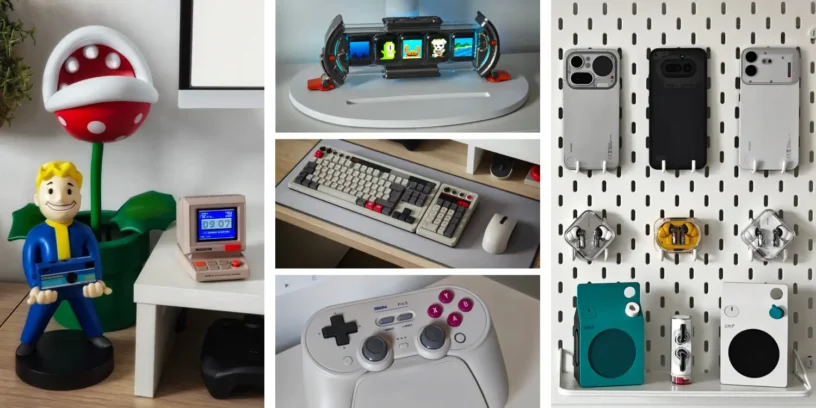


You don't need a huge room, a massive desk, or to spend a fortune to create a workspace you love. In fact, my setup is a perfect example. I share a studio with my wife, and we each have our own little corner. In my case, it all revolves around an IKEA table measuring just 120 x 60 cm, where I've carved out space to work, enjoy technology, and, why not, treat myself to the occasional indulgence.
It's a fairly modest space, but that's precisely what I like about it. I've tried to make the most of every inch, maintain a certain visual harmony, and surround myself with devices and accessories that I truly love. As you can imagine, Nothing is quite prominent, although there's also room for other brands like Divoom and 8BitDo, which I have a particular fondness for.
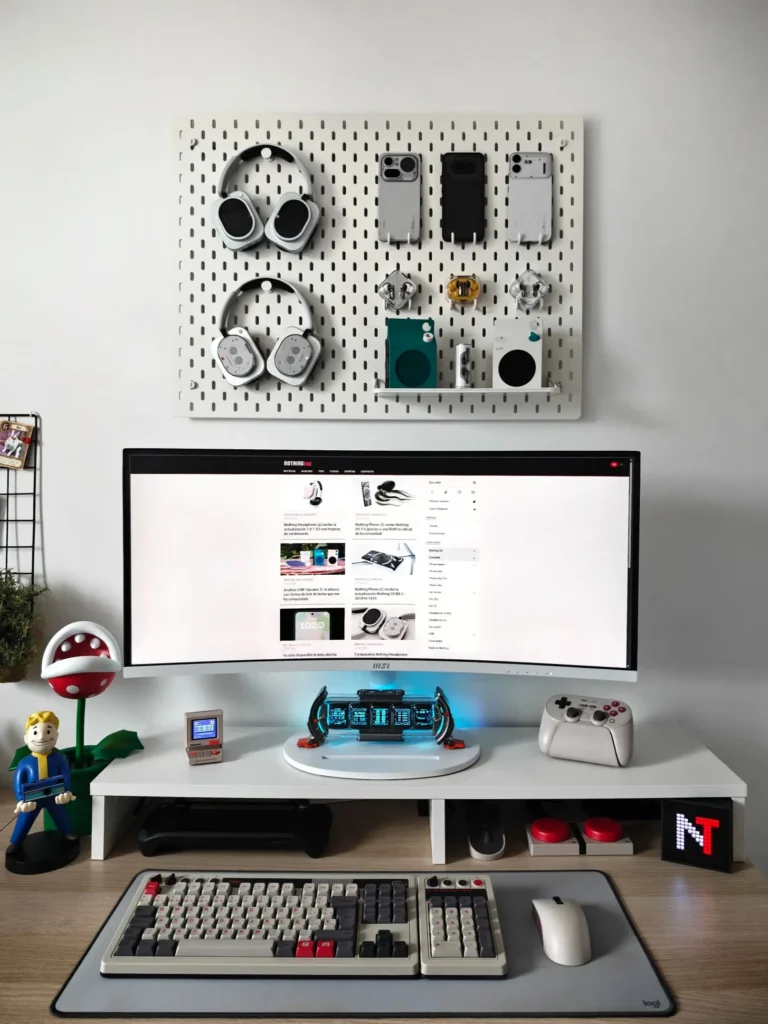
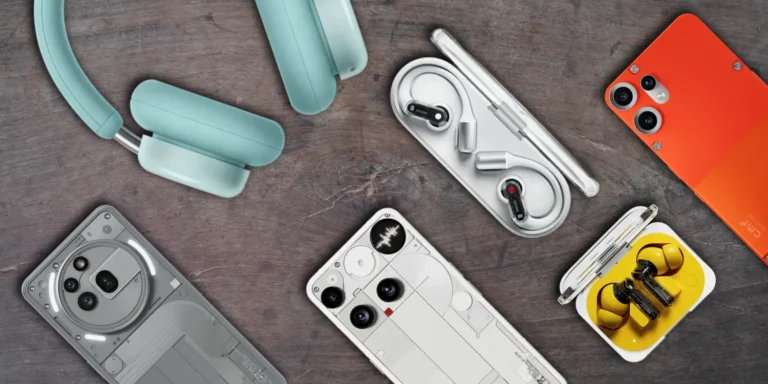
So today I want to show you my little corner, tell you what I have in it, and above all, why I chose each item. Perhaps you'll find some interesting ideas for your own desk.
The wall: a small showcase of Nothing
IKEA SKÅDIS Perforated Panel
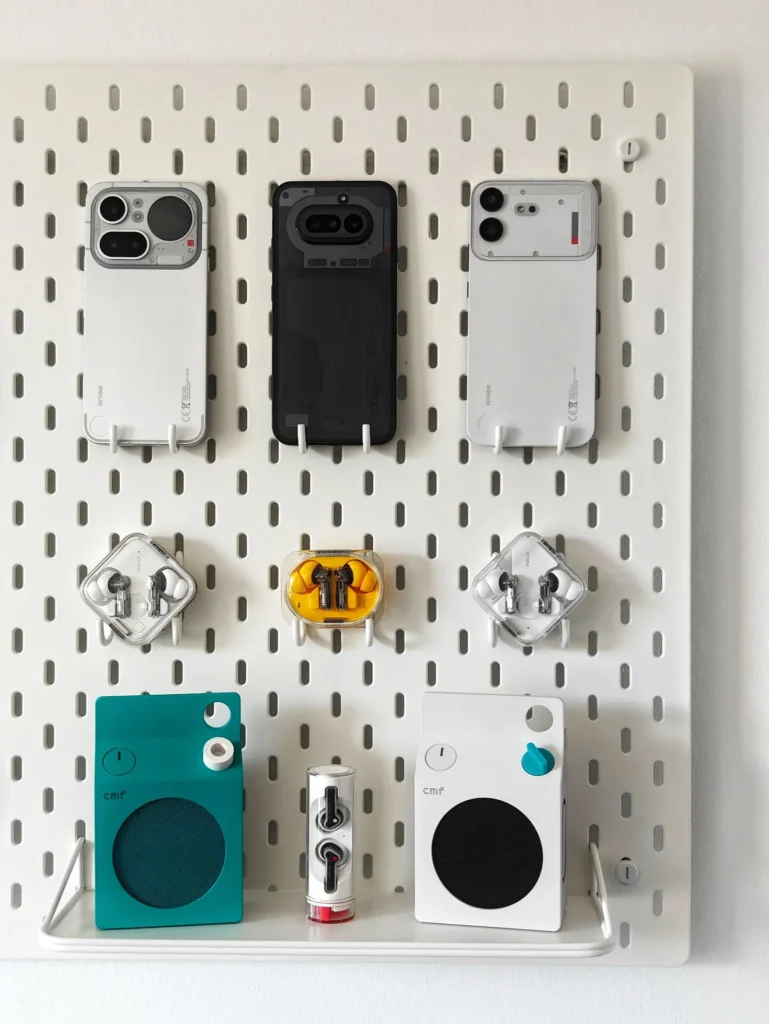
One of the latest additions to my setup has been this pegboard from IKEA. The wall directly behind my monitor was completely empty, and I'd been wanting to use it to display some of my Nothing products for a while. I'd seen similar ideas online and really wanted something like this.
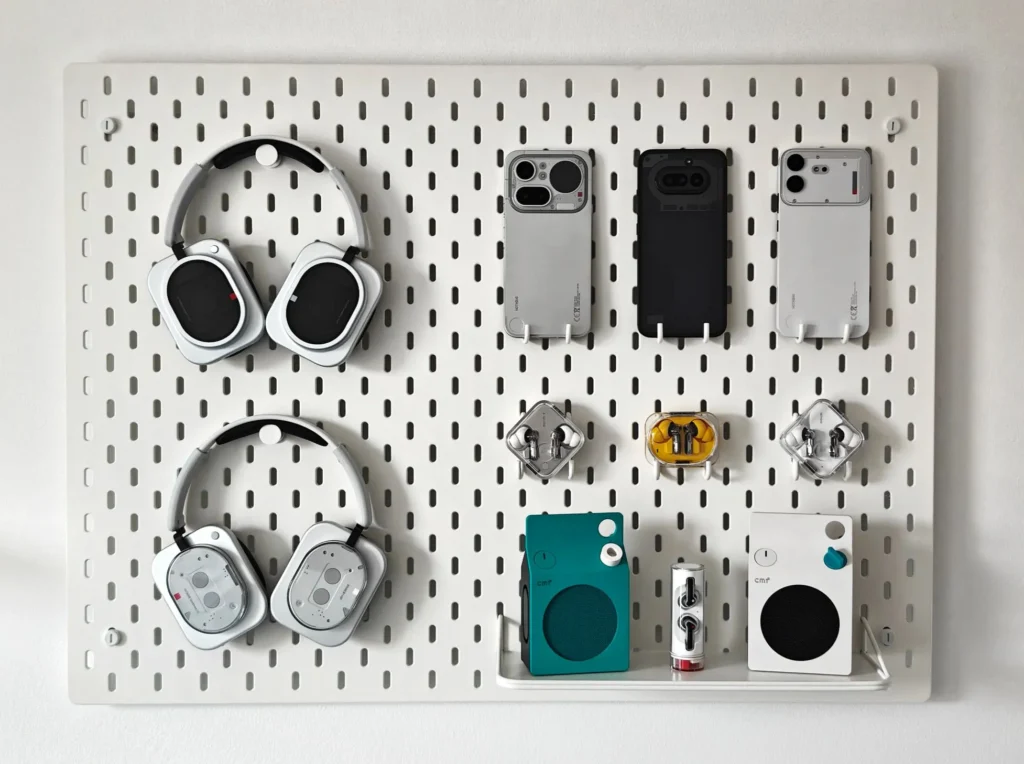
I now have several of my devices in view: Nothing Headphone (1), Headphone (1) Pro, Phone (4a) Pro, Phone (4a), Phone (4b), Ear (3), Ear (3a), Ear, Ear (Stick) and the two CMF Speaker S. Besides looking very clean and minimalist, I love being able to work with all these products right in front of me and take a look at them, enjoying their unique designs.
IKEA SKÅDIS Accessories
To complete the installation, I only needed a few hooks and a small shelf from the SKÅDIS series. It's not too complicated, but that's precisely what makes it work so well. For just over 30 euros, I got everything I needed to transform a completely empty wall into one of my favorite spots in my setup.
↗ View IKEA SKÅDIS accessories
My desk: small but well used
Monitor riser
Although many people have recommended using a monitor arm, I personally prefer a riser. I like being able to use the desk at two different heights: I can place decorative items on top, and underneath I have plenty of storage space without the desk looking cluttered.
It was quite difficult to find one this size, as it's designed almost like a TV stand. However, it's perfect for my desk. Without it, it would be much more difficult to fit everything I want on such a small table.
↗ View Henor monitor riser on Amazon
MSI Modern MD342CQP Monitor
This is undoubtedly one of the elements of my setup that I'm most pleased with. I'd always used two monitors, sometimes even different sizes, but making the leap to an ultrawide screen has been a huge change. Having my entire workspace on a single screen, being able to divide it into several areas, and working comfortably on both is much more practical for me.
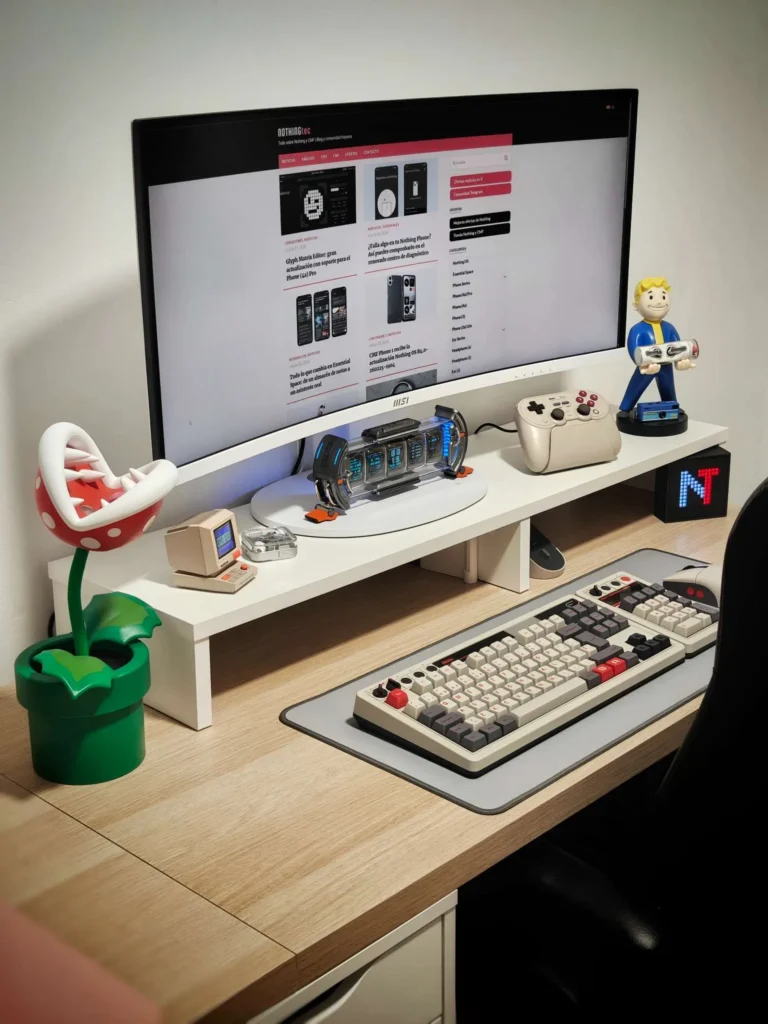
But there's one thing I particularly like: its USB-C connection. When I'm working from home on my company laptop, I only need to connect it with a single cable to transmit the image to the screen and charge it simultaneously. This way, I can leave the laptop closed and out of the way, without having to connect multiple cables or take up valuable desk space.
Furthermore, it offers good picture quality for its price and even has built-in speakers, which are handy for listening to music occasionally. All in all, a purchase I'm very happy with.
↗ See MSI Modern MD342CQP on Amazon
Divoom Times Gate
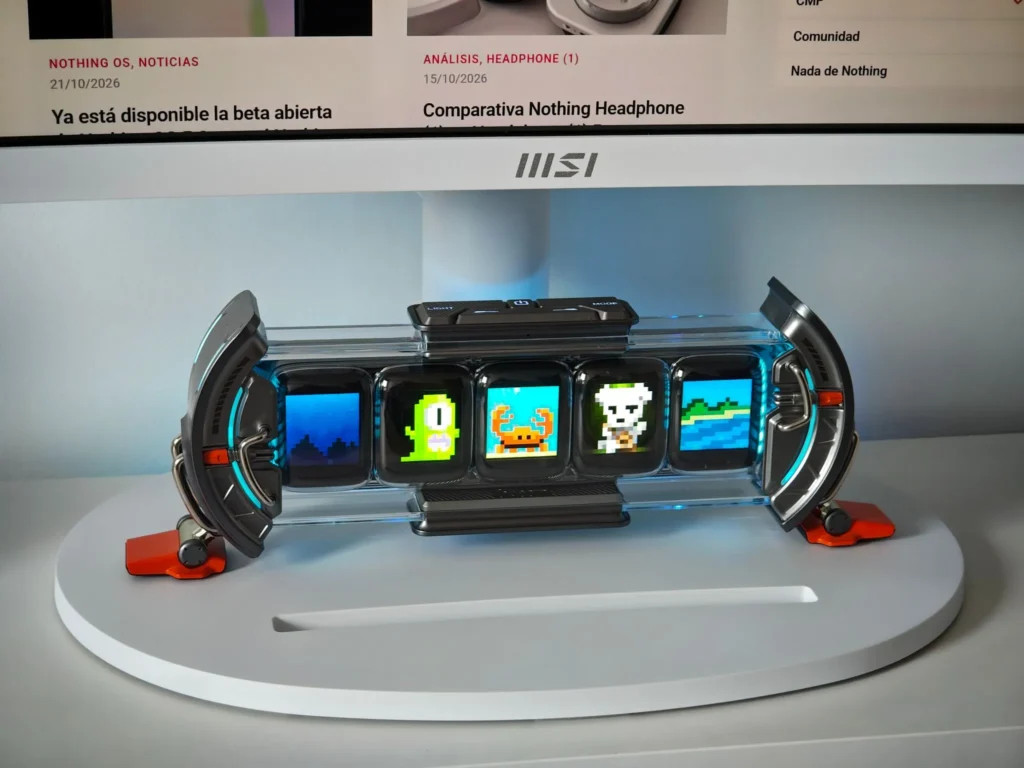
The Divoom Times Gate is one of those accessories that adds a unique touch to your desk. It features five small screens that you can customize to display images, the time, weather information, and other data. It's not essential or particularly practical for work, but it's a pretty cool decorative addition. With its small screens and LED lights, it looks great under your monitor and adds a lot of personality to your setup.
↗ See Divoom Times Gate on Amazon
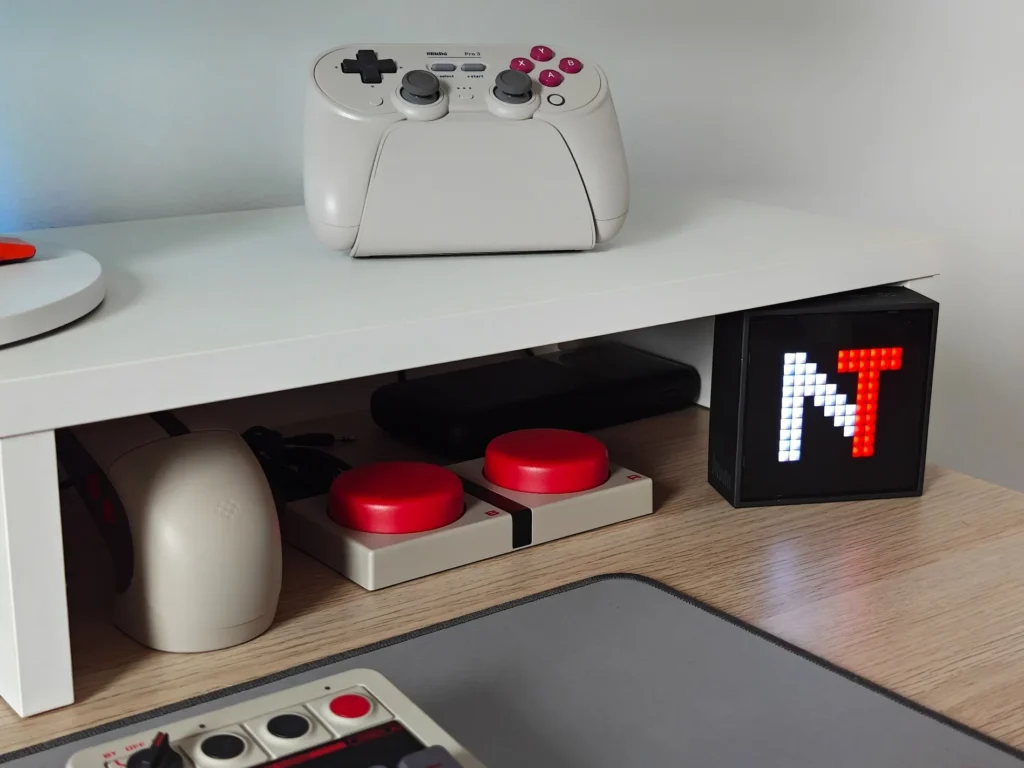
8BitDo Pro 3 Controller
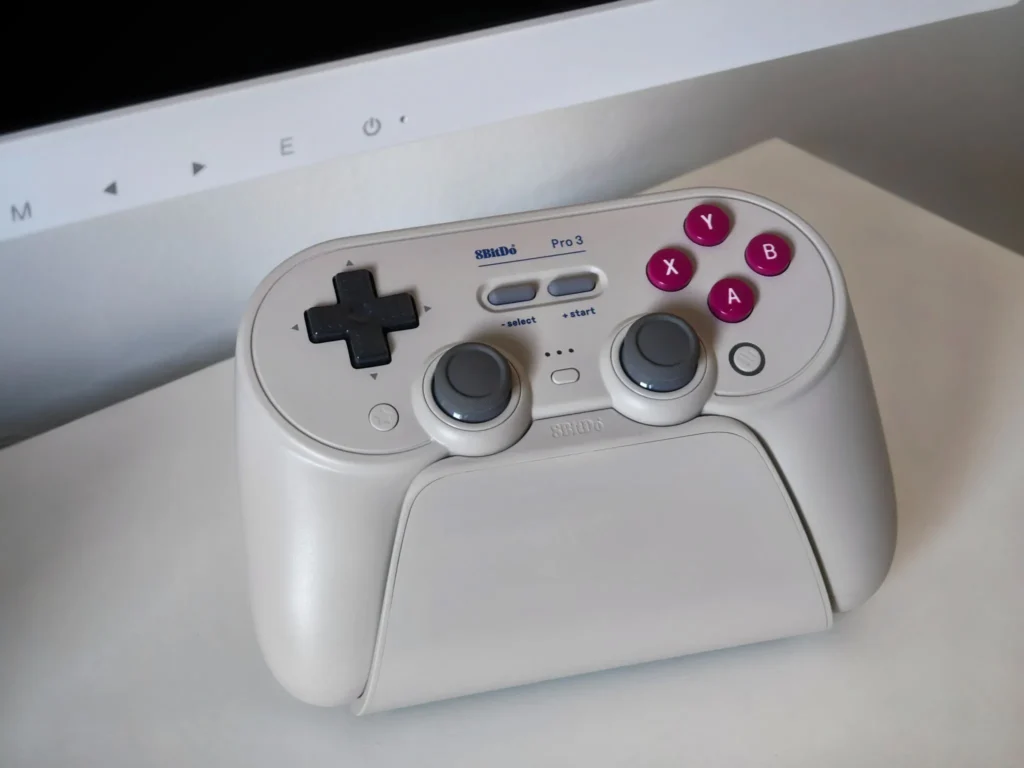
The 8BitDo Pro 3 is absolutely gorgeous. It has a retro design in a grayish, almost off-white, tone that I love. Although I've been playing much less than I'd like lately, partly because I now have a daughter, this controller is always ready for when the stars align and I can play a game. Plus, it includes its own charging dock, so I always have it charged and ready to go.
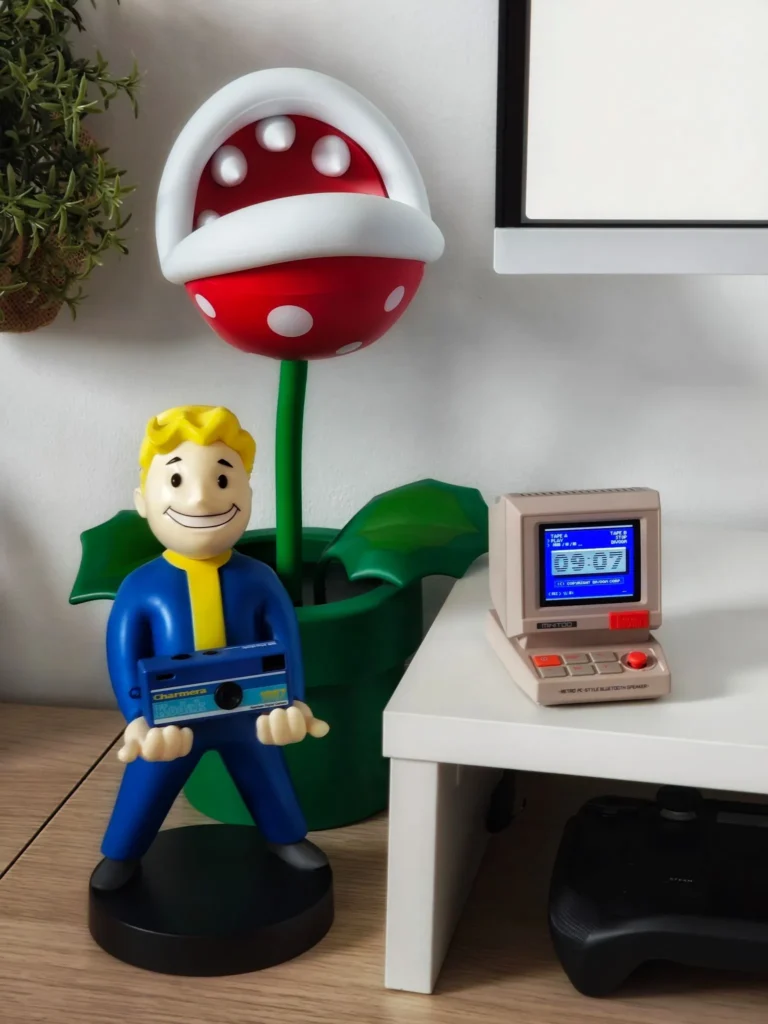
Piranha Plant from Super Mario
The Piranha Plant from Super Mario is one of those little additions that brings personality to your desk. I love video games, and Mario has always been one of my favorite characters, so I just had to have something like this. Playing Super Mario 64 was a game-changer for me as a child. But besides being decorative, it's also useful: it provides a soft light for working or playing at night without having to turn on the main room light.
↗ View Piranha Plant on Amazon
Vault Boy figure
The Vault Boy figurine is a small tribute to another video game that has greatly influenced me, Fallout 3, which I've held dear since my teenage years. Although it was originally designed to hold a console controller, I also like to use it to hold some of my devices. Right now, for example, I have my Kodak Charmera on it.
↗ View Vault Boy figure on Amazon
Kodak Charmera
The Kodak Charmera is a small keychain camera that takes me back to another era. Its photographs aren't particularly sharp, but they possess a magic that's hard to explain. There's no need to worry about post-processing or tweaking a thousand settings: you simply point and shoot. The result is spontaneous, imperfect photographs brimming with personality—the kind that capture a moment and tell a story.


↗ View Kodak Charmera on Amazon
📝 Read review
Divoom Minitoo
The Divoom Minitoo is probably my favorite device from the brand. I love its look, reminiscent of a small, vintage computer, with that retro feel that fits perfectly with the rest of my setup. Plus, it's a surprisingly powerful speaker for its size. One of my favorite configurations is the one that simulates an old blue screen computer displaying the time, although the customization possibilities are enormous, and you can create dozens of different designs.
↗ View Divoom Minitoo on Amazon
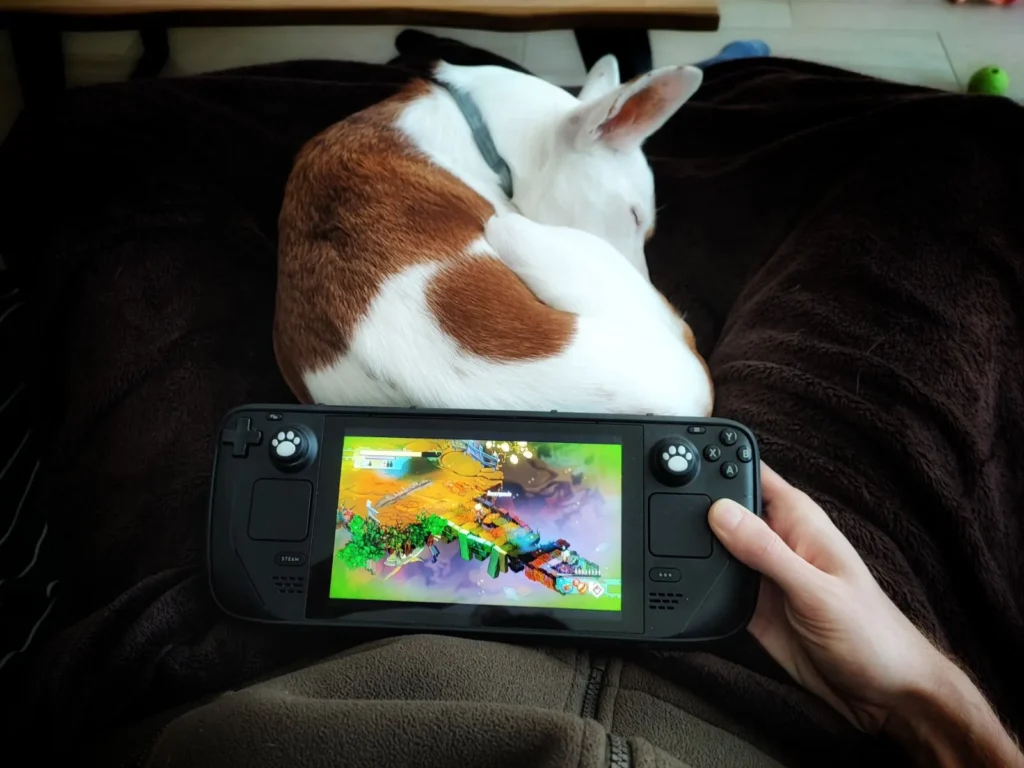
Steam Deck
The Steam Deck is arguably the perfect console when you get older and have kids. You can no longer spend hours in front of the computer like you used to, so being able to play for a while on the sofa while my daughter sleeps or before going to bed is wonderful. I have it set up under my monitor, with a fast-charging cable always ready so it's ready whenever I find a spare moment to play.
↗ View Steam Deck on the official website
Divoom TimeBox Evo
The Divoom TimeBox Evo was my first device from the brand, and I have a special fondness for it. It features a 16 x 16 pixel screen where you can create your own pixel art designs, and it also functions as a speaker. What I like most is precisely its simplicity: it has a minimalist design (increasingly rare for Divoom) that gives all the attention to the small screen.
↗ See Divoom TimeBox Evo on Amazon
INIU External Battery
Although it's barely visible in the previous photo, I always keep this INIU external battery under my monitor. I use it as a backup for any unexpected situation: if my phone, headphones, or Steam Deck run out of battery mid-game, I can keep using them without needing a power outlet. It has a massive 27,000 mAh capacity, a fairly robust build, and a screen that displays information about the charge level and remaining battery life. It's a very handy accessory to always have on hand.
Logitech Desk Mat Studio Series
The Logitech Desk Mat Studio Series is a mousepad that's good, attractive, and affordable. I used to use one with a pattern, but I realized I preferred something much simpler. A practical color, a smooth, minimalist design that's easy on the eyes and will still look good on my desk over time. Sometimes, less is more.
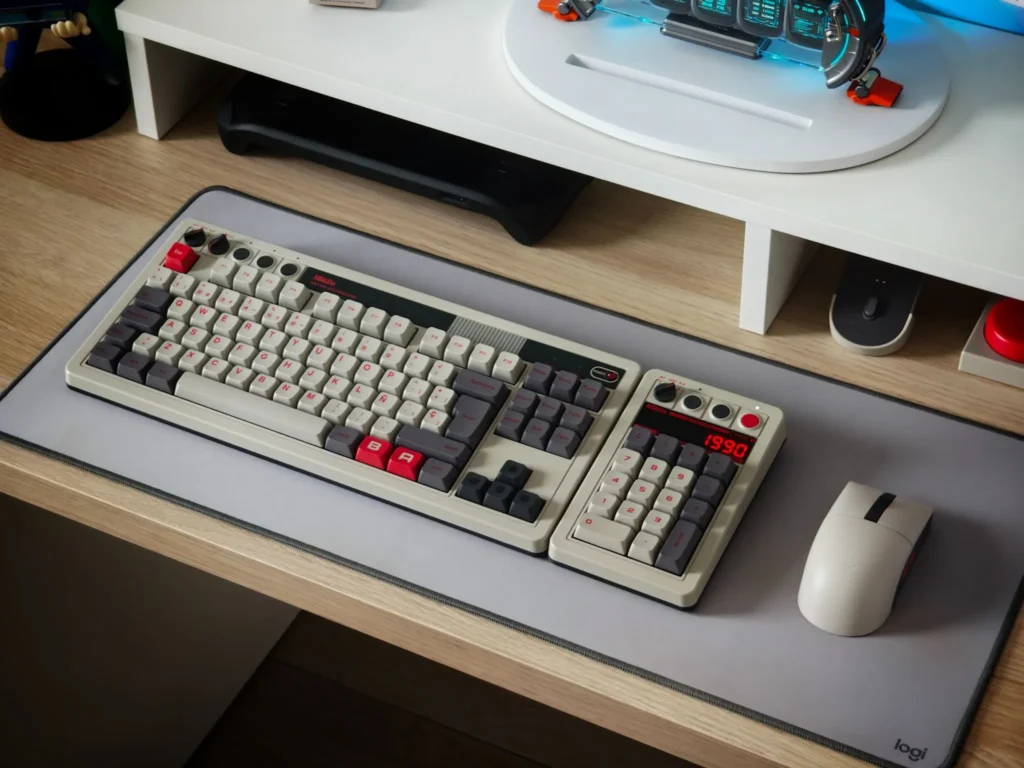
8BitDo Retro Mechanical Keyboard
This is truly «the keyboard.» It has a vintage aesthetic inspired by Nintendo consoles; it's very... clicky, It's quite noisy and full of little details that make it special. One of the things I like most is its dial for switching between Bluetooth and 2.4 GHz connection, which is especially handy when I'm switching between my personal computer and my work laptop. It also has several customizable buttons and a red LED that looks fantastic when it's on.
↗ See 8BitDo Retro Mechanical Keyboard on Amazon
8BitDo Dual Super Buttons
These two buttons come with the keyboard and follow that retro Nintendo-inspired aesthetic that I love so much. Although I hardly ever use them, I love how they look on the desk. They can be connected to the keyboard and configured to perform different actions, but in my case, they're more of an aesthetic indulgence. That said, the sound clicky What they do when you press them is wonderful.
↗ See 8BitDo Dual Super Buttons on Amazon
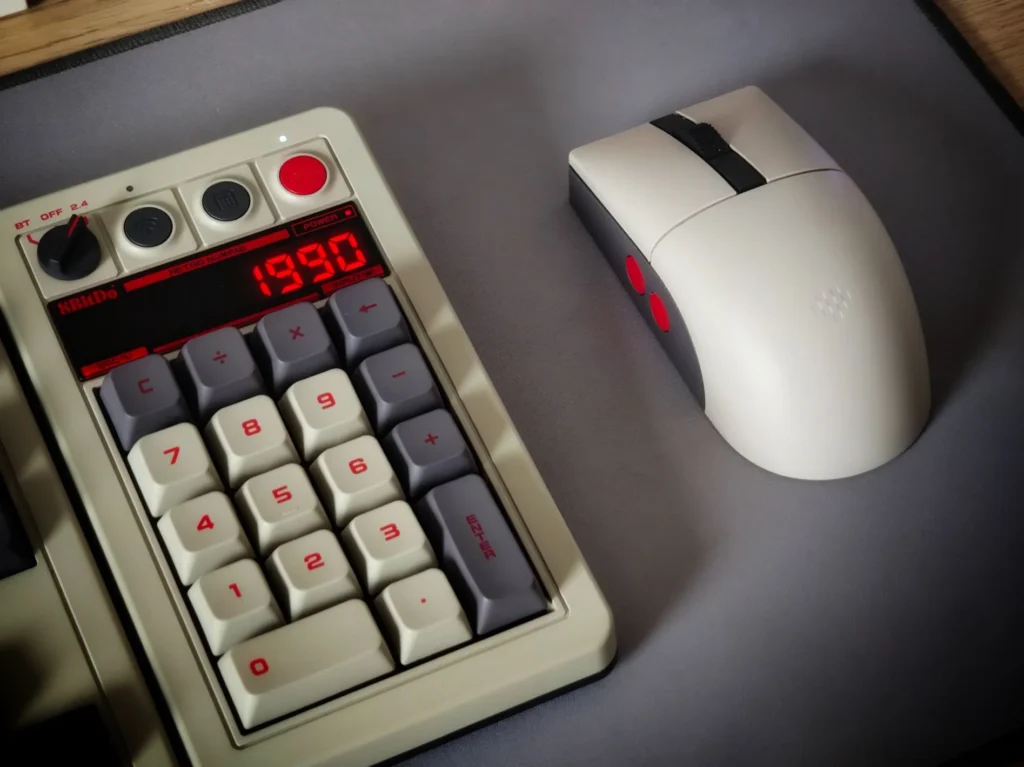
8BitDo Retro Numpad
The 8BitDo Retro Numpad is much more than just a numeric keypad. It magnetically attaches to the main keyboard, so you can keep it connected when you need it and detach it when you want to save space. It also has its own screen and can function as a calculator with the touch of a button. It even includes some games! It's a lovely little gadget and another one of those accessories that makes this 8BitDo set so special.
↗ See 8BitDo Retro Numpad on Amazon
8BitDo Retro Mouse
The 8BitDo Retro Mouse completes the set with that retro Nintendo-inspired aesthetic that I love so much. I had my doubts about its comfort because I was used to Logitech mice, but it pleasantly surprised me. It's very lightweight; it's clearly not the most ergonomic on the market, but it feels comfortable in the hand and is fully functional. Plus, it includes a charging base where I always leave it ready, so I'm never caught without battery when I need it.
↗ See 8BitDo Retro Mouse on Amazon
What is unseen, but also matters
Having a small desk requires careful organization. And although many of these things aren't shown in the main photos, they're precisely what makes everything work and prevents the desk from ending up cluttered with cables and accessories.
Cable organizer
Until recently, my power strip was lying on the floor, surrounded by a tangle of cables, and it was a real nuisance, even when sweeping. With this organizer, I've solved the problem without drilling a single hole in the desk or wall. It hangs under the desk and keeps the power strip and cables tidy and out of sight. A simple improvement that makes a huge difference every day.
↗ View DECOHOME cable organizer on Amazon
USB-C cable
This Silkland USB-C cable is the one I use to connect my work laptop to my MSI monitor. As I mentioned before, it allows me to transmit video and data, as well as charge the laptop, all through a single connection. It's a very convenient solution for keeping my desk clutter-free, provided my computer is compatible with this technology. It also has a 90-degree angled connector, a practical feature for keeping the cable neatly arranged.
↗ See Silkland USB-C cable on Amazon
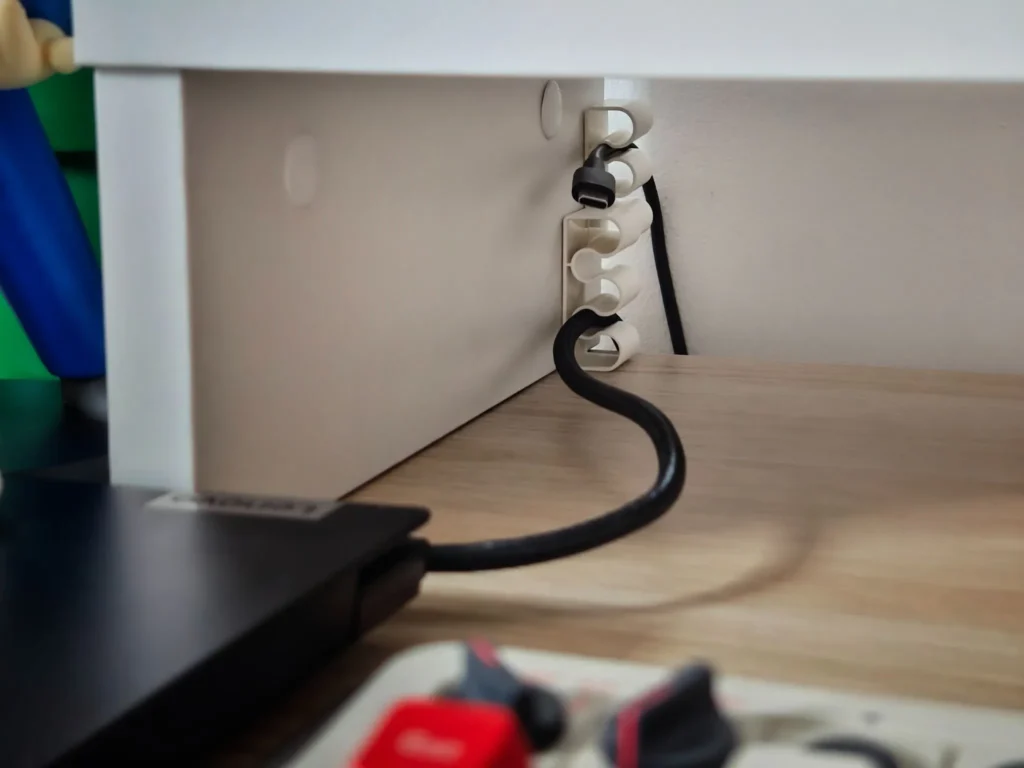
Adhesive cable ties
These small adhesive cable ties are very practical for keeping USB cables in place and preventing them from falling behind the desk. They stick with the included 3M adhesive and allow you to pull the cable out when you need it and then tuck it back in afterward, securing the connector so it doesn't end up on the floor. I currently use some from IKEA, but they're quite rigid and I'm not entirely convinced by them. I prefer the more flexible plastic ones, which make inserting and removing cables much easier.
↗ View adhesive cable ties on Amazon
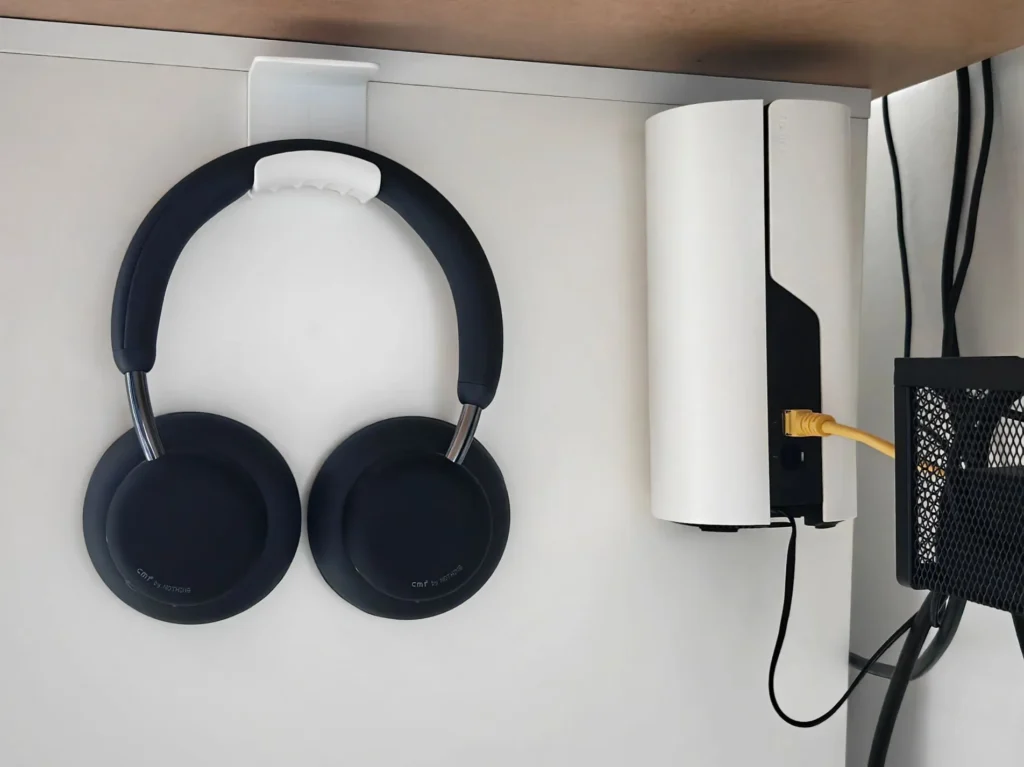
Headphone hook
This hook attaches to the underside of your desk with adhesive, eliminating the need for drilling. It's a simple way to hang your headphones securely and keep them within easy reach, without taking up valuable desk space.
↗ View headphone hook on Amazon
CMF Headphone Pro
The CMF Headphone Pro are a real gem for the price. They might not be as visually appealing as the Nothing Headphone, but they're incredibly lightweight, comfortable, and offer excellent sound for the price. I always keep them handy and use them when I don't need the absolute best sound quality. In fact, they're the most comfortable headphones I own, thanks to their light weight and round earcups.
↗ See CMF Headphone Pro on Amazon
↗ Read review
TP-Link Deco M4
The TP-Link Deco M4 Mesh network was one of the best decisions I made when I moved into my house. I bought a three-unit pack to have a stable Wi-Fi connection in every corner, and after all these years, I can say they've proven to be incredibly reliable. I have one under my desk and connect my PC directly with an Ethernet cable for an even more stable connection. The best thing about this system is that all three units create a single network, and your devices automatically connect to the spot with the strongest signal based on your location.
↗ View TP-Link Deco M4 on Amazon
And this is my little corner
And that's my little corner of the world. As you can see, there are no frills or anything particularly extravagant. It's a small table in a shared studio, but I've managed to turn it into a space where I like to work, tinker with technology, and unwind when I have a free moment.
There are some very practical purchases, others that make my life easier, and a few that, to be honest, are simply there because I love them. And I think that's also part of having your own setup: it's not just about maximizing productivity, but about creating a space where you feel comfortable.
If you want to stay informed about the latest news and updates on Nothing and CMF products, you can follow me on X (@ruudhesp), Instagram (@ruudhesp) and TikTok (@nothingtec).



Enric
Everything looks great, but the keyboard has won my heart! What times those were!
ruudhesp
Thank you so much, Enric! You have great taste! 😊 The keyboard is gorgeous, and the sound of its keys is almost like using a typewriter, haha.