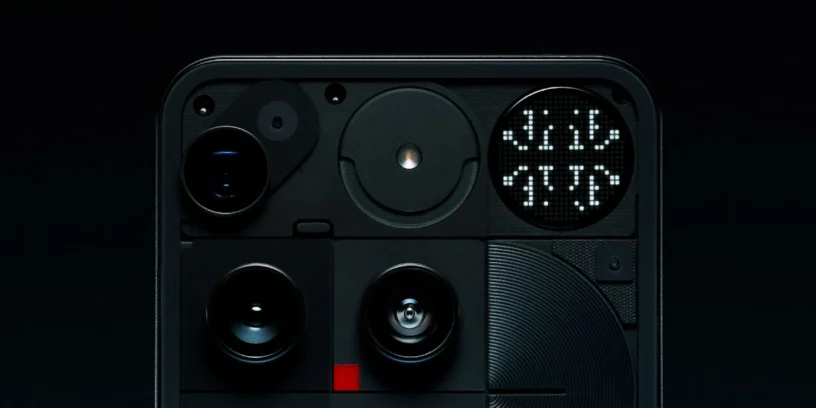



The launch of Nothing Phone (3) It has brought with it many new features, and one of the most exciting for developers and creative users is the Glyph Matrix Developer Kit. This is an SDK that allows you to create new features and custom effects using the device's rear interface, which is now a pixelated LED screen instead of the classic light strips.
A kit designed for the community
Nothing has made it clear that this is not just a technical tool: it is an open invitation to the community to experiment, collaborate, and create. In fact, during the initial SDK development, some selected users were able to access a preview version for testing. Thanks to contributions from creators, Nothing has been able to improve documentation and simplify the process for everyone.
What can you do with this SDK?
Some of the first practical examples are already available. They include: Leveller and Magic 8 Ball, Two simple yet ingenious tools that leverage the Glyph Matrix without needing to turn on the main screen. This opens the door to all sorts of ideas: from minimalist utilities until interactive games, including personalized notifications or even visual tools.
How to start developing
The Glyph Matrix SDK It is now available in GitHub, And best of all: You don't need an API key To start experimenting, simply access the official repository where you'll find all the support documentation, examples, and resources you need to put your ideas into action.
Furthermore, Nothing encourages developers to share your creations directly from your official forum using the label #Co-Creation, to receive feedback, advice, and visibility among other community members. Discover everything you can do in Nothing Phone (3) with Glyph Matrix.



Leave a Reply