

For years I have trusted in Google Photos It was my main backup and image management system. I religiously paid my subscription to keep my memories safe, until I realized it wasn't the best option. Not because of quality, but because of its philosophy.
A gallery without cloud cover, without noise, and with just the essentials.
I've been using Nothing Gallery For several months now, since the app started to improve thanks to the latest updates while it still had the Nothing Phone (2) as my main phone. Since then, I've been hooked on its simplicity and speed. And now, after switching to Nothing Phone (3), I still use it as my main gallery, and with even more reason.
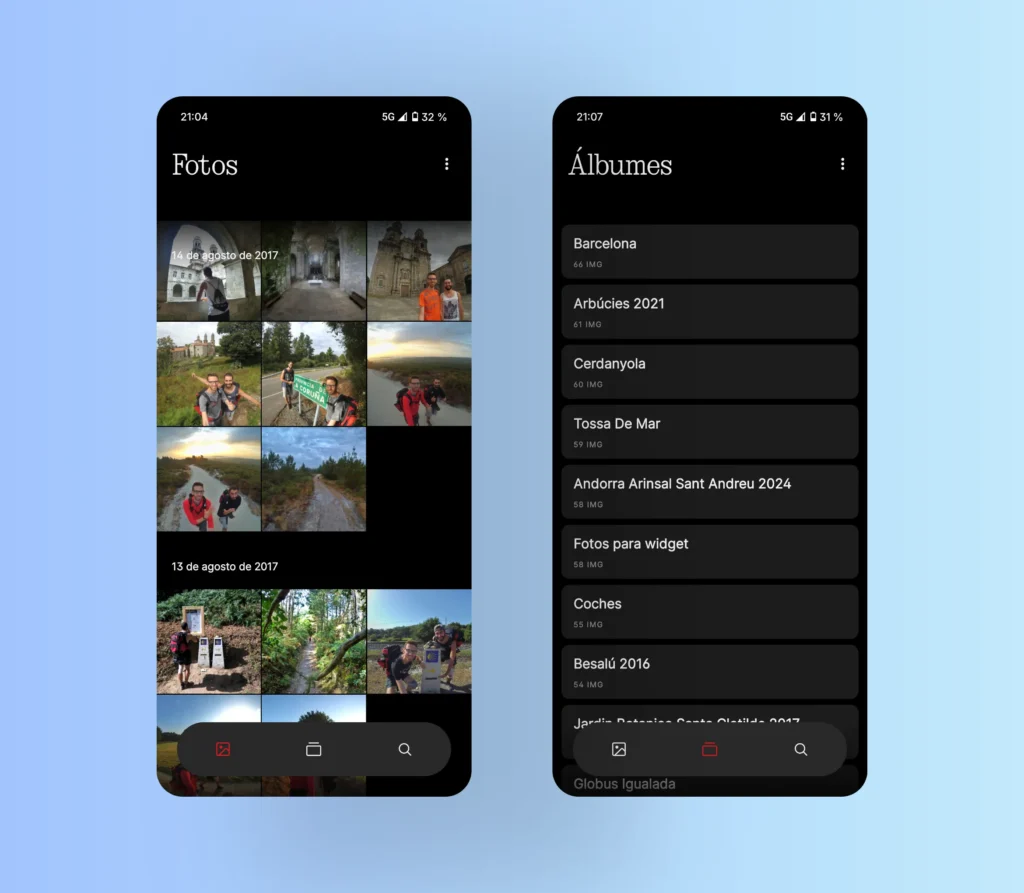
In fact, the Nothing Phone (3) can already be configured as default gallery, which means that also It opens directly from the camera app., replacing Google Photos. And the best part: It's much faster., without unnecessary loading times.
pCloud provides the cloud backup.
To cover cloud backup, I needed another option. That's where it comes in. pCloud, a cloud service that has convinced me for one very clear reason: offers lifetime storage. You pay once and that's it. Although it's true that the initial payment is high, You'll have paid it off in 4 or 5 years versus an annual subscription like Google Photos.
And what's more, the best part: pCloud respects your folder structure. What you upload stays the same. No mixing albums, no reinventing your organization. Just what I was looking for.
Google Photos: convenient, but it ties you to its system
One of the biggest flaws of Google Photos is this: It does not maintain the folders. Everything goes into the same drawer, and then you have to create albums manually. If you ever lose your local folders, you're tied to Google Photos to maintain that organization. And I don't want to be tied down.

Nothing Gallery, now with built-in editor
Furthermore, Nothing Gallery has improved precisely where it needed to: now includes a built-in editor which lets you crop, rotate, apply filters, or adjust brightness very easily. The best part is that Save the edited copy in the same folder, without touching the original and preserving the EXIF data. A nice touch that many apps don't take care of.
For more advanced editing, Snapseed remains key.
However, for more advanced editions, I still rely on Snapseed, Google's app. For me, it's still one of the best for more detailed photo editing: curves, selective editing, corrections, etc. So right now I'm using Nothing Gallery for quick things and Snapseed for serious stuff..
My real experience with pCloud
I'll take this opportunity to leave a comment here. my affiliate link The "lifetime" plan, in case you want to take a look: Link to pCloud. I sincerely recommend it because In several months of use, it hasn't given me any major problems..
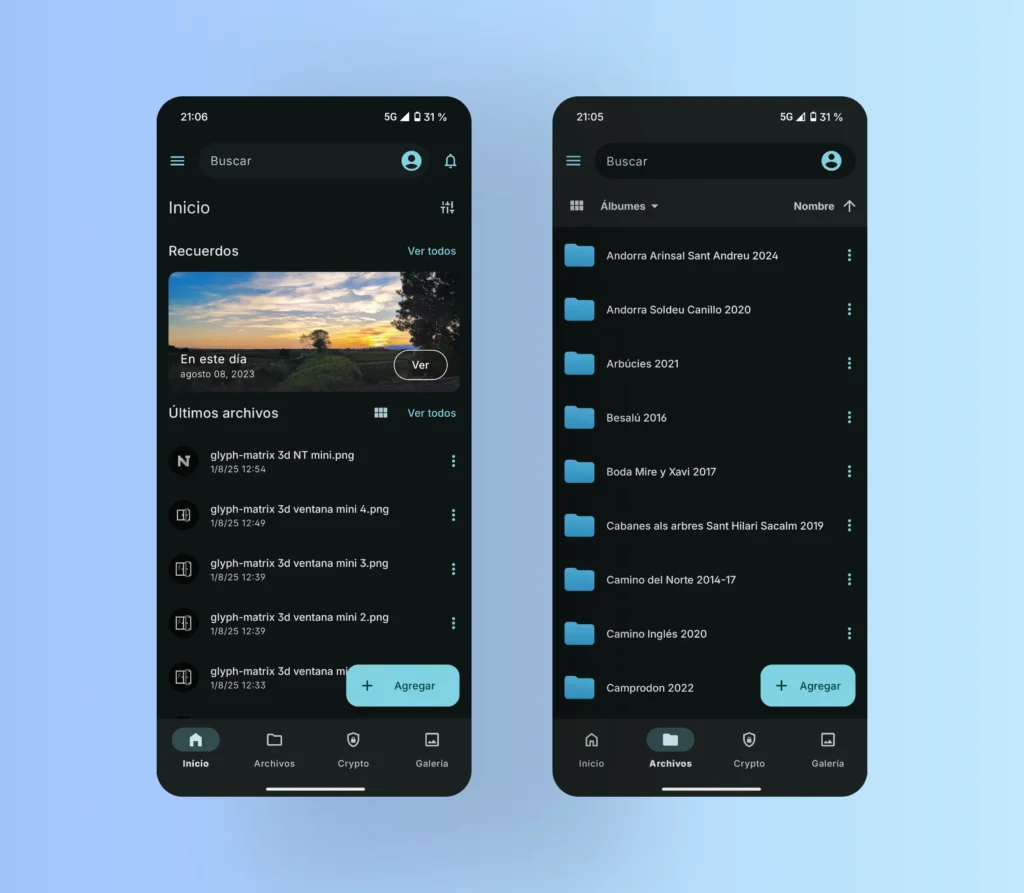
Only once did the upload of new photos fail, but I clicked retry and it fixed it instantly. The upload speed is very good., and in my case I went up 75 GB of photos and videos in a few hours.
The only downside I see is that You can't easily download all the photos from the mobile app to your phone.. In my case, when switching from Nothing Phone (2) to Phone (3), I solved it by downloading them to my PC and then using Quick Share from Google to transfer them to your mobile device. An extra step, but it's not something you do every day.
What should be improved in Nothing Gallery
To wrap up the topic of Nothing Gallery, not everything is perfect and there are things that should be improved:
- It can't be done order the albums alphabetically or by seniority.
- When moving or copying photos, There is no album search engine, and the current order (by number of photos) It doesn't make much sense..
- And as a bonus, it would be great to be able to choose the cover photo for each album, instead of the latest one being displayed automatically.
Even with these details, the combination of Nothing Gallery + pCloud I find it unbeatable: a fast, beautiful and private gallery, along with a respectful cloud backup without endless subscriptions.




Leave a Reply