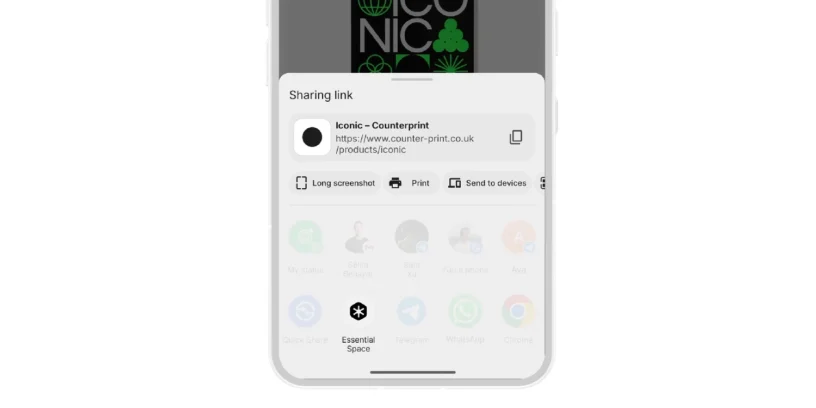



Essential Space It has just received an update that many users were waiting for: Share Sheet is now available. This feature promises to simplify how we share content within the platform, making your discoveries faster to save and easier to organize.
Imagine this: you find an article that seems super interesting, an Instagram post that inspires you, or even a song you want to recommend to your friends. With Share Sheet, All of that can be shared directly in Essential Space, without having to leave the app or go through complicated processes. The idea is to centralize your findings in one place, so you can access them whenever you want and keep your digital space cleaner and more organized.
How does it work? Simply tap the share button on the article, song, or post, and then select "Essential Space." The content will be saved to your second storage device instantly. For frequent Essential Space users, this improvement makes a noticeable difference in productivity and convenience.

How to receive the update
If you have the Automatic updates enabled On your mobile device, you don't need to do anything: simply connect your device to Wi-Fi and Essential Space will automatically update via the Google Play Store. This ensures you always have access to the latest features without having to worry about manually downloading each update.
If you have the automatic updates deactivated, The process is just as simple: open the Google Play Store, search for Essential Space, and select "Update." This will give you the latest version with Share Sheet ready to use.
In short, this update to Essential Space It makes sharing and organizing your content faster and easier., reinforcing the app's value as a central hub for everything you discover on the web and on your networks.




Leave a Reply