
In previous articles, I have already shown you other tricks such as activate your private space o How to take good photos with your Nothing Phone. Today we're going to look at another useful setting that can help you keep your apps more organized and accessible: the smart app drawer mode.
This mode is perfect if you're someone who accumulates a lot of apps and wants everything more organized without having to manually create folders on your home screen. Plus, it's something that comes included in Nothing OS, But not everyone knows it exists.
How do I activate the smart drawer?
The first thing you should do is swipe up from the home screen To open the app drawer. By default, you'll see All your apps sorted alphabetically.
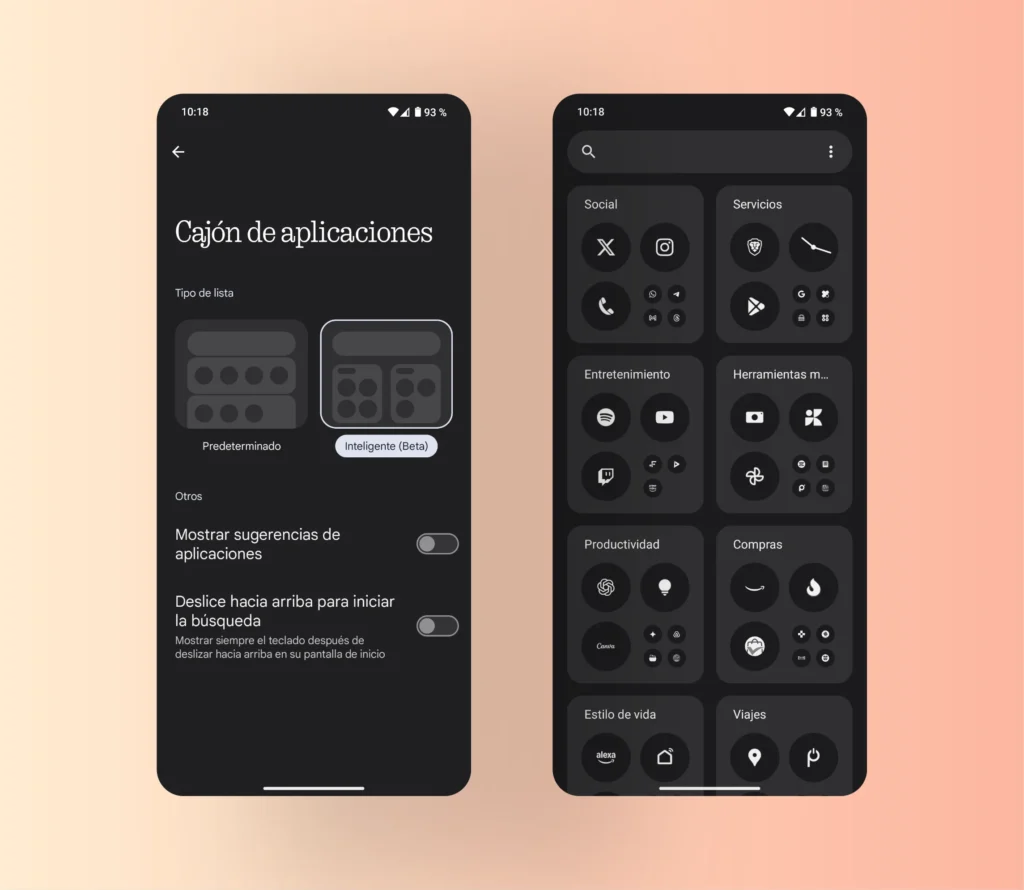
Now look at the top right: you'll see three vertical points In the app search bar, tap there and then select the option «"List type"». In that menu, choose the option «"Intelligent"», which is currently marked as beta.
What exactly does this mode do?
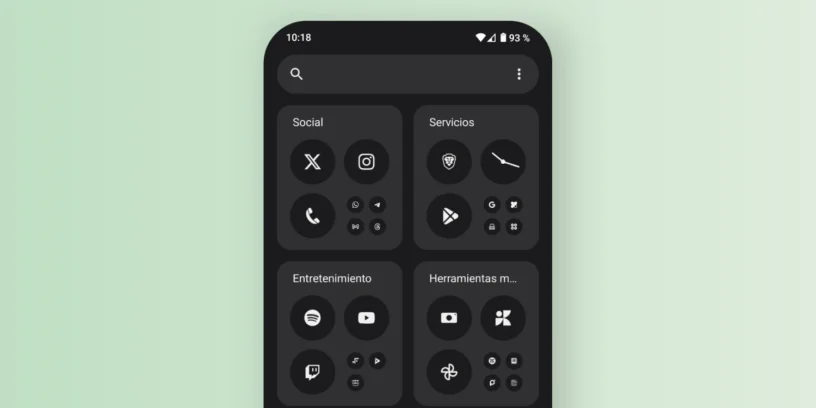
When activated, the apps They will be automatically grouped by categories. For example:
- A folder called «"Social"» with your social networks like Instagram, Threads, X, etc.
- Another one «"Entertainment"» with apps like Spotify, YouTube or Twitch.
- A group of «"Finance"» where your banking or investment apps will appear.
This applies to several other categories as well, depending on the apps you have installed. It's similar to what other Android skins offer, but in this case, it's all within the app drawer itself, without affecting your home screen.

Is it worth using?
If you like to keep things organized or simply don't feel like creating folders manually, this option is for you. This could be great for you. Furthermore, since it is still in beta, it is possible that its performance will be further improved in future updates.
In summary, the smart app drawer mode is a feature that It's worth trying, Especially if you have many apps installed and are looking for a quick way to access what you need. If you want to stay up-to-date on everything related to Nothing, you can Follow me on Twitter / X.



Leave a Reply