After using the Nothing Phone (3a) Pro app, such as main mobile for a little over two months, I bring you this detailed analysis with my personal conclusions, focusing on the advantages and disadvantages I've encountered in my daily experience. I am Palmix And this is what I think after thoroughly analyzing it, let's go!
Design
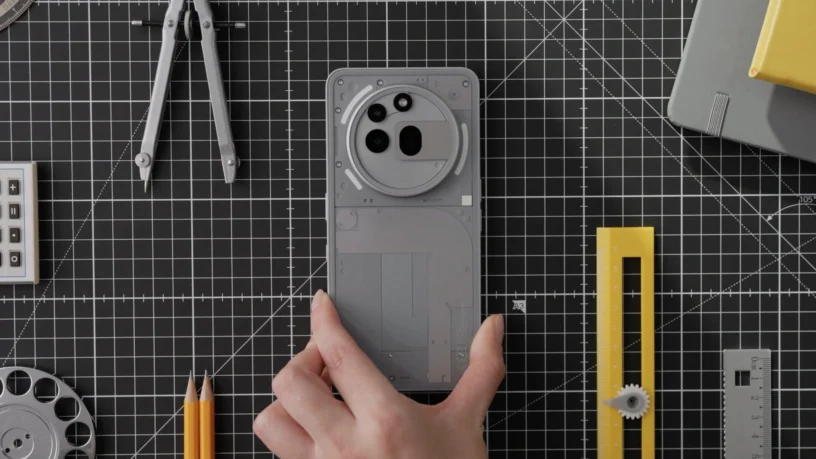
It's bound to be appealing; it leaves no one indifferent. It's very daring and unusual, definitely different from the competition. The first thing we notice are the corners, They're less rounded like the iPhone, and I really like them. Plus, I loved the return of the flat glass back, like on the... Phone (1).
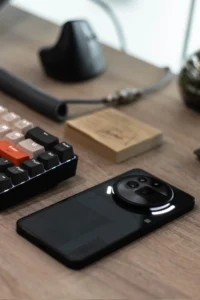
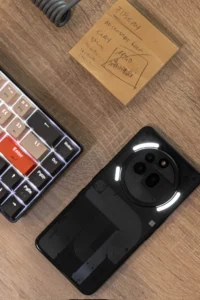
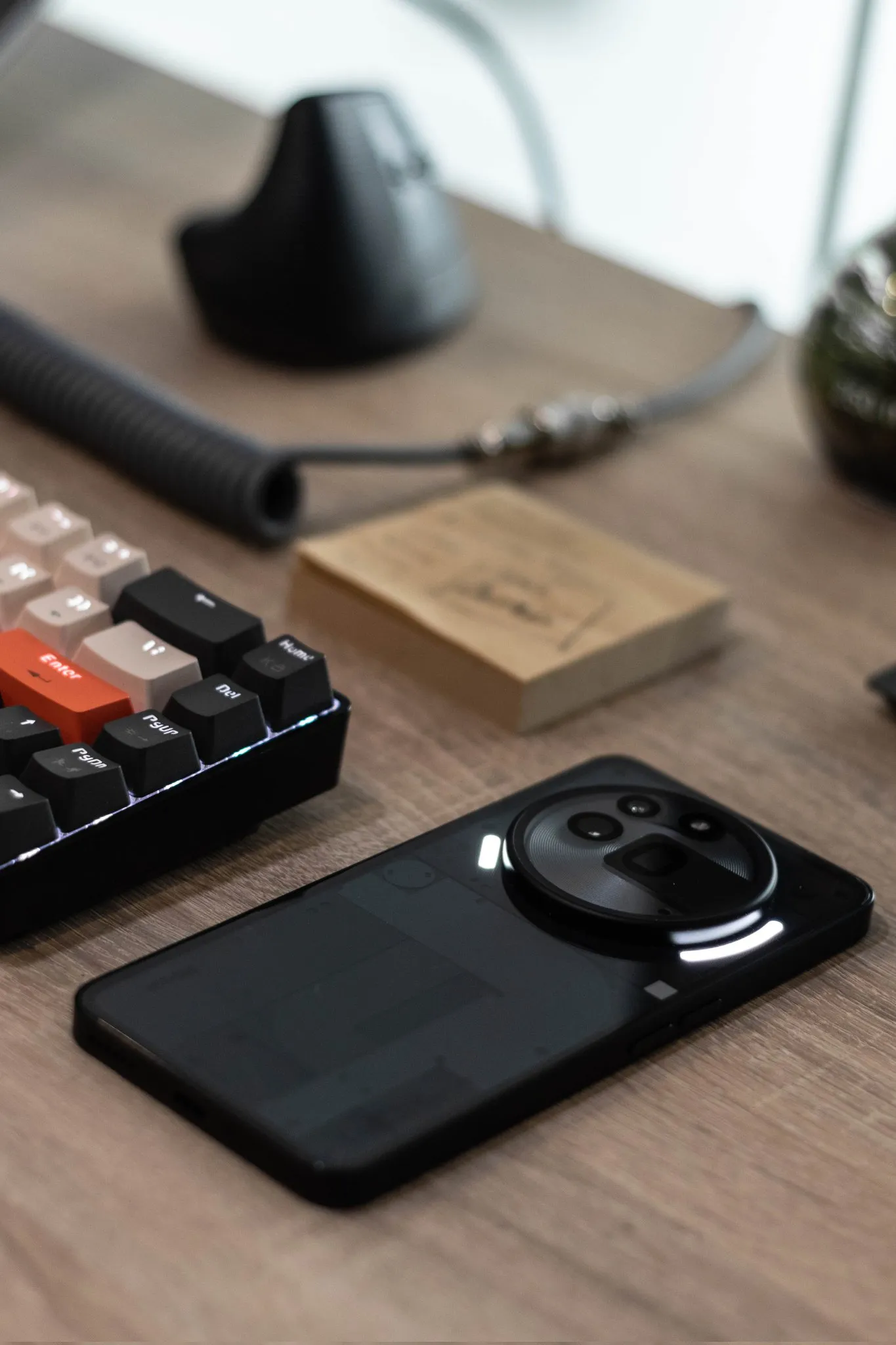
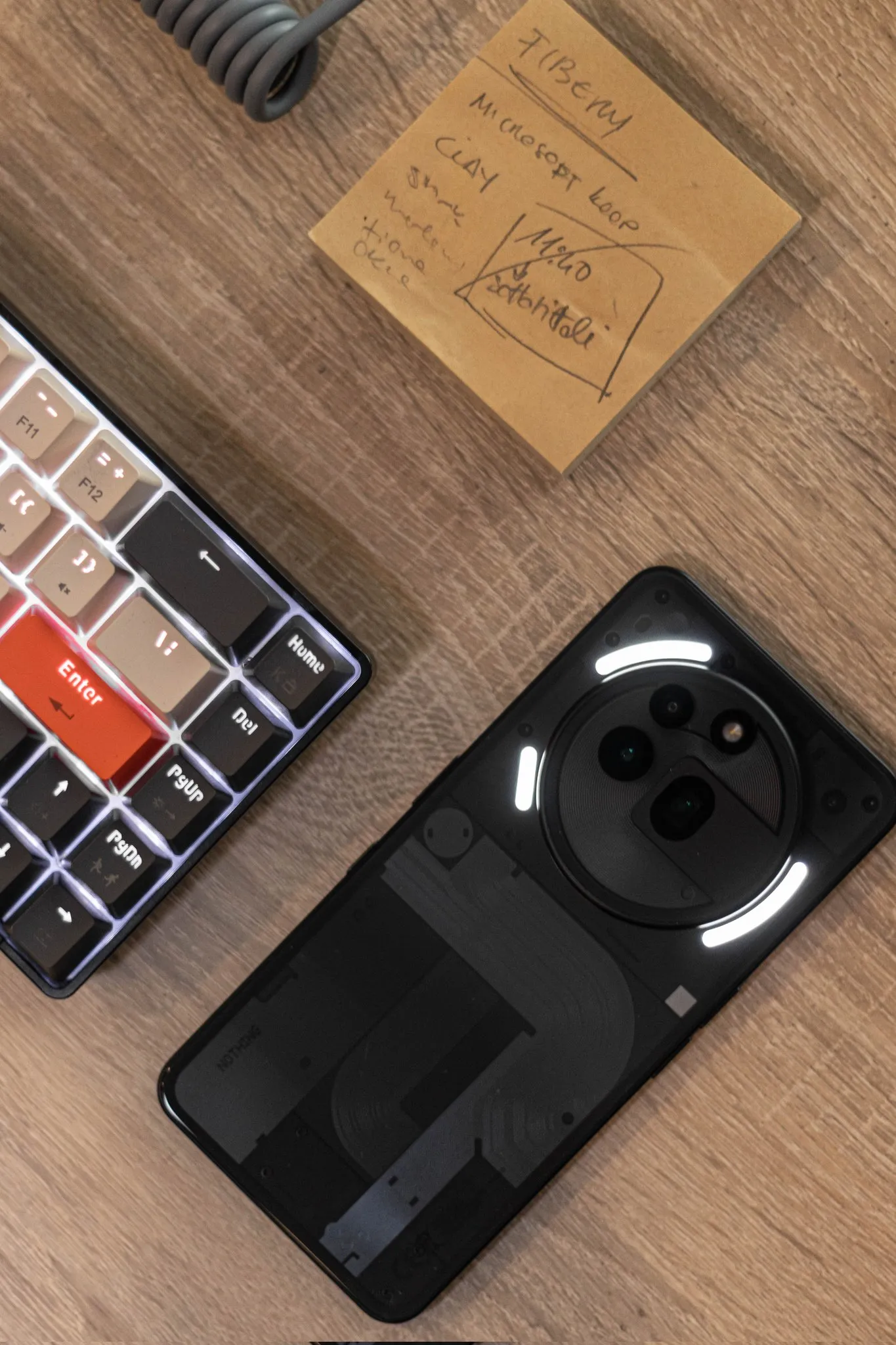
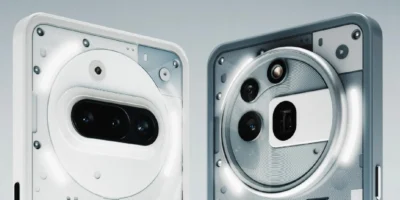
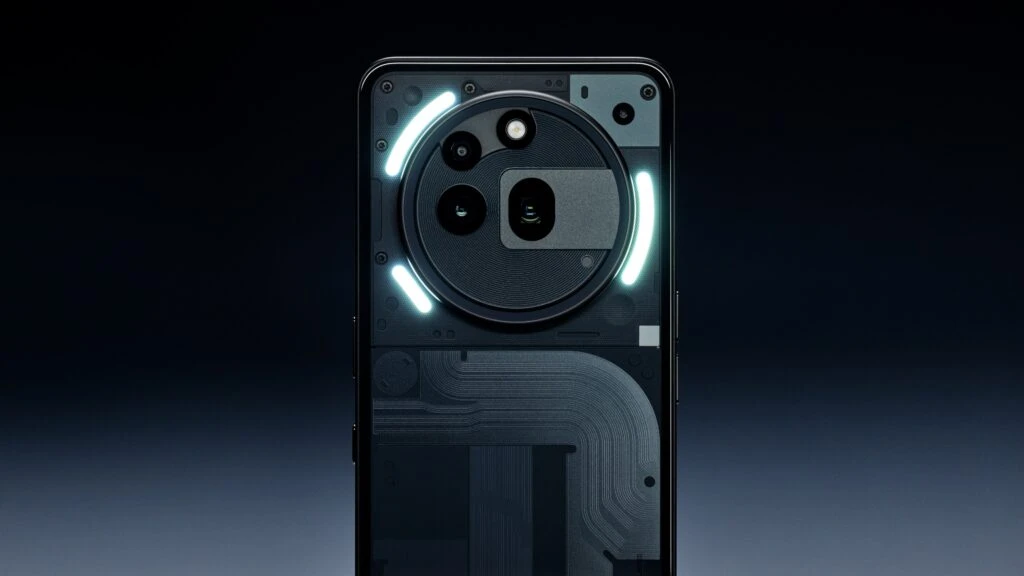
For those of us who love symmetry, the camera's positioning is a bit off-putting. Why doesn't the second camera follow the same circle as the first and the flash? I was expecting an explanation for that choice in the YouTube video. Perhaps there's an engineering reason behind it?
Colors
Personally, I don't like the black version, as it's a very deep black, like the iPhone (1). The main problem is that you can't see the rear components or the details. Even in direct sunlight, they're not fully visible. And, on top of that, fingerprints show up and are annoying.
The platinum version, instead, It looks amazing!, Original, futuristic, and it feels more premium. Definitely the best choice!
Material
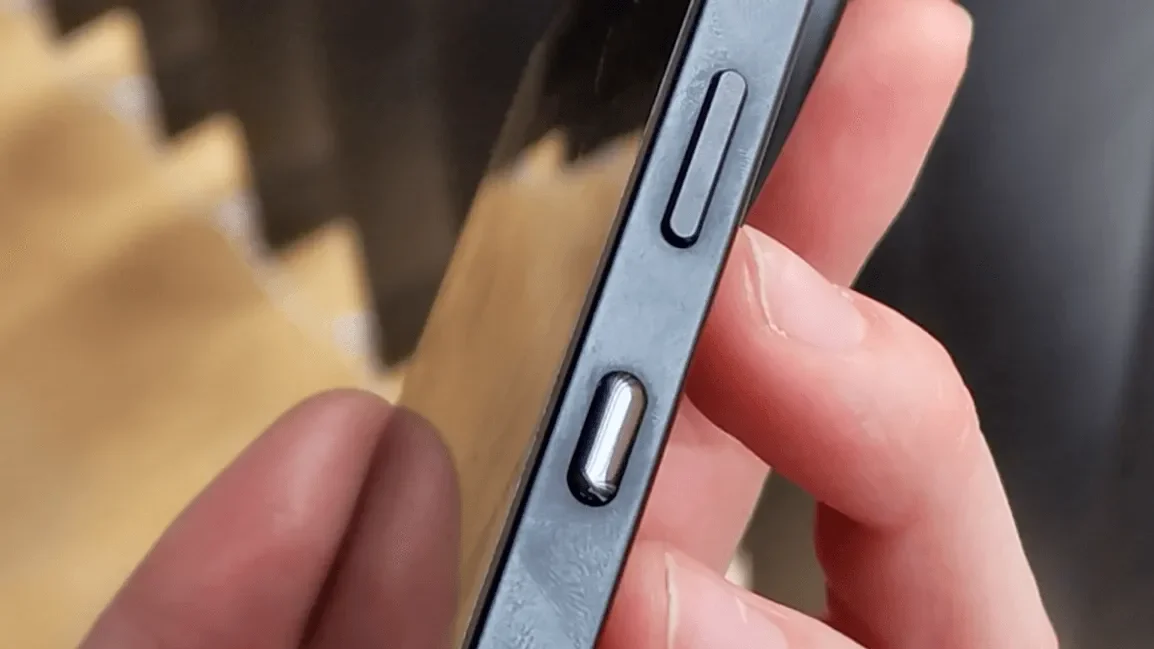
The edges aren't made of aluminum, a material usually reserved for Nothing's high-end range. We have a matte plastic, It feels nice to the touch, but on the other hand, it leaves a lot of fingerprints, and around the buttons, there is a ring of a different color that corresponds to the part of the material that never comes into contact with the skin of the fingers, due to the height of the buttons.
Dust
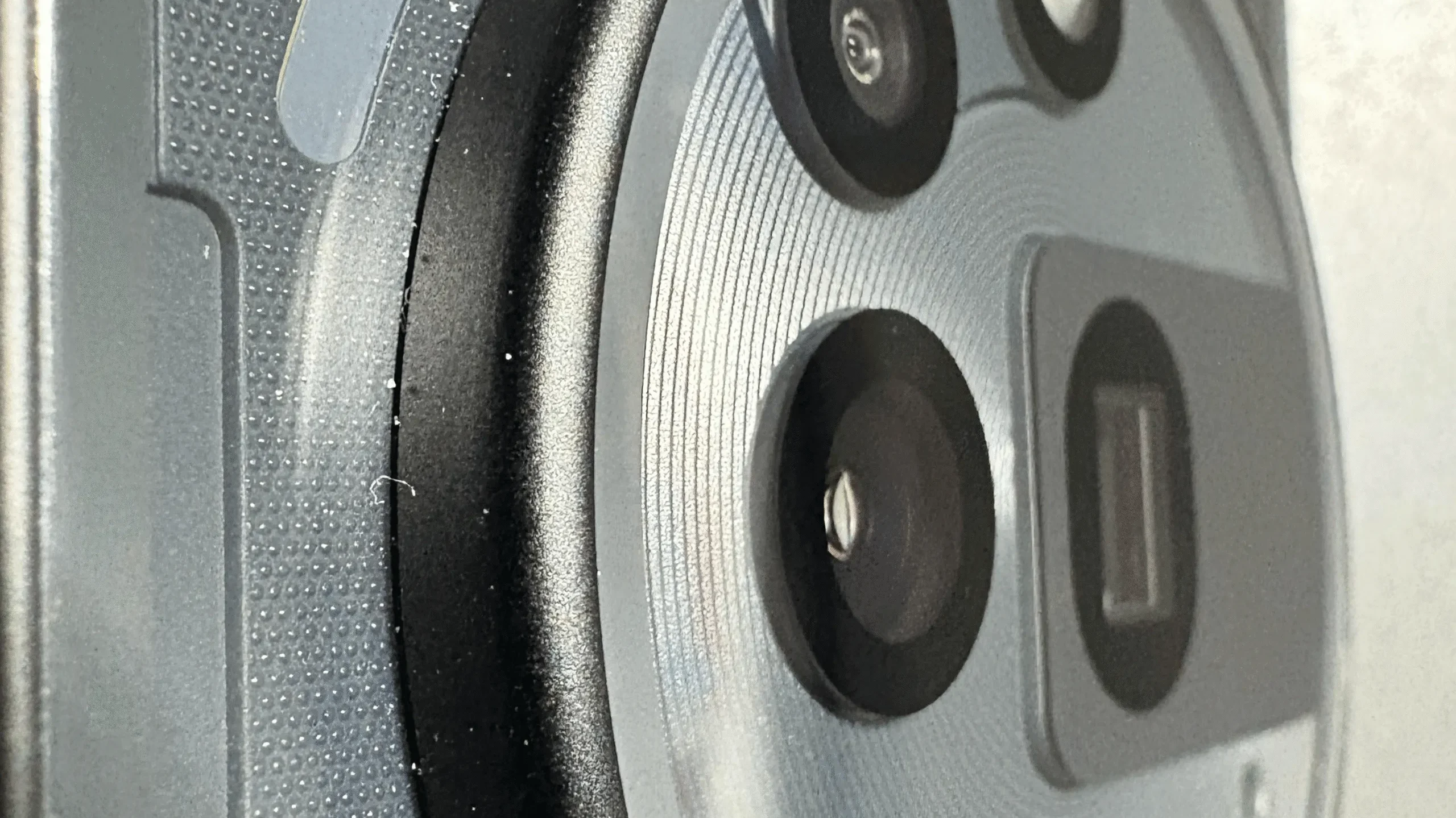
Due to the dark color, you will find some dust around the edge; it is a little difficult to remove, even with a microfiber cloth.
Weight
Weight isn't for everyone. If you thought the Nothing Phone (2) The first one was a bit heavy (200g), this one is a bit heavier due to the camera bevel (215g in total), which at first gives the feeling that it's going to tilt forward.
The bezel, actually, grip help In portrait mode, the index finger rests directly underneath when you hold the phone. But even when watching videos in landscape mode, you can grip this bezel with your fingers and it's comfortable.
I can imagine your puzzlement about it; when you place it on a table, it's quite unbalanced. But it's actually an advantage:
- It's like a tilted stand, and it doesn't wobble when you touch the sides of the phone (which does happen with the Phone (1) and (2) because of the single-sided cameras).
- Nothing is a brand that, through its design, forces you to leave your phone face down so that you have fewer distractions.
Performance
The Snapdragon 7s Gen 3 and its optimization are incredible. Nothing OS. I tested it with Call of Duty at 120fps on very high resolution and I have nothing to say, it performs very well and does not overheat.
While it's true that it sometimes takes a little while to take a quick photo or many in portrait mode, it simply freezes and you have to give it time. And this is a real pain because sometimes you miss the perfect moment.
Photograph
This is where things get interesting and this phone's main improvement lies. In every Nothing post, the first comment was always a criticism of the camera quality. But now the story has changed. We have optical zoom up to 3x, and a lossless digital zoom up to 6x. But let the photos speak for themselves:

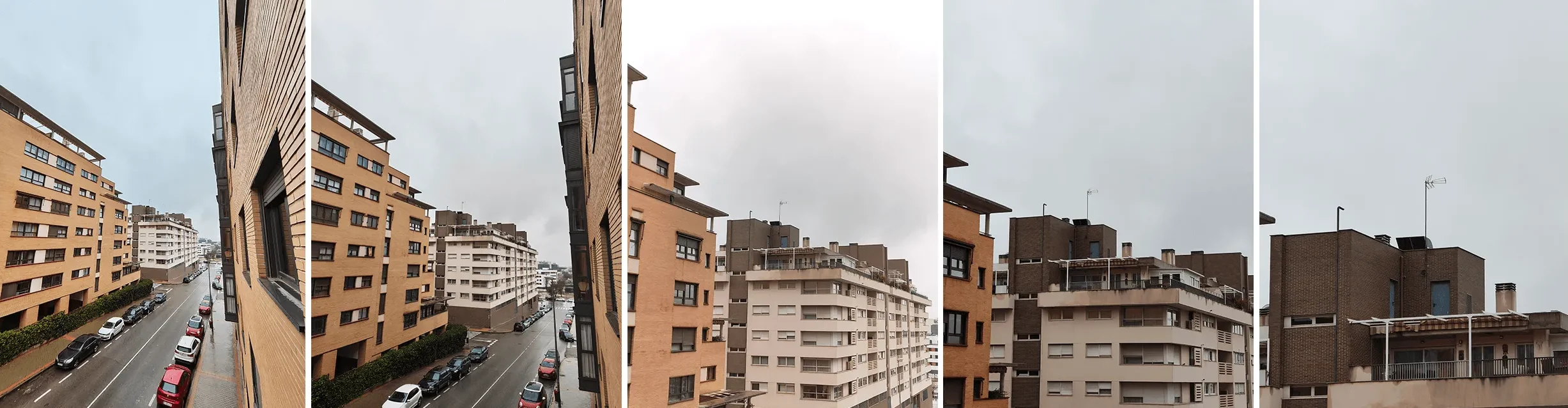









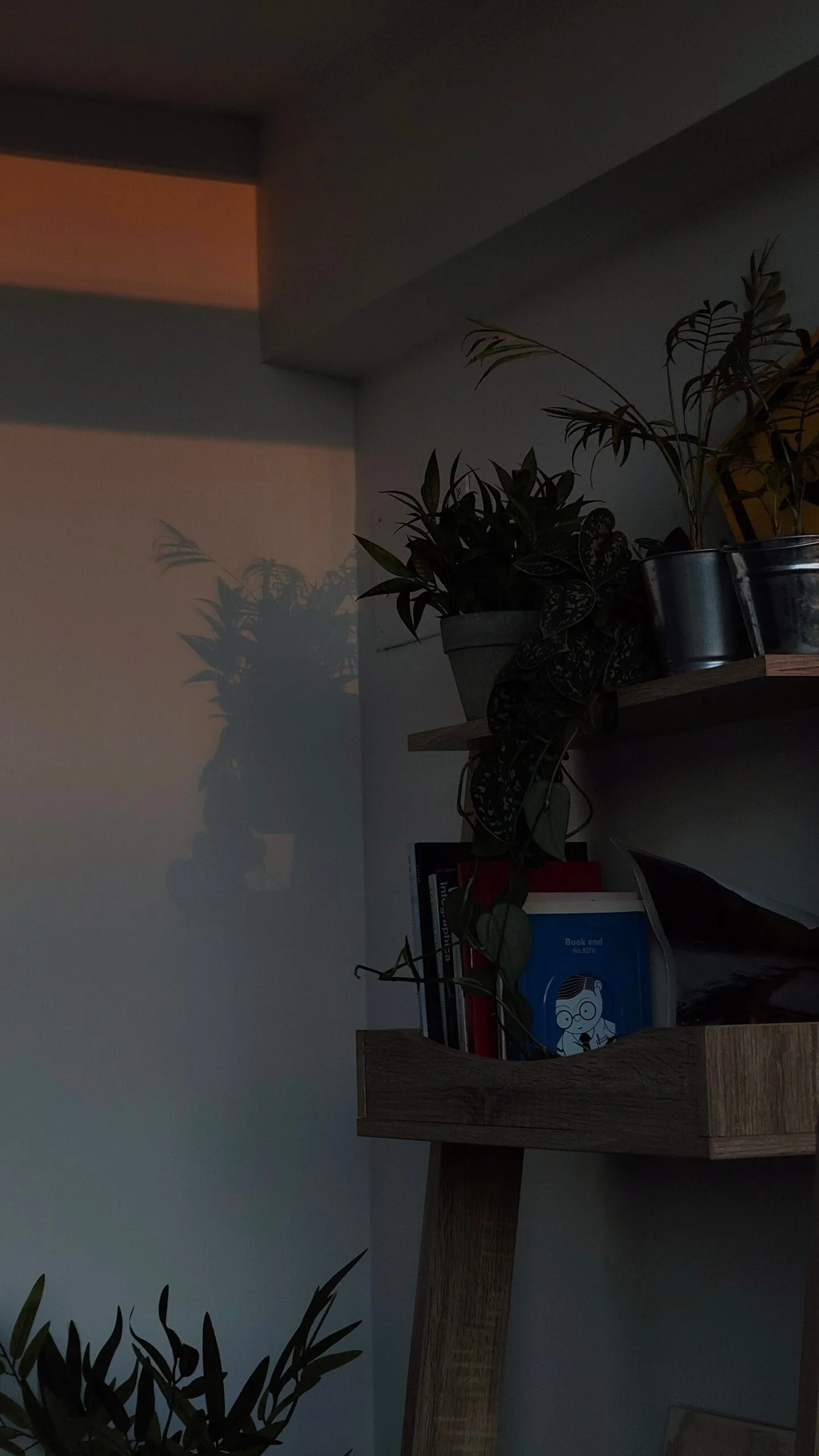


Indoor photos generally tend to have high contrast, often due to post-processing. This is easily remedied with photo editing, and the black levels aren't significantly affected.
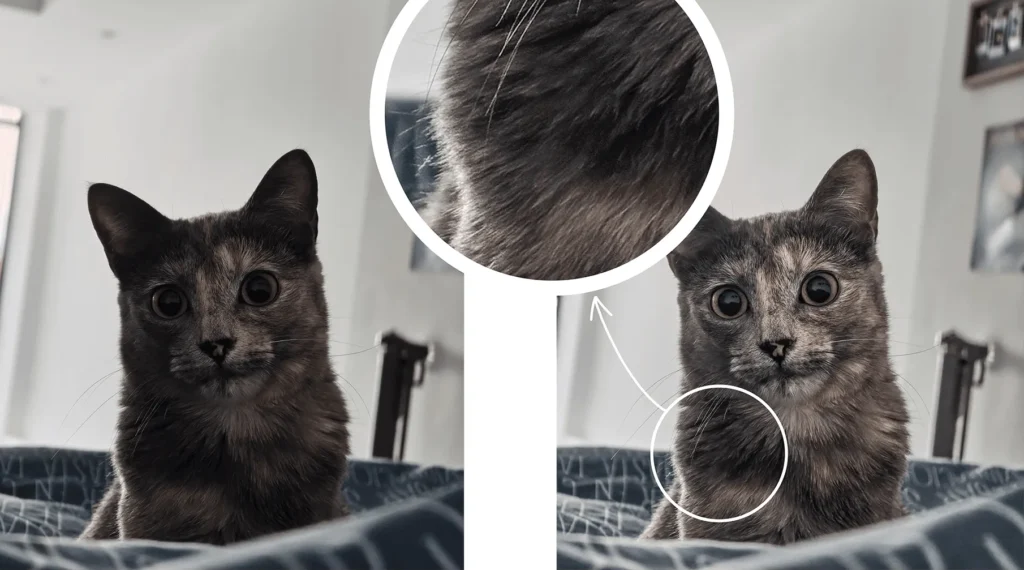
Night mode
Night mode (fast) has better colors. While on the iPhone (2) dark areas tended to appear purple, now we have a more natural dark color. But you might sometimes notice some noise in the image; it depends on the situation.
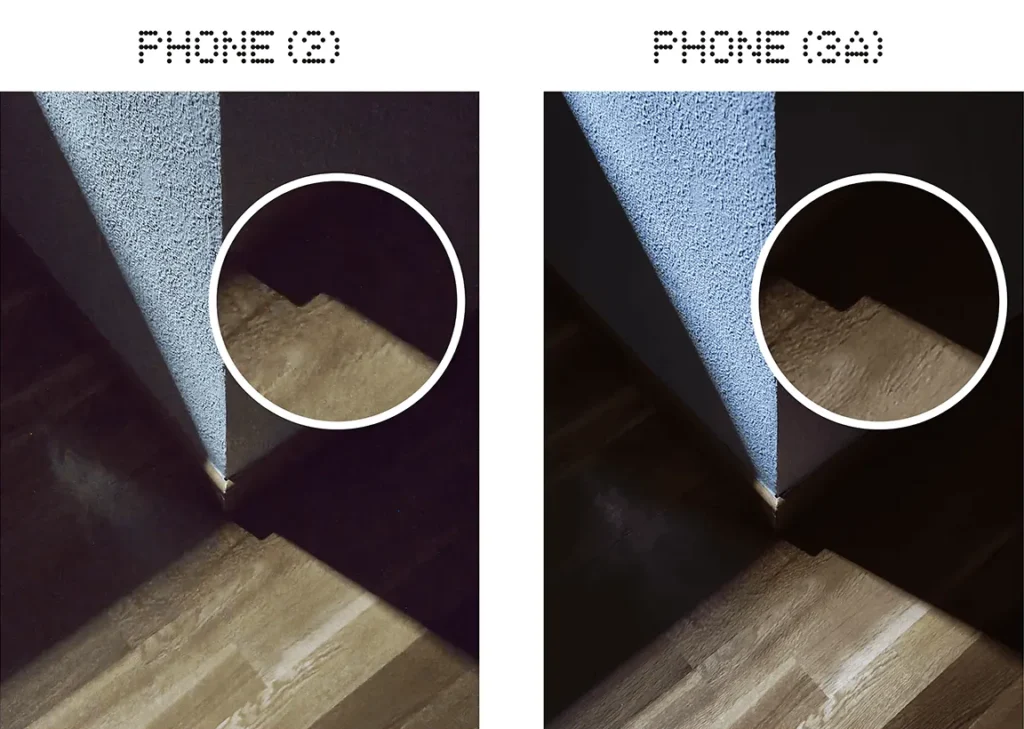
Front camera
The front camera is slightly larger than the one on the Phone 2, and the quality has improved too! 50MP versus the Phone (2)'s 32MP. But sometimes with selfies, the Nothing Phone (2) seems to be much sharper than the (3a) Pro, which seems to produce slightly blurred photos, as if some "beauty" effect were activated.
Macro
Macro mode is another key feature of this phone, as the (3a) doesn't have it. We can also enjoy up to a 6x macro zoom, absolutely incredible, a mix of sharpness and amazing detail:
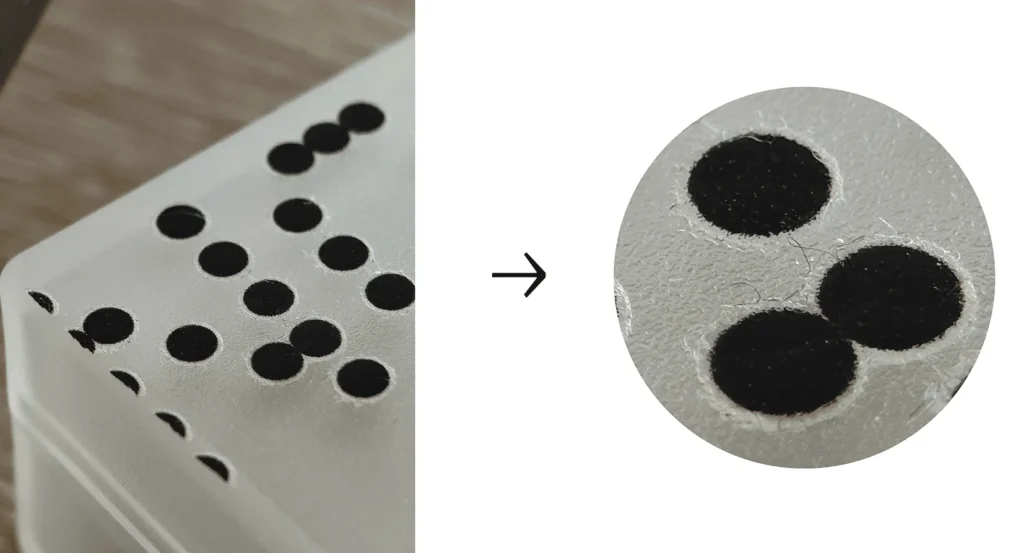
The Presets
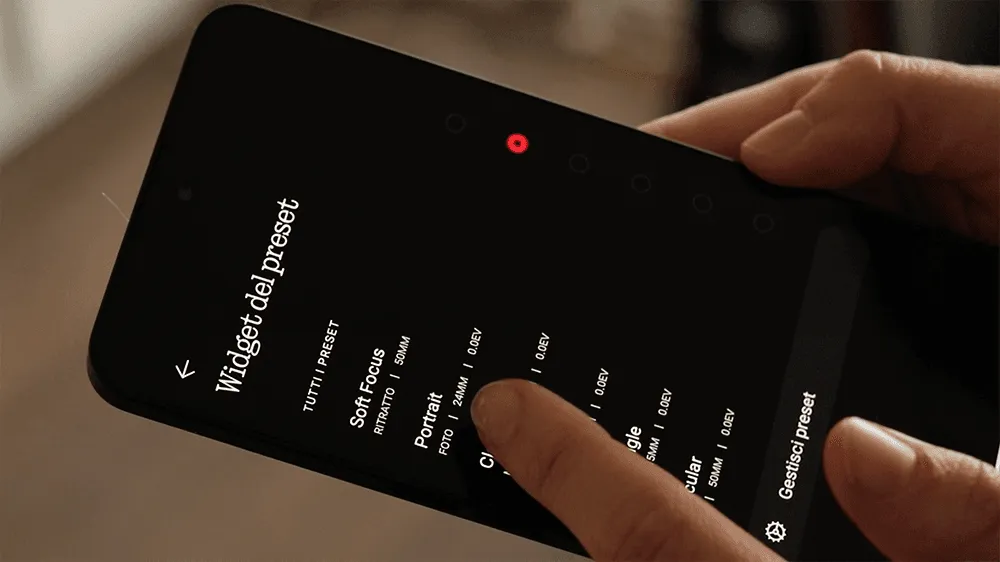
The best thing about this section is that you can create your own presetsIt's quite easy and I love how simple it is. You can also select a preset default, and every time you double-press the power button, the camera opens with that preset.
I also think it's great that you can share your preset, generating a virtual card with a QR code for others to scan and have it.
You can't manually change each color like in Lightroom, but you can import a LUT file from your device, so it works like a filter for a preset.
I only have one negative point in this section: when selecting the default preset, it only works if you click directly on the selection button. The first time, I was tapping all over the screen and the options, and I didn't understand why I couldn't select anything, even though I was tapping the option with my finger. The whole "strip" should be an option; perhaps they'll change that in future updates.
e-Sim
Finally, many of us asked for it and they listened. e-SIMs are available, but only on the 3a Pro.
Battery
It has 5000mAh And it's good; perhaps if you use it very intensively, for example, on a trip with the browser running for many hours, it won't last until the end of the day. However, with normal use (social media, music, occasionally using Google Maps, chatting), it easily lasts until the end of the day. The option to limit battery charging, introduced in OS 3.0, to allow for a better battery life, even if that means sacrificing a higher percentage that we might miss during the day.
We don't have wireless charging, clearly to keep costs down. That said, it's incredibly fast! We're talking about 49% in just 20 minutes, So in 5 minutes you'll have a 14% charged.
Display
We have a AMOLED screen, with Full HD+ resolution and a manual maximum brightness of 1300 nits. Additionally, the issue of dark purple pixels at low brightness that some users experienced on the Phone (2) has been resolved.
However, I feel it's more susceptible to scratches, so it's best to use a screen protector, especially if you tend to leave your phone face down. It's not insignificant in terms of size; it's a bit larger than the iPhone 2 at 6.77 inches. For many, this is a problem.
Glyphs
The glyphs are much brighter than on the Phone (2), but similar to those on the Phone (2a). In this section, I still prefer the Phone (2) glyph design for certain details, such as the battery level display while charging.
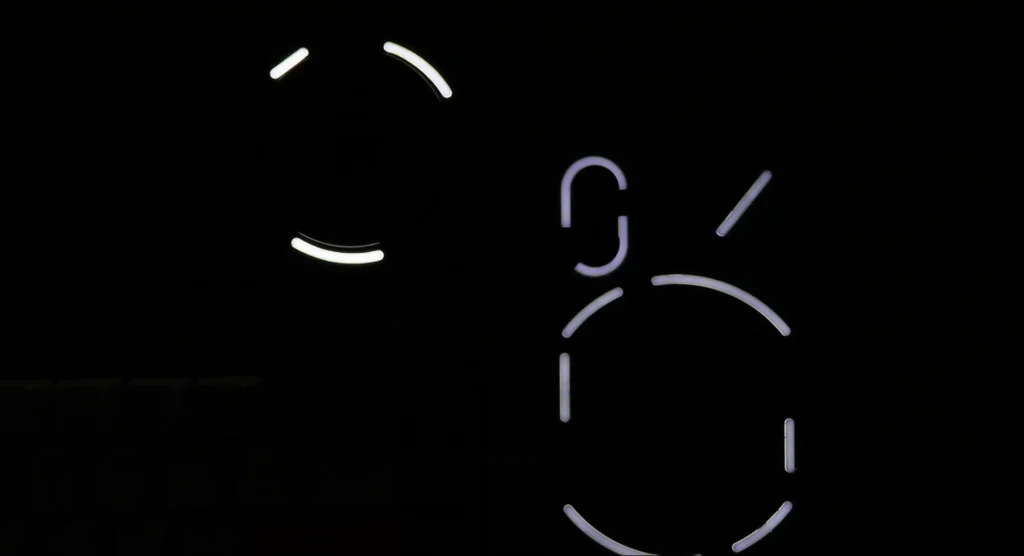
I've noticed some inconsistency with the progress bars for Calendar and Uber. The volume and timer are displayed with a single glyph, while Uber and Calendar use two. Personally, I find this odd because they're physically separate. But I suppose it's because the feature is still in beta.
Target audience
This is your new device if:
- You prioritize camera quality and enjoy photography.
- You like bold, industrial design.
- You don't need to run multiple very heavy applications at the same time
- You are a casual gamer.
- You are a student and you find that Essential Key can be useful for organizing ideas for your thesis or daily tasks.
- You have many ideas and projects, but you struggle with disorganization.
- You love Nothing's OS but don't want to invest in their high-end range due to budget constraints.
Audio
The speakers are amazing., It was a surprise! I always thought the iPhone 2's speakers were excellent, but when I compared them to the Nokia 3a Pro, I was blown away. The bass is deeper, the sound is clearer and more intense. In comparison, the sound of the Phone (2) It feels a bit chaotic and "cheap".
New button
I have to be honest, I didn't think it would be useful, but it's interesting. I'm one of those people whose mind races all the time, and I fool myself into thinking I'll always remember everything. Spoiler alert: I always forget everything.
This new feature called Essential Key It takes a screenshot of what you're seeing and lets you annotate something or even record a quick audio clip, which an internal AI then transcribes. Even so, you always have the option to listen to the audio again in case the transcription isn't accurate.
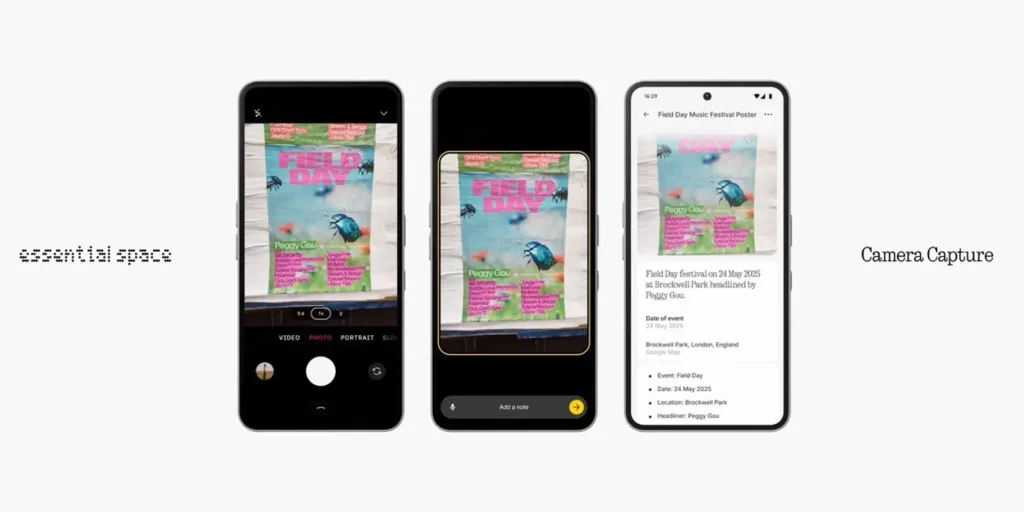
You can also use it as a reminder on the lock screen; it doesn't take a screenshot but records your voice and you can tell it.
I found it very useful not only for gathering ideas for reviews, but also as reminders, because I was constantly on the go and didn't have time to write down all those random ideas that came to me.
At first, I thought it would be interesting to be able to customize it as an action button, but on second thought, there are very few things you can't do with a widget on the lock screen. So I'm happy it's only intended for this function.
Is it useful? What's the point? Is it actually functional?
And most importantly, What's the difference? between a normal voice message in your WhatsApp chat And this?
Basically, you save time.
You would normally have to unlock your screen, open the app, open the chat, and record the audio. In this case, you only need to press once to turn on the screen and again to record.
Important! The primary language is English; all other languages are in beta. Therefore, if you start recording in one language and suddenly speak in another, the transcription will not automatically change; it will remain in the first language you started in (so the second part will not be understood correctly).
If you still have doubts…
…you might be interested in my comparison between the (3a) and (3a) Pro with the Phone (2)
Or more details about this model:
Conclusion
If you're coming from a mid-range phone and you like this device's UI, you also enjoy photography but don't want to invest in another Xiaomi, and you don't mind that the processor isn't top-of-the-line, then it's definitely a great option!
Personally, I'm delighted with it. The only things I miss from the iPhone 2 are wireless charging and the many more glyphs, as well as certain details like the red LED for recording and the progress bar while charging. I'm sure they'll keep these features for the iPhone 3, which they'll release in the third quarter of this year.
Nothing Phone (3a) Pro review
- Design
- Display
- Sound
- Performance and OS
- Battery
- Cameras

Leave a Reply